


As someone with a coding background, the topic of API keys was a bit of a fun flashback to my college hackathon years. I vividly remember getting yelled at by my team for accidentally pushing our OpenAI API key to github's main branch... what a disaster.
So when I found out that there wasn't a .env file for Alteryx, I began to worry a bit about security as a whole. During our lessons, we were told to store our API keys in a separate excel file, and connect that excel file to our workflow to access the API key.
However, I still don't feel that this is safe!!! When exporting the Alteryx workflow as a packaged workflow, you have the option to unselect dependencies, but anyone can make a mistake and have the excel file containing the API key packaged with everything else!
So what is a foolproof method of exporting our workflow, and keeping our API keys, or any other sensitive credentials safe?
The answer is an Environmental Variable.
What exactly is an Environmental Variable?
In Windows, it is a local key value pair stored directly on your device. We can reference this key value pair in Alteryx using the GetEnvironmentVariable function. This way, when we send a packaged workflow, that API Key never gets stored within the file.
How do we set up an Environmental Variable?
Pretty simple! let's follow along.
Let's first open up our start menu by clicking the windows logo in the taskbar:
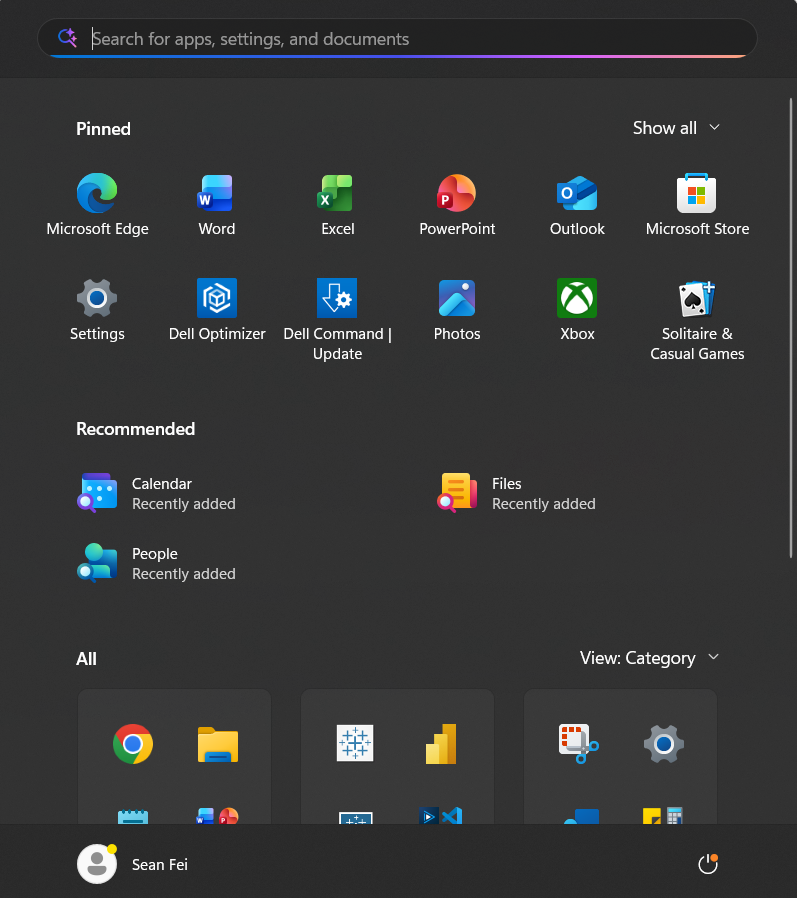
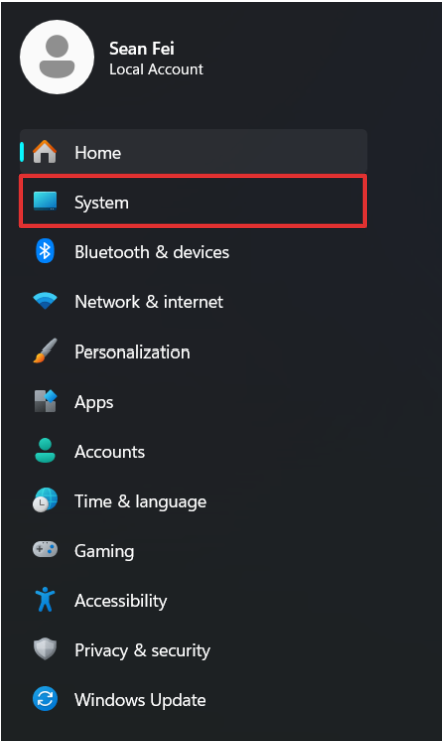
We then select Settings, where on the left hand selection pane, we choose System.
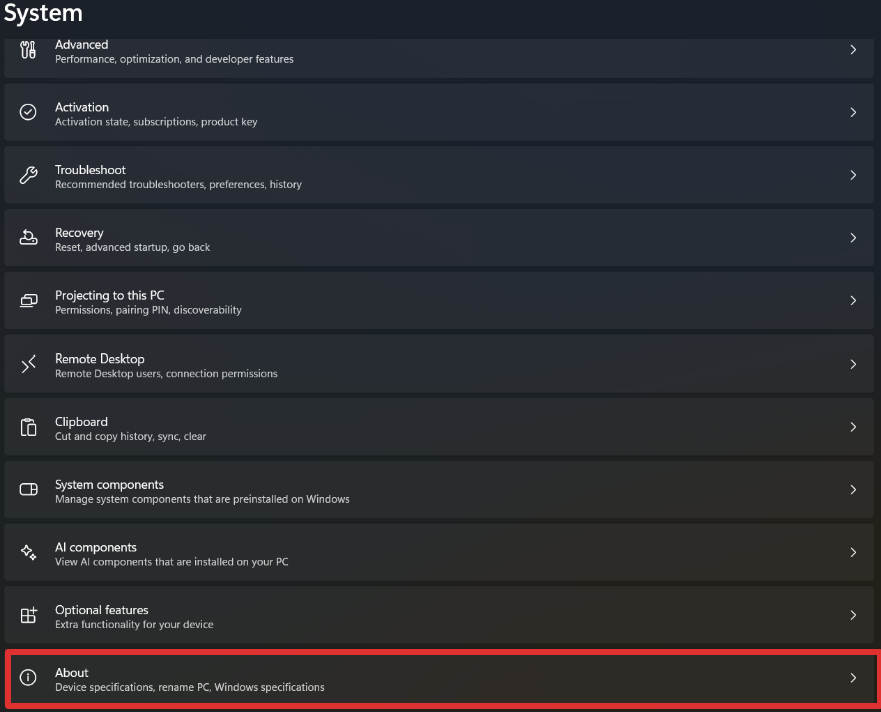
We then scroll all the way down and click the "About" section.
We then click on "Advanced System Settings"
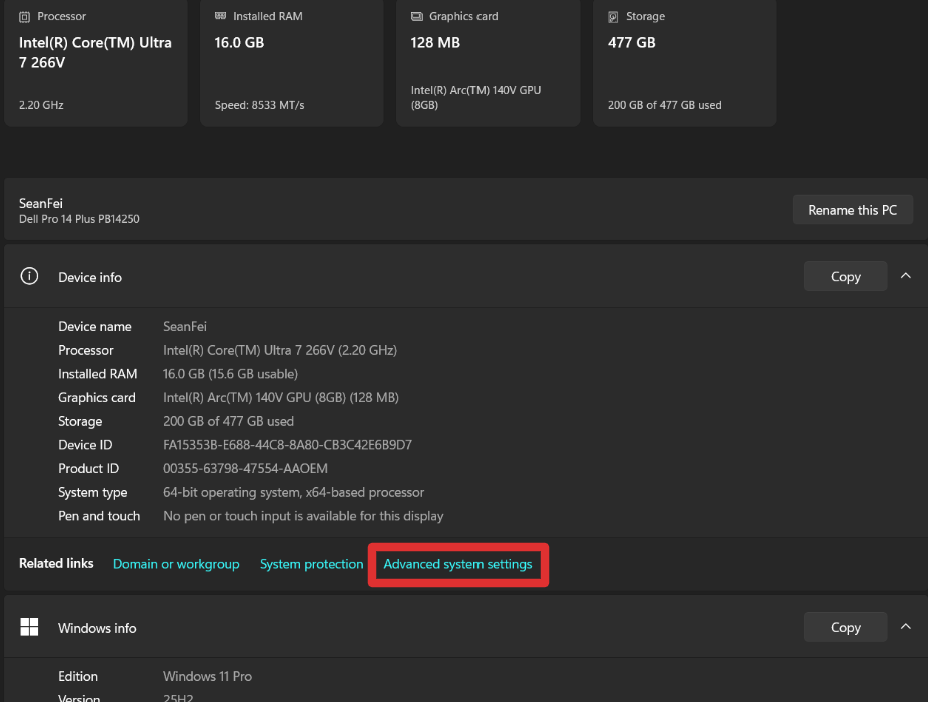
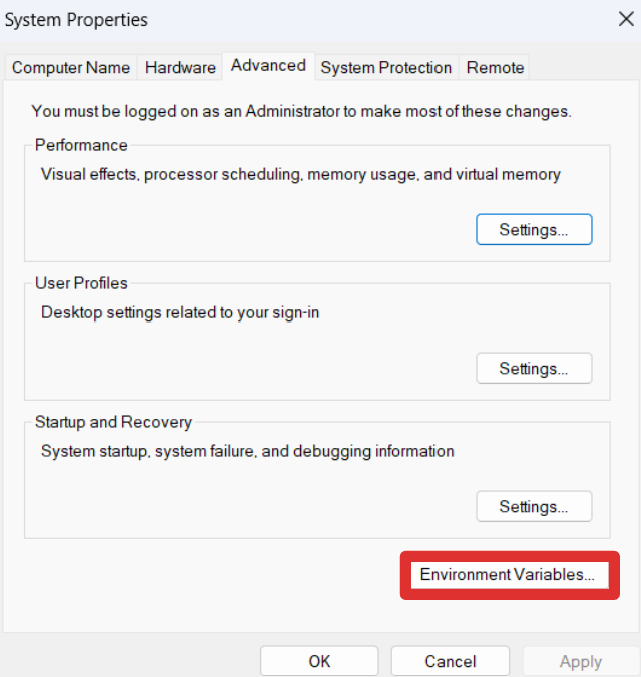
This 0pens up a small window, where we can select "Environment Variables"
At the top of the window, we notice the user variables. Here, we see the name of the variable we set, as well as the value of the information (your credentials!)
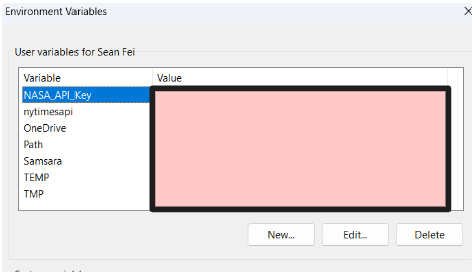
To add a new environmental variable, we press the "New" button, which brings up another window.
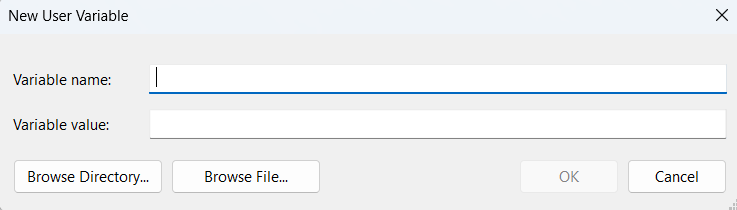
Here, we can set a variable name that we use to reference our API key. In the Variable value section, this is where we put the actual key. For the sake of this demonstration I will use a fake dummy key.
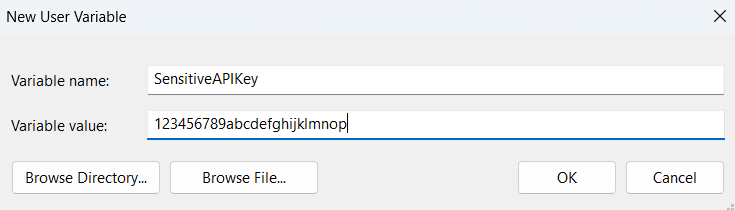
You now will press "Ok" for each of the windows until they all close. We can now open Alteryx!
NOTE:
If you created your Environmental Variable after opening Alteryx, you will need to restart Alteryx in order to be able to reference said Environmental Variable.
In Alteryx:
Now that we've opened up Alteryx, I'll use a dummy base url: https://example.com/users/more/ to show how we can reference our environmental variable.
Using the formula tool, we can create a new output column, and append our environmental variable to our base url:
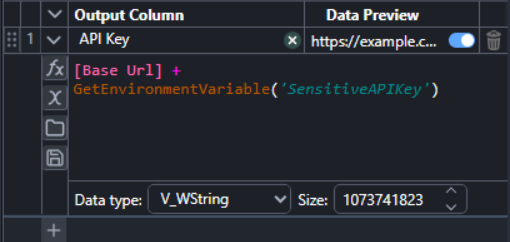
As you can see, we use the GetEnvironmentVariable function, and we reference our Variable Name 'SensitiveAPIKey' that we created earlier.
As we now see, when we run the flow, our output includes our API Key appended onto the end of our base url!

When we export this file as a packaged workflow, anyone who opens it up will not be able to use our API key, as they do not have the environmental variable needed!