


Order of Query Statement:
- SELECT - columns
- FROM - tables
- WHERE - row level filtering
- GROUP BY - aggregating
- HAVING - column based filtering (something that's aggregated in the select)
- ORDER BY - sorting
1 - SELECT
Choose your columns using SELECT. You can pick specific columns or use the classic wildcard *
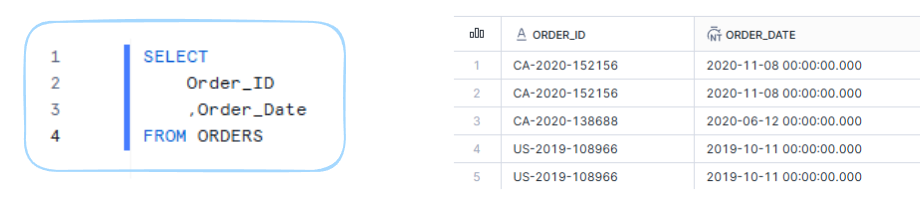
So in the example above, we're bringing in just the Order_ID and Order_date columns.
You can also LIMIT to bring back a certain number of rows for example:
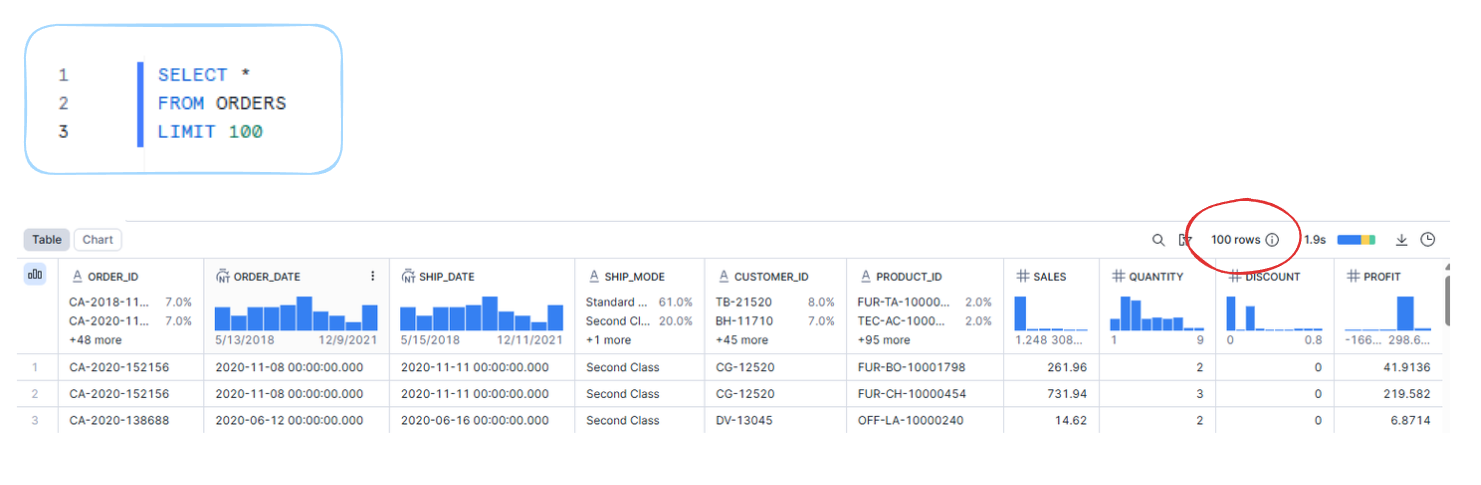
So in this example we're bringing in all the columns from the Orders table and it's just 100 rows of the data.
Lastly, we can also alias our field or table names. If the name you choose has a space you need to use quotation marks e.g. Total_Sales to "Total Sales".
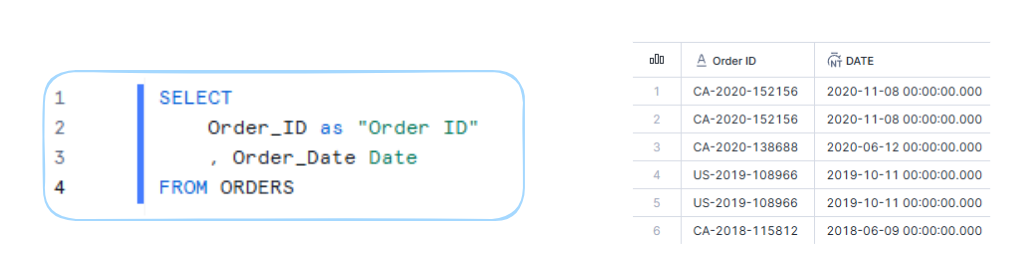
You can also use "as" in between but this is optional it works without it.
2 - FROM
As you can see above, FROM is to do with the table you're bringing the data in from. In the previous example it uses data from the Orders table.
You can also do Joins here:
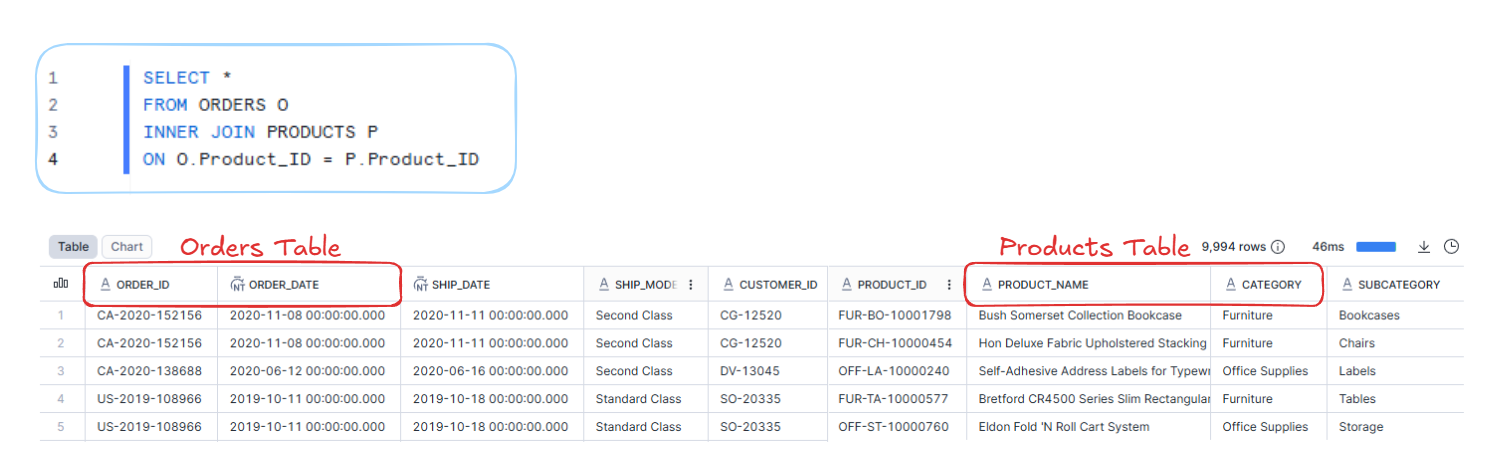
This query is bringing in all the columns from the Orders table, and doing an inner join using the Products table.
We can give these tables an alias (e.g. Orders O / Products P) so that when we specify what we're joining ON, we can say O.Product_ID for the Product_ID from the Orders table and then use P.Product_ID for the Products table.
3 - WHERE
WHERE is for filtering!
If you have a numeric field you can say WHERE ColumnX BETWEEN 1 AND 10 (and 1 and 10 are included in this).
If you have a string, use quote marks e.g. WHERE ColumnX = 'Central'
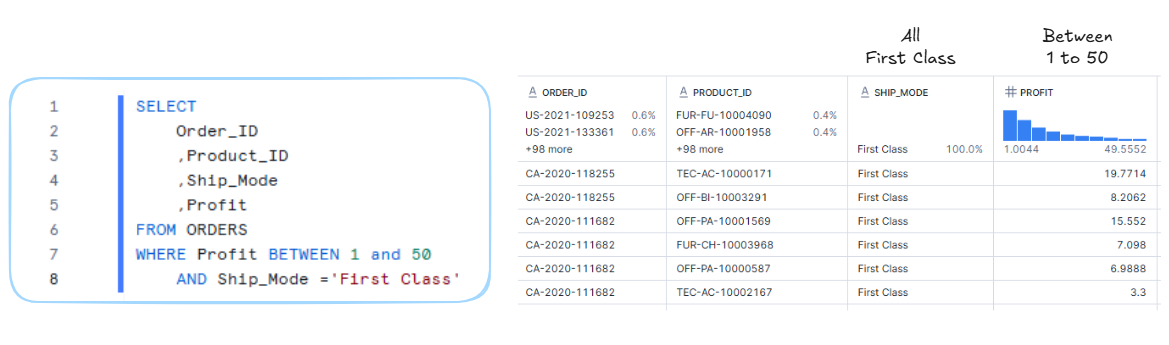
We can also use LIKE in our WHERE too!
So if we're looking for a word with multiple variable characters we can use % (this can be 0 to however many characters)
If it's a single character we can use _ (so if it's 3 specific characters we can just use 3 underscores ___)
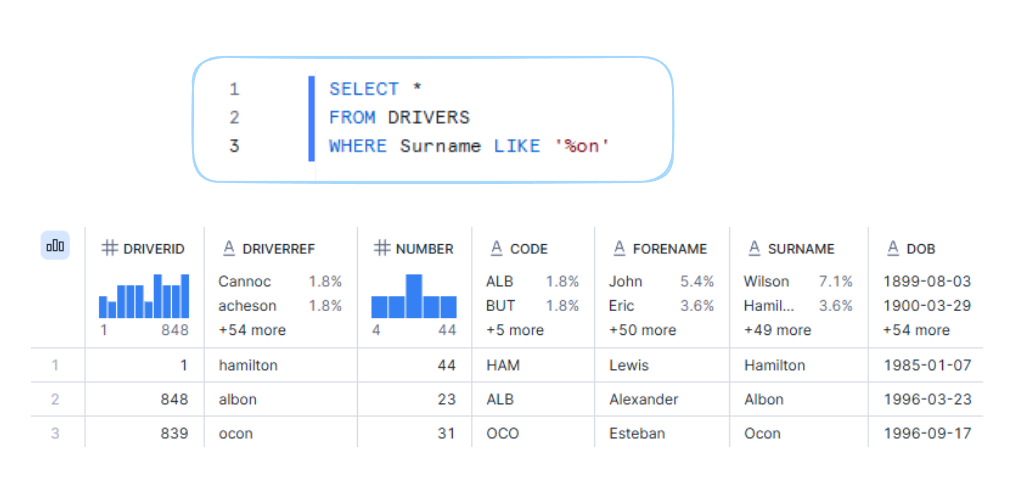
So in this query we're returning F1 drivers with a surname that ends in somethingon which has returned Hamilton, Albon, and Ocon.
An example of the underscore: if we tried finding F1 constructors LIKE '_e%' we would return Ferarri, Mercedes, Red Bull etc.
Finally, we can also use IN as well e.g. WHERE ColumnX IN ('abc', 'def','qwerty')
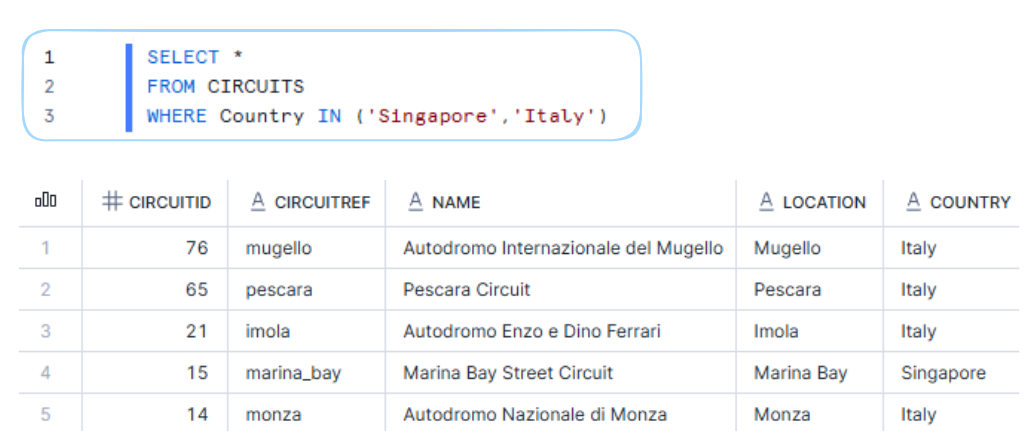
So in the above example, we're returning the F1 Circuits where the Country is either Italy or Singapore.
4 - GROUP BY
GROUP BY is used to aggregate data. It groups rows with the same value and then aggregates those.
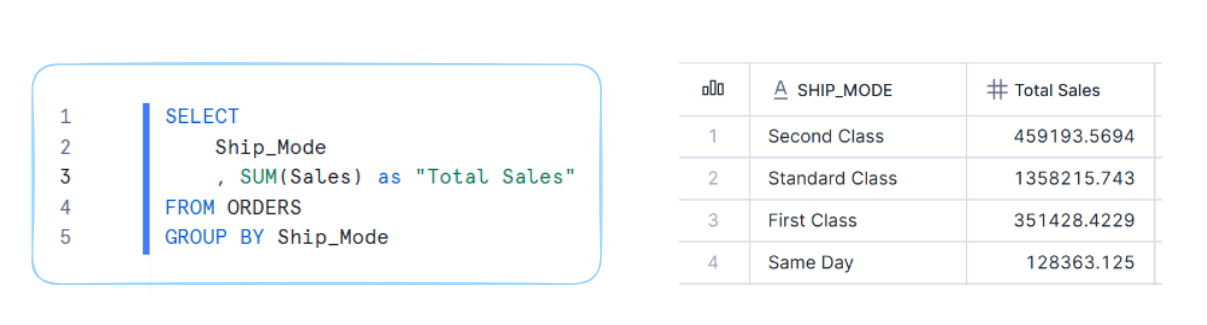
So if we wanted the Total Sales by Ship Mode we could calculate the SUM of Sales and then GROUP BY Ship Mode.
We can also group by multiple columns. Any columns in the SELECT that are not aggregated have to be in the GROUP BY.
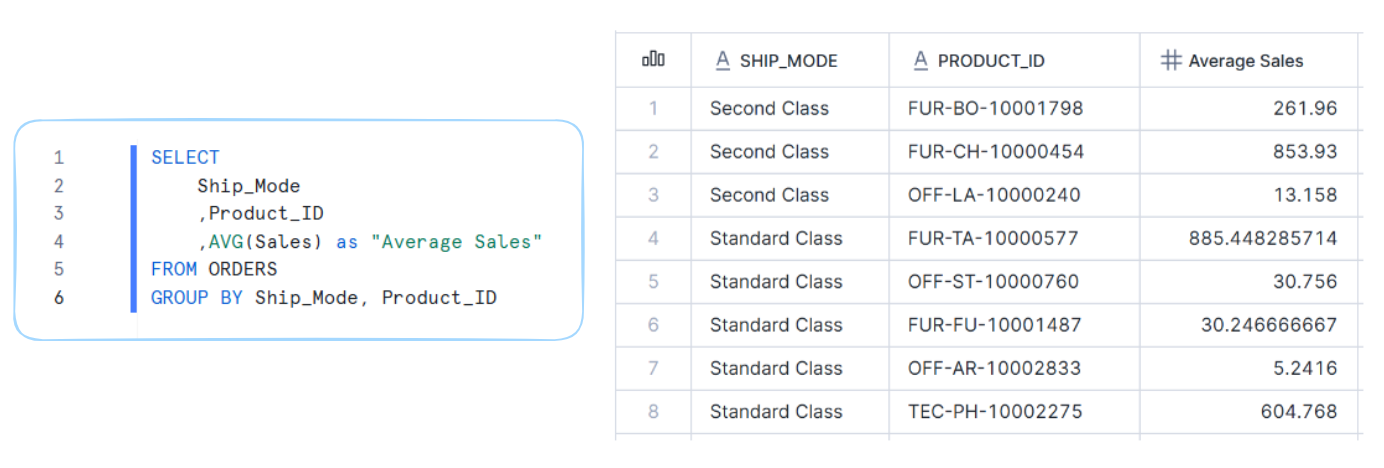
In the example above, we're calculating the Average Sales for each Ship Mode and Product ID.
Lastly, there are other aggregations you can do such as Min, Max, Count, Count Distinct etc.
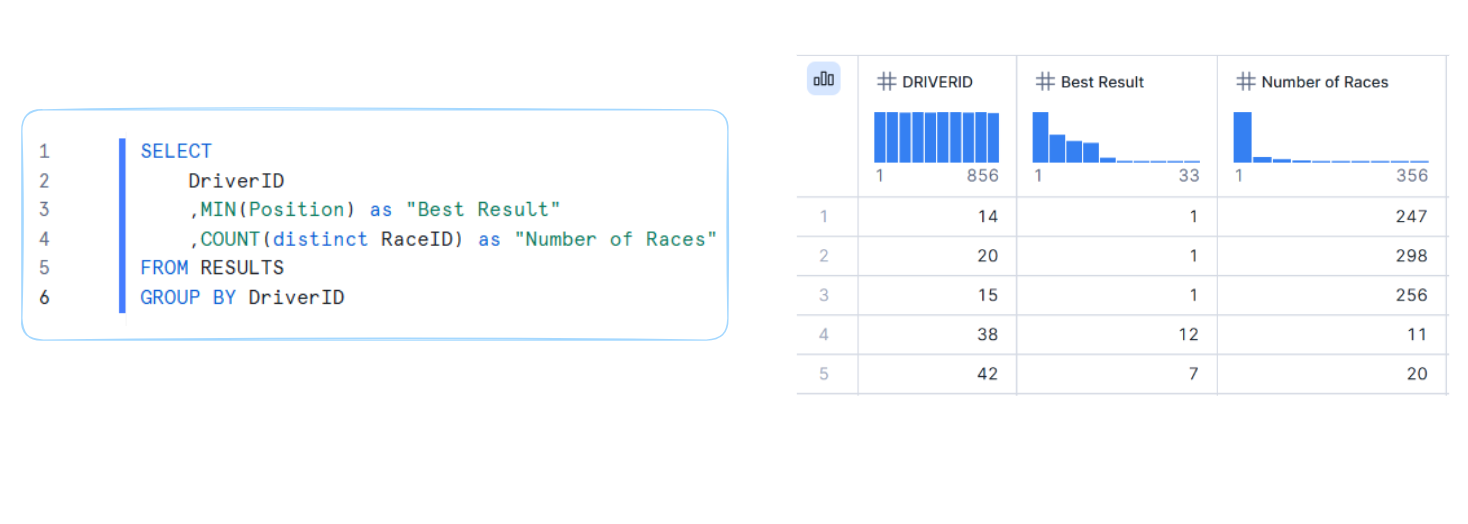
This query groups the results by each driver, calculates their best finishing position using Min, and counts how many different races they’ve participated in with the Count Distinct.
5 - HAVING
HAVING filters aggregated results (it's column based filtering using something that's aggregated in the select). So WHERE filters the rows before grouping and HAVING filters the grouped data after aggregation.
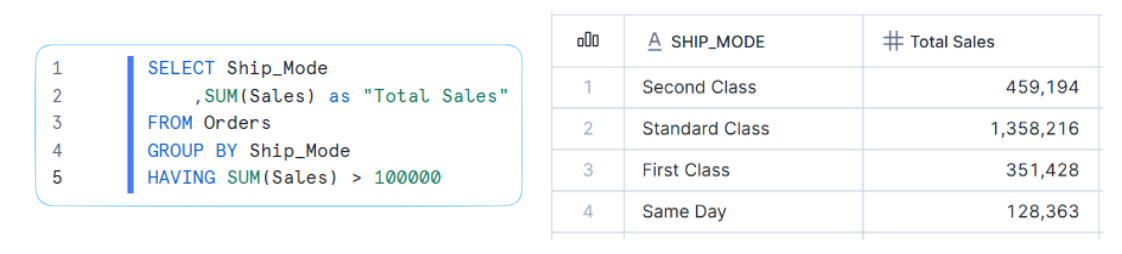
For this query, we're bringing in Ship Mode and calculating SUM of Sales. Then we're grouping by the Ship Mode and using HAVING to filter those grouped results to only return the Ship Modes where Total Sales is greater than 100,000. If we changed it to greater than 150,000 then "Same Day" wouldn't be returned.
6 - ORDER BY
ORDER BY is used to sort your results. It sorts in ascending order (ASC) by default but you can sort by descending order by using DESC.
You can also sort by multiple columns. The query will sort by the first column and then within that, it will sort by the second column.
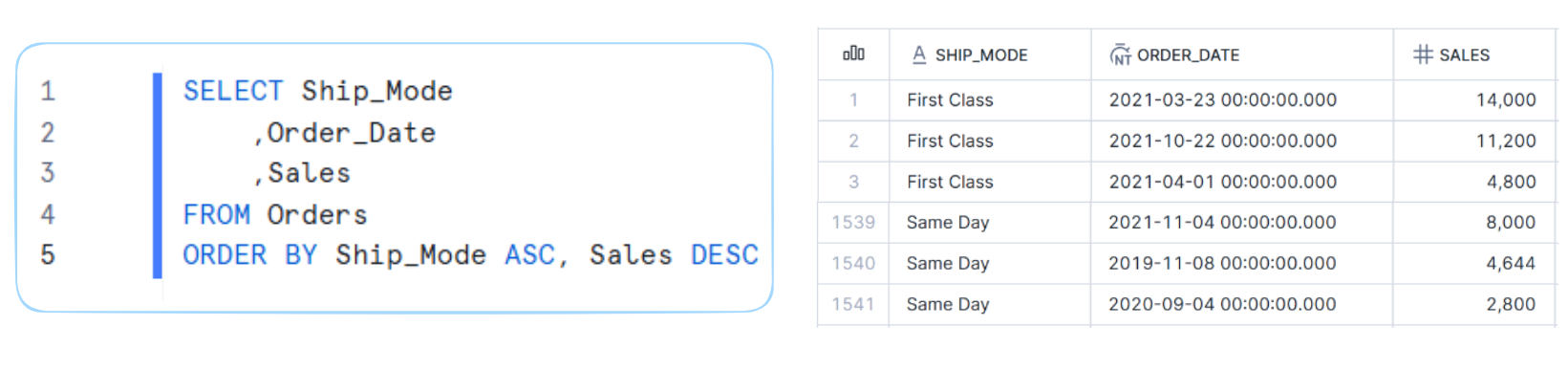
So in this example, it sorts by Ship Mode first and then within that sorts by Sales.
CONCATENATE
Concatenate is just an extra little fun function, it doesn't feel like it should go in a blog with the advanced clauses coming in a different blog.
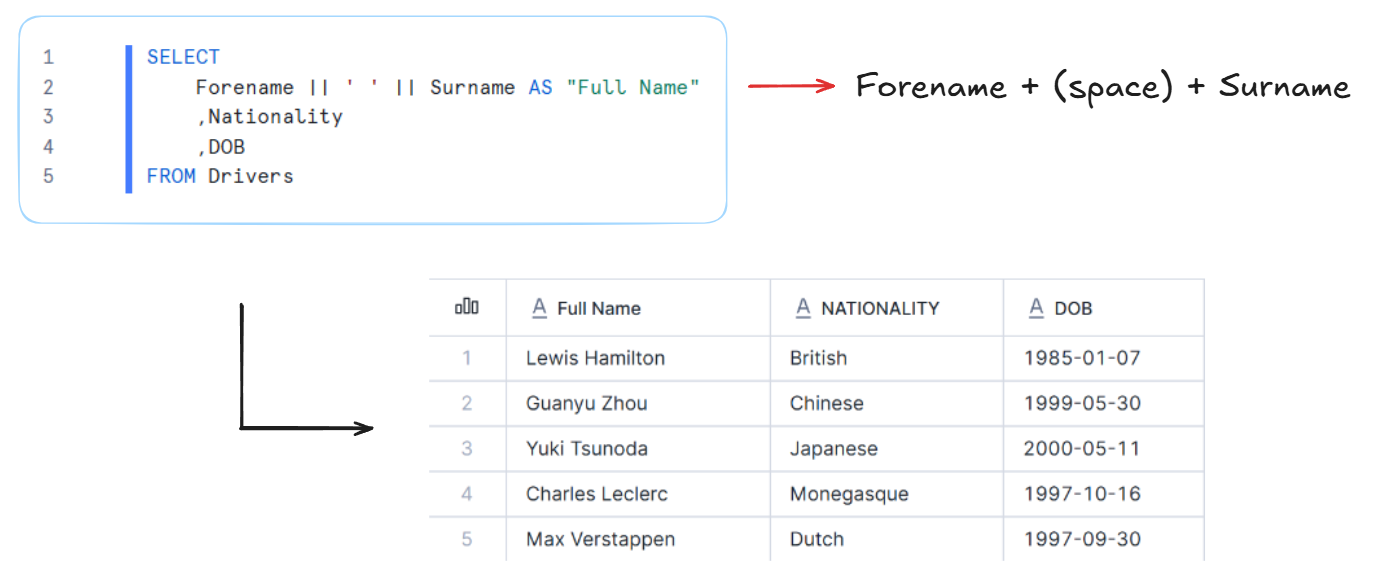
You can use two of the vertical line/pipe symbols || to concatenate columns together. In the example we're joining forename and surname together with a space in the middle to create a full name column.