


1. Tableau Server URL
Your Tableau Server URL is your Tableau Cloud site URL.
Example:
https://us-east-1.online.tableau.comYou can find this by logging into Tableau Cloud and copying the base URL from your browser.
2. Tableau Site ID
The Site ID is the portion after /site/ in your Tableau Cloud URL.
Example:
https://us-east-1.online.tableau.com/#/site/mysite/homeIn this example:
mysiteis the Site ID.
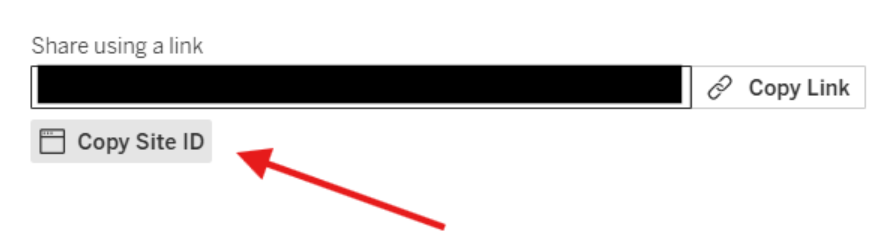
If you need the Site LUID, you can find it from any workbook, flow, or datasource in Tableau Cloud.
Click Share, and you will see an option to copy the Site ID, which gives you the LUID.
3. Personal Access Token (PAT)
To create a PAT:
- Log into Tableau Cloud
- Click your profile icon (top right)
- Go to My Account Settings
- Under Personal Access Tokens, click Create New Token
- Save:
- PAT Name
- PAT Secret
Important: the PAT secret is only shown once when created.
4. Tableau Project LUID
- Log into Tableau Cloud
- (If needed) Create a project
- Make sure the project contains at least one workbook (You can create a simple/empty workbook if needed)
- Go to External Assets
- Open Query Metadata (GraphiQL Explorer) - At the top right of your screen under your profile
- Run this query:
query { workbooks { projectLuid projectName }}- From the output, find your project by name and copy the
projectLuid