


Web scraping is the process of automatically extracting data from websites. Today we are using Alteryx to read the HTML of the Great British Bake Off website, to get data about the finalists of each series. What I want to show you today is what to check first when webscraping in Alteryx.
Specifically, we’ll look at how to determine whether a webpage is static or dynamic. This distinction is important because it directly affects whether Alteryx alone is sufficient for scraping the data. Static pages are typically easy to scrape using Alteryx tools such as Download and Parse. However, dynamic pages—where content is loaded via JavaScript after the initial page load—often require alternative approaches such as Python.
Today, we are scraping from the websites that I listed below.


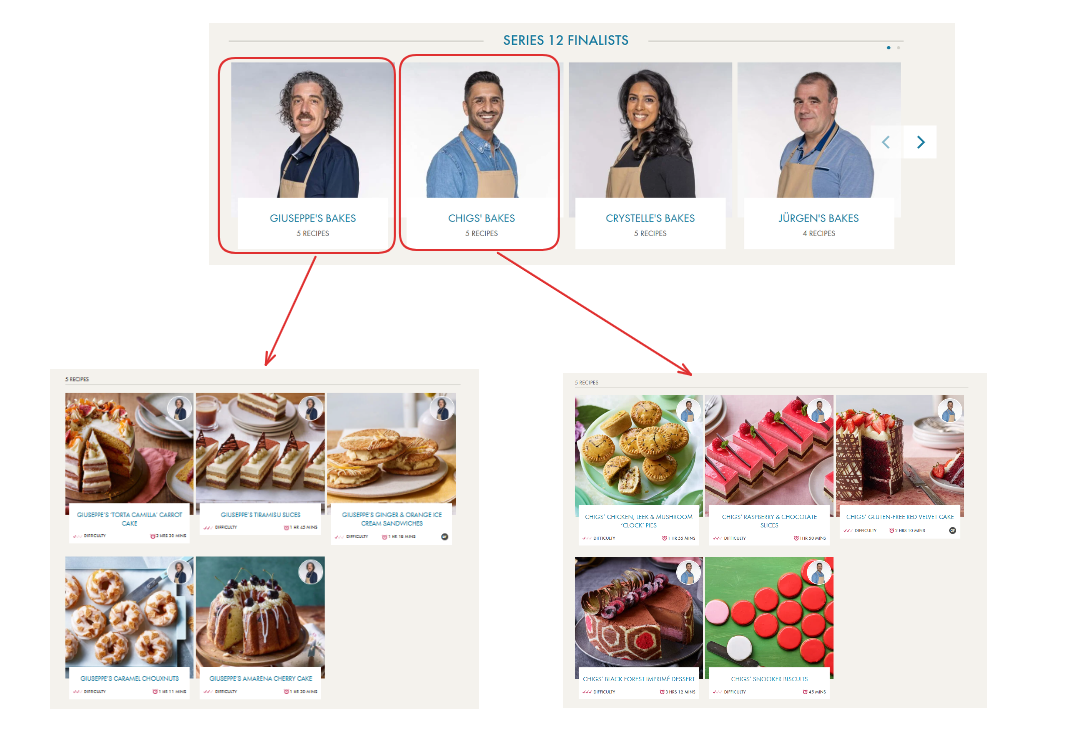
Currently, the website has the pictures of all the finalists for each series, and clicking on it will bring you to a new webpage that has the recipes of that specific finalist.
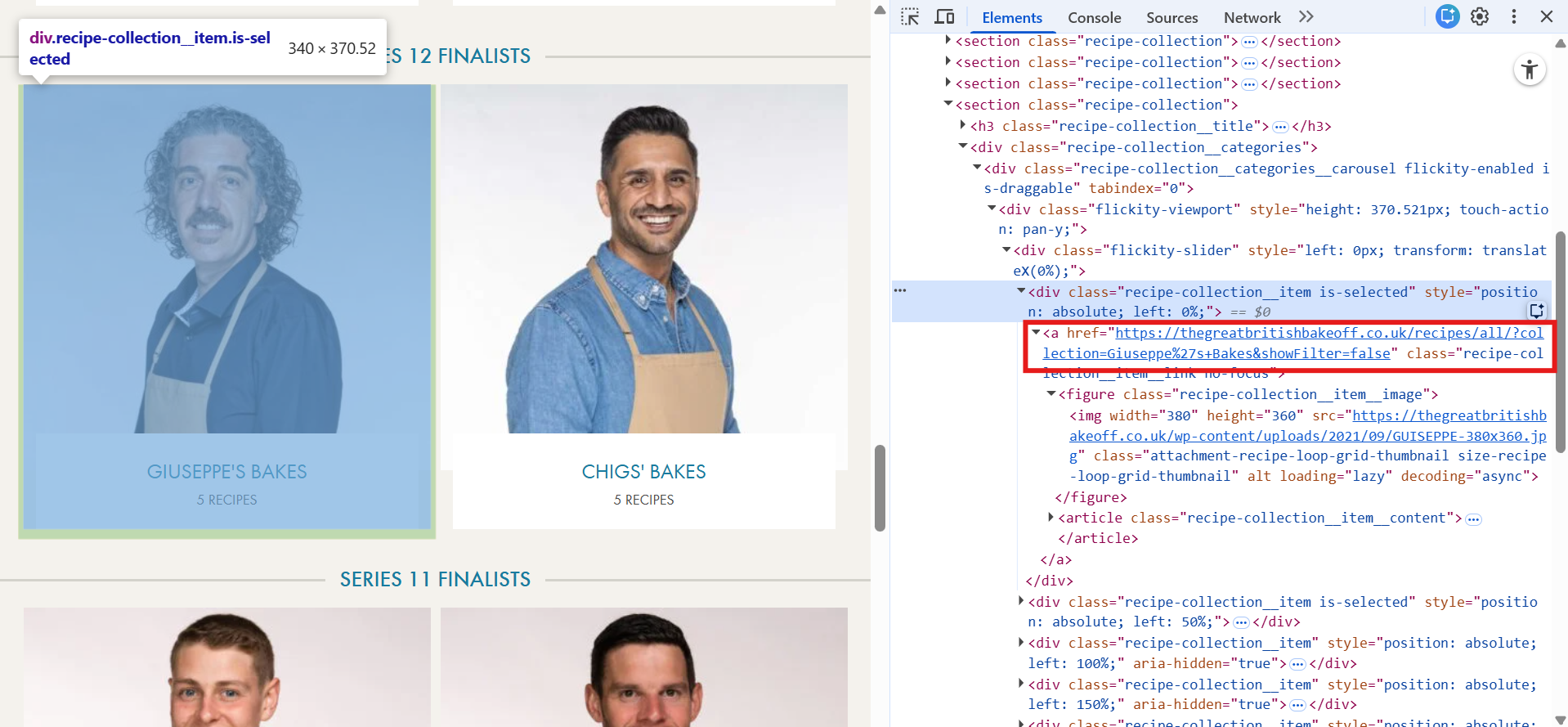
You can see in the webpage that the link to the finalist's recipe is embedded within the HTML.
So lets scrape the first page (with all the finalists) using the download tool in Alteryx. Once you download the data, search for the exact thing you want to extract - in this case the "<a href=https:..... " tag.
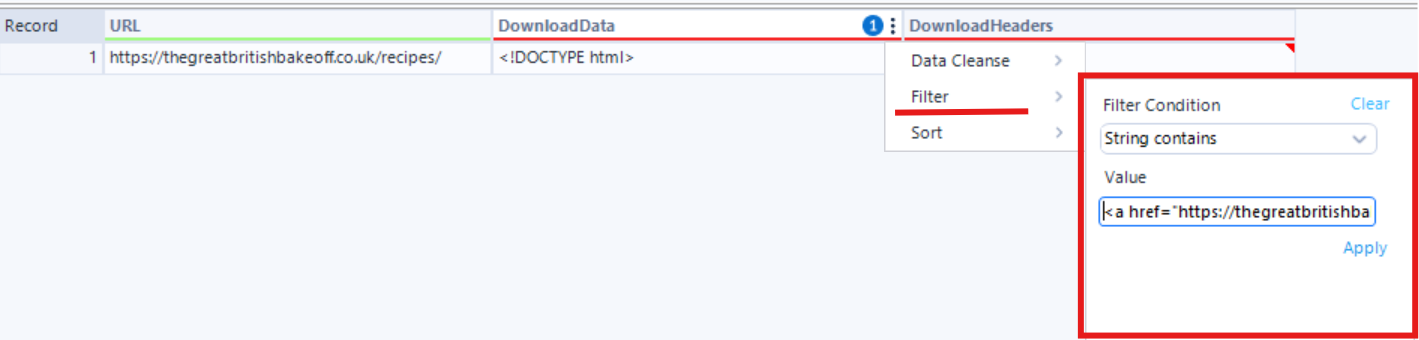
You can see that when I filter the downloaded data with string containing the value that I want, the record is still there, meaning that the data we want could be extracted.
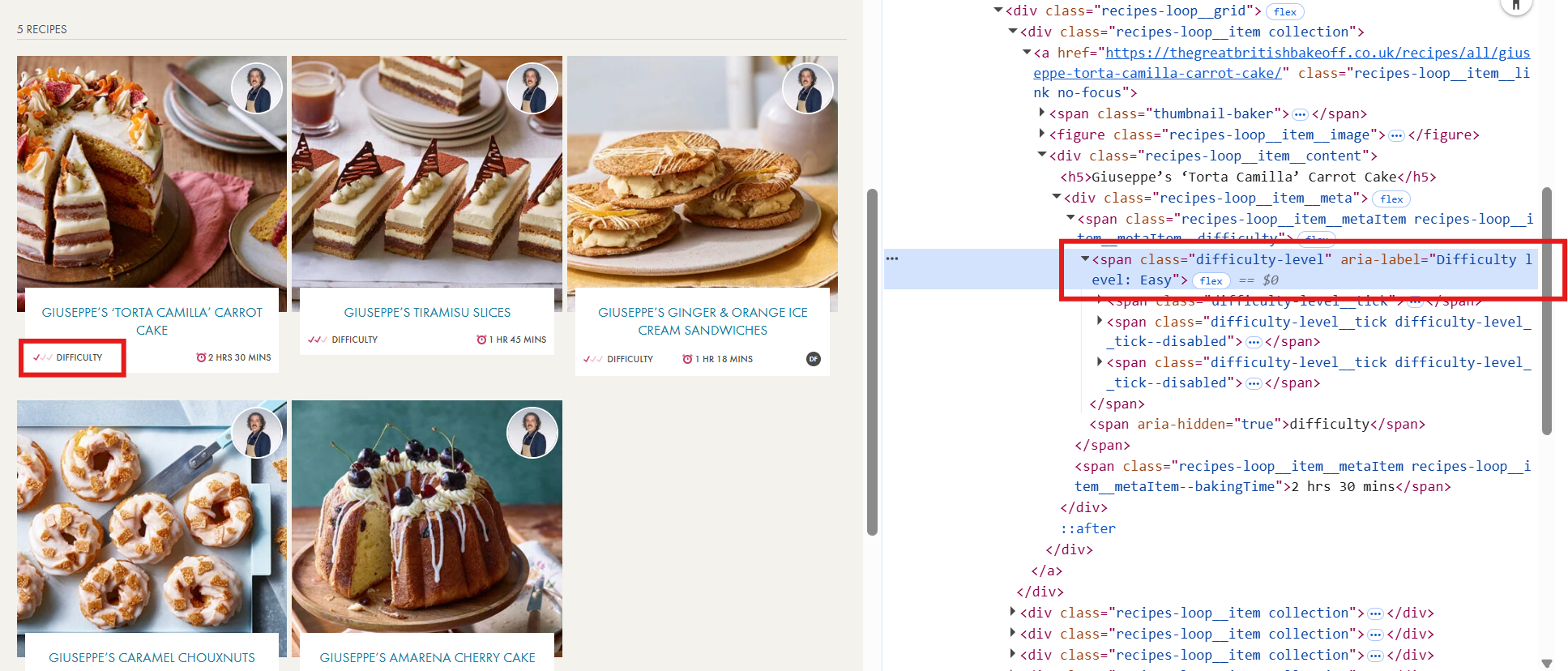
Now lets check the second page of the finalist's recipes. Let's say we want to grab the difficulty level of each recipe. Luckily there is a class with the word "difficulty" inside the html, so lets try searching for that after we download the data in Alteryx.
You can see that once I filter the downloaded data to check if it contains any string of "difficult", there are no more records.
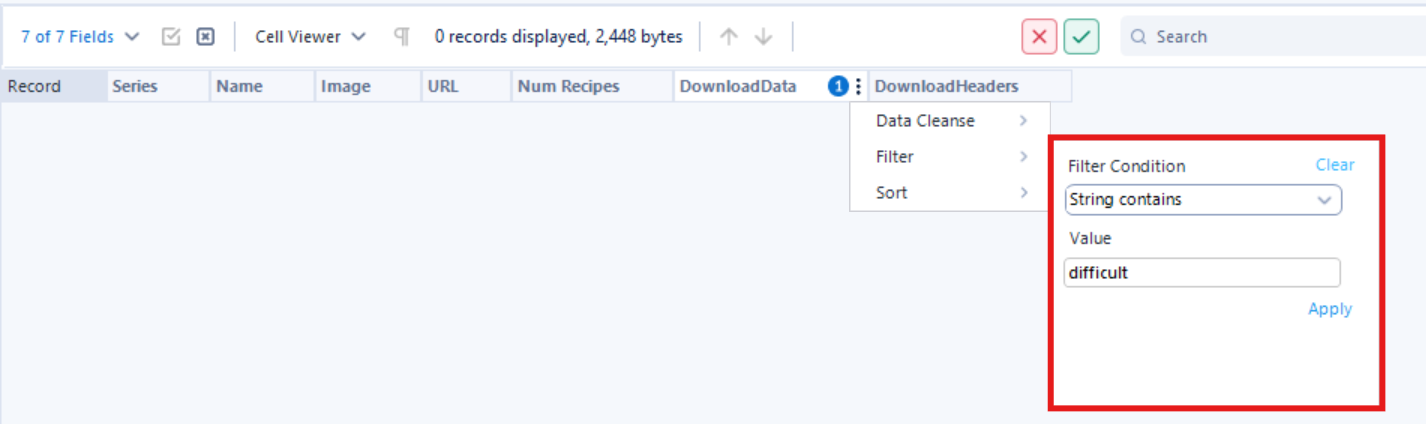
This is a problem, because the data we want to extract did not make it into Alteryx. This is because this webpage is dynamic. A website is dynamic when part of the data is loaded or updated after the initial page loads, meaning that the full data is not in the raw HTML.
If you are working on a web scraping project in Alteryx, I highly recommend checking whether each webpage is dynamic before getting started.
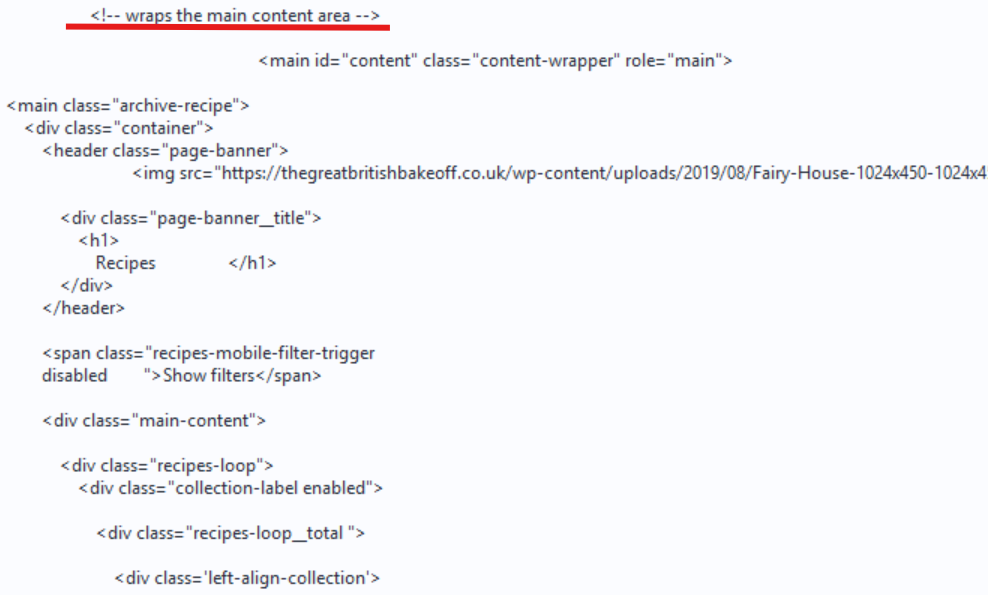
When you inspect the downloaded data in Alteryx, you may notice clues in the HTML output. In my case, you can see comments like “wraps the main content area”, followed by a series of <div> elements with very little or no meaningful content.
After this sparse section is the footer section, which is also a sign that the main area of the webpage is not inside the raw HTML.
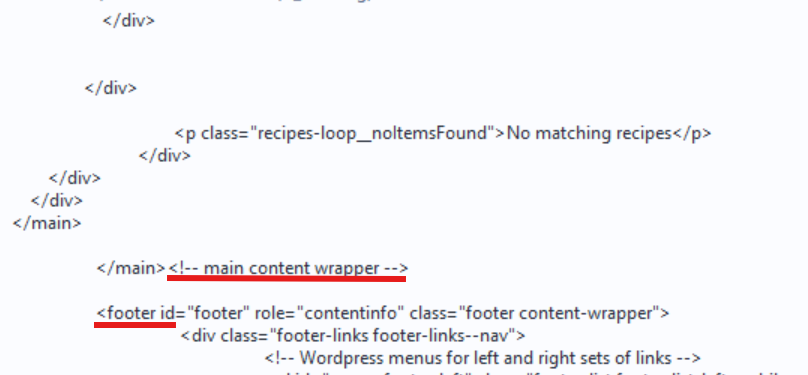
If the main content area appears to be missing, this is usually a strong indication that the page is dynamic.
What’s happening in these cases is that the HTML you are seeing is just the basic page template. The actual content is intended to be populated afterwards, often using JavaScript that fetches data and injects it into the page structure once it loads in a browser.
Because Alteryx only reads the initial HTML response and does not execute JavaScript, that content never appears in your scraped output.
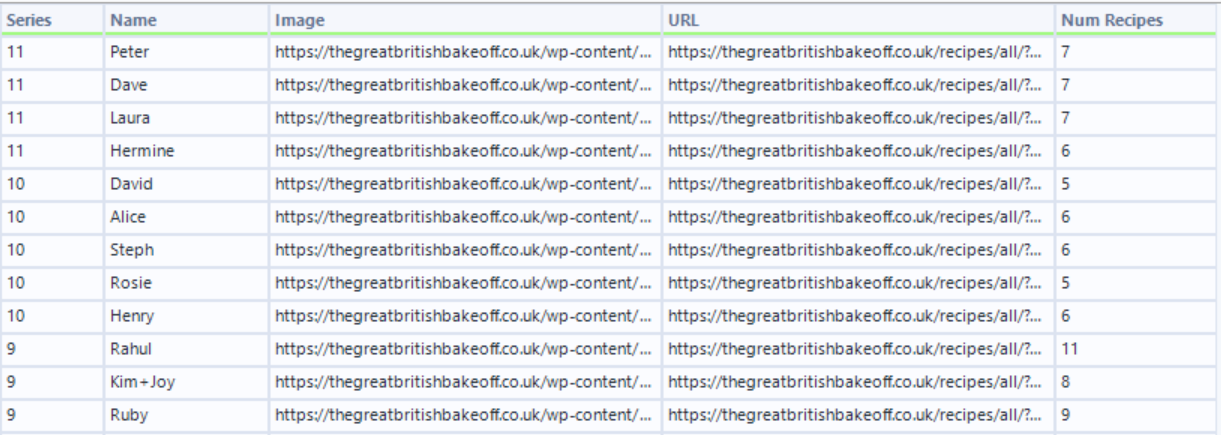
In conclusion, you can use Alteryx to complete the first part of this project by extracting the name of each series and the number of recipes associated with it.
Once scraped and cleaned, you can have an output like below with each row representing a series and columns for the series name and recipe count.
To complete the second part of the project—scraping more detailed information from dynamic webpages—you would need to use a different tool outside of Alteryx, such as Python.
The key takeaway is that identifying whether a webpage is dynamic early in your workflow is essential, and this is a practical way in Alteryx to test for it before investing time in building a full scraping process.