


When building a data flow, joining tables is one of the most common steps you will take. This blog will break down exactly what a "non-equal" (or non-equi) join is, why you should join in Prep over Desktop as well as showcasing an example use case from a Preppin' Data Challenge - Link
What is a non-equal join?
When joining tables together, you often join columns that have matching values. Therefore when you join the tables together in Prep, you would use the equal operator (=).
However, your data won't always match perfectly. There are many scenarios where you need to connect tables based on a condition or threshold rather than an exact match. This is where non-equal joins (or non-equi joins) are more appropriate. These types of joins use relational operators to evaluate how the rows relate to one another.
The non-equal operators are:
- < less than
- > greater than
- >= greater than or equal to
- <= less than or equal to
- != not equal to
An example of where a non-equal join would be used is when checking if a specific event occurred within a defined timeframe. E.g. whether or not a customer's order occurred within a promotional period.
Advantages and Disadvantages of joining in Prep over Desktop
- Doing the joins in Prep means that you do not have to take up memory by doing them live in Desktop.
- However, the main disadvantage of doing it in Prep is that the join is static. If you wanted to change a data threshold based on a parameter, that would not be possible in Prep.
Example of using Non Equal Join
The example that I will use to illustrate this will be from the Preppin' Data Challenge: Week 16 (2023). In the task, we were asked to compare historical Easter dates and Full Moon dates to see whether or not this definition of Easter Sunday was correct:
"The simple standard definition of Easter is that it is the first Sunday after the full Moon that occurs on or after the spring equinox. If the full Moon falls on a Sunday then Easter is the next Sunday."
The following tables we were given were:
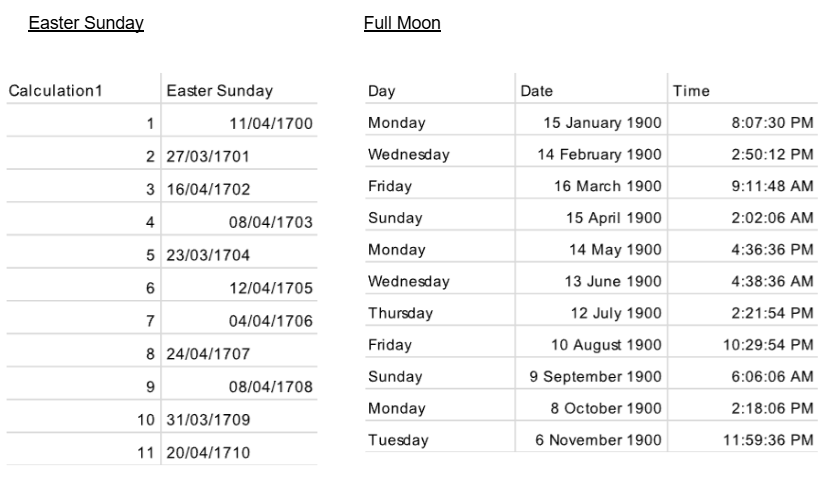
To calculate whether or not Easter Sunday followed the rule, we had to join together our Easter Sunday column and Date column from the two tables. An equal join would not work here as Easter Sunday and the Full Moon rarely fall on the same day. Instead, we used a non-equal operator to be able to view the Full Moons that happened before each Easter. Because our definition states Easter as falling after a Full Moon, we joined our tables where Easter Sunday was greater than or equal to (>=) the Full Moon date.
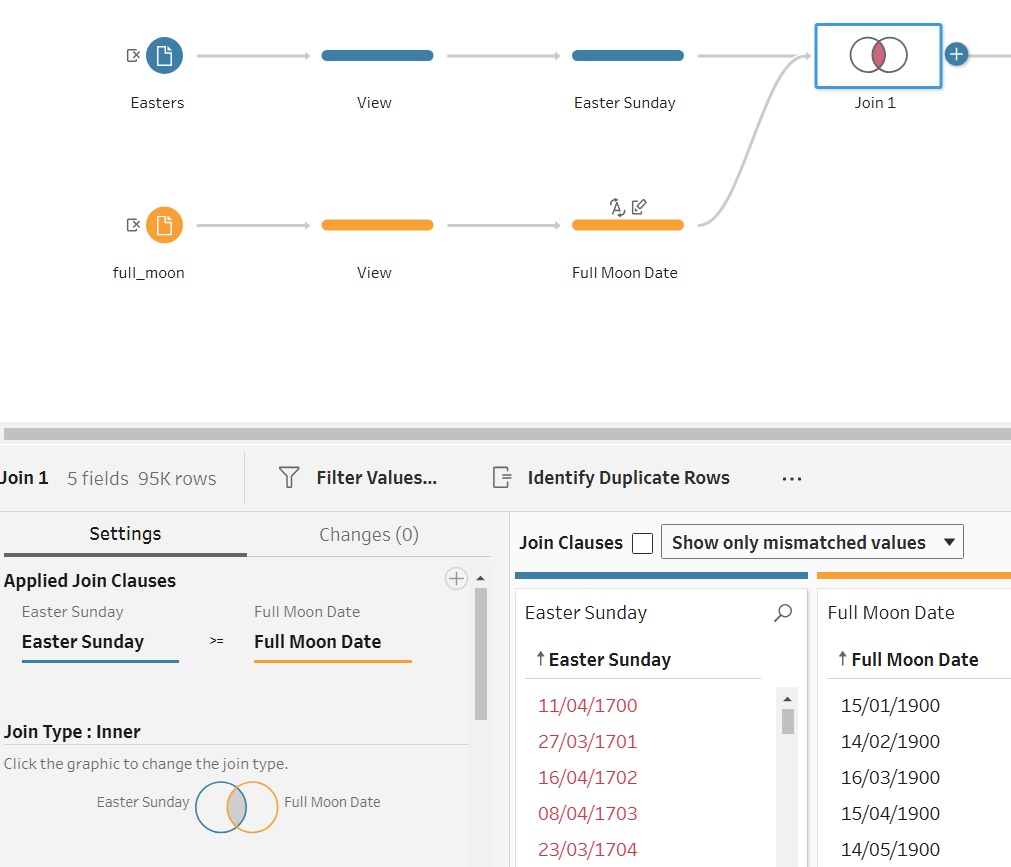
The results of this join left us with Full Moon Dates each year that are less than the Easter Sunday dates. Since this gives us all the dates that year before Easter, we will get more than one Full Moon date each year which will need to be filtered out after.
The mismatched values
This occurred because the two tables have different timeframes. The Full Moon dataset only starts in 1900 whereas the Easter Sunday dates as far back as 1700. Therefore, those Easter Sunday values between 1700 and 1899 would appear after the join.