


Some of my favorite keyboard shortcuts to speed up your querying when working in SQL in Snowflake on windows. Apologies mac users.
Run current query (a classic): Ctrl + Enter A convenient alternative to hitting the play/run button.
Run all queries: Ctrl + Shift + Enter
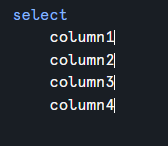
Multi-Cursor Editing: Hold Alt + Ctrl Click to place multiple cursors in different places. This is perfect for adding commas or aliases to 10 lines at once.
Alternatively, hold Alt + drag down multiple rows to create multiple cursors in the same spot.

Toggle Comment (another classic): Ctrl + / a selected amount of text to comment it all out or uncomment it back.
Format SQL: Ctrl + Alt + O to instantly format your SQL according to standard formatting practices (a personal favorite for quickly cleaning up messier work!).
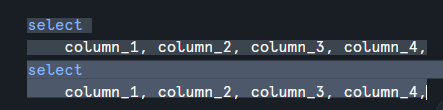
Duplicate Line: Shift + Alt + Down Arrow
Delete word:Ctrl + Backspace Instead of tapping backspace 15 times to delete a long column name, this deletes the entire word at once.
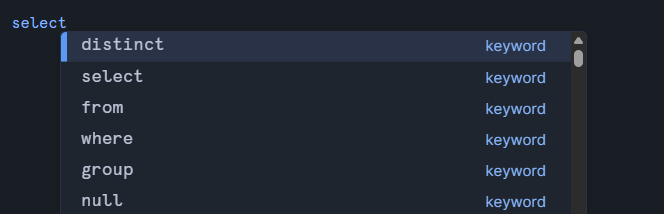
See autocomplete:Ctrl + space If the autocomplete options disappears then this will bring it back for you.
Expand/Shrink Results Window: Ctrl + Alt + ↑/↓ to quickly view or hide the results table.
Split Window Horizontally: Ctrl + \
Split Window Vertically: Ctrl + Shift + \