


I'm writing this blogpost because I really had to look up what the difference between the use of IF Functions and CASE Functions are. Is was using them interchangeably but never knew exactly the sense behind it...
So here it comes...
The fundamental difference lies in how they evaluate data.
IF Functions
- If Functions are Boolean based (Yes/No or True/False) that evaluate a condition to be occuring or not, sense true or false 😄.
- Example from the Superstore would be:
- If Profit is less than 0, it's a "Loss".
- If Profit is between 0 and 100, it's a "Low Profit".
- If Profit is over 100, it's "High Profit".
- The Formula would look like that in Tableau:
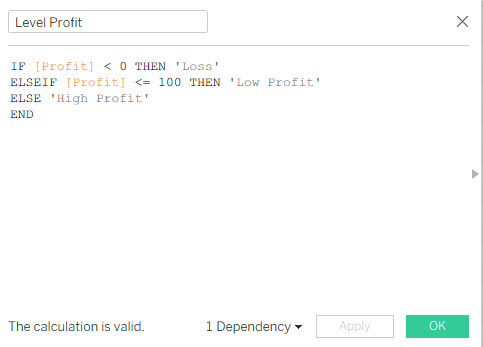
- It's Boolean: For every single row, the formula asks the True/False question: Is the number below zero?
- It's sequential: The IF Functions stops as s0on as it finds a 'True'. If the row is -3, it hits the first line, sees it is 'True' labels it 'Loss' and moves to the next row. The below screenshot categorizes the whole dataset into the three rubrics.
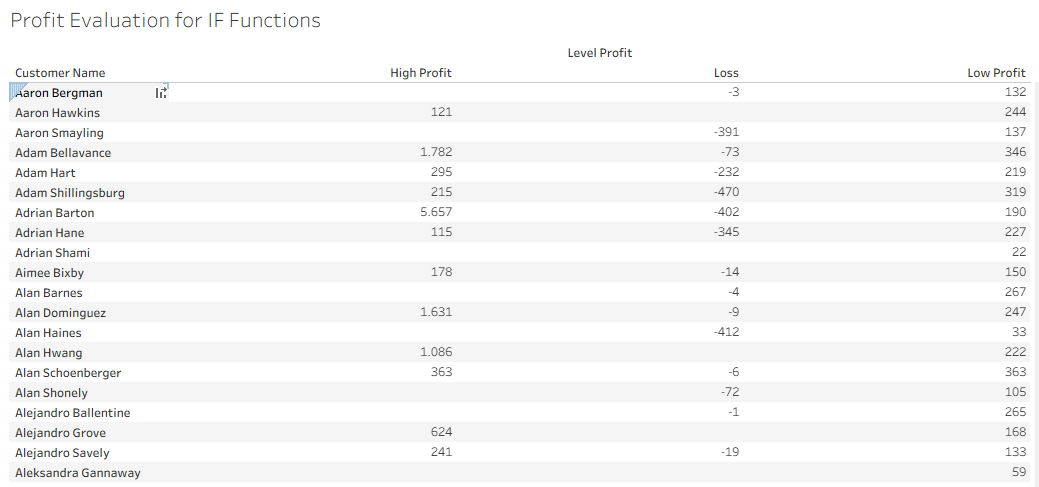
- The same logic in PowerBI but the formula would look slightly different:
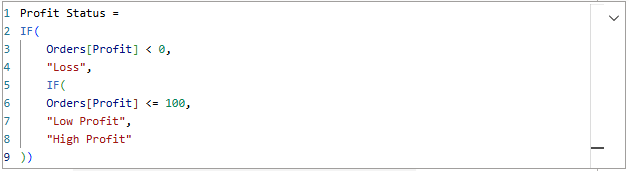
- Every if can either be 'Yes' or 'No'. To get three results (Loss, Low, High), you would have to nest a second 'If' inside the exit of the first one.
- For every IF you start, you have to close with an extra prenthesis.
- It shows more why IF is logical function, you are not looking for specific word or value, but a range.
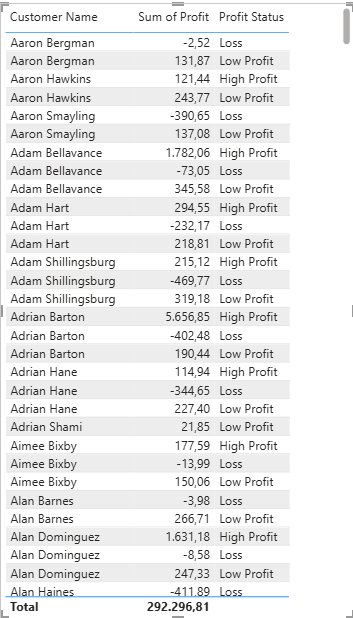
- The table below shows the outcome of the function with an extra column:
CASE Functions
- CASE Functions are value based. They look at a single expression and try to match it against a list of specific results. It can only be used with an equal sign (=).
- Tableau examples, CASE is faster but strictly for matching, while IF is for logic.
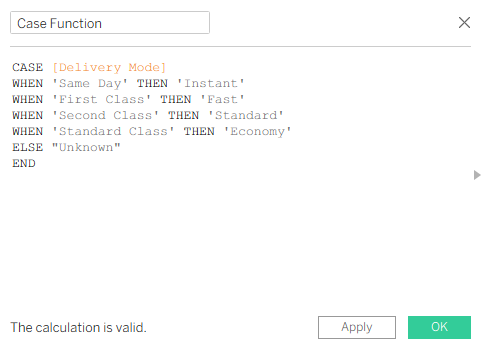
- this works well for CASE Function, because you are only looking at Delivery Mode field.
- There are exact matches. A row is either matching or it is not.
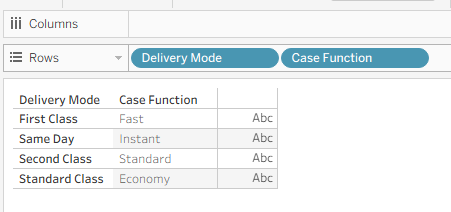
- Use CASE if you are "Renaming" things; use IF if you are "Evaluating" things.
Power BI
- In Power BI, the equivalent of the CASE function is SWITCH. It works exactly the same way. It looks at one column and checks for specific 'matches'.
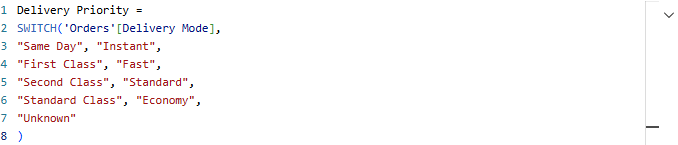
- Notice you only type 'Order'[Delivery Mode] once at the beginning, in an IF statement you would have to type it in four times.
- It is much harder to make a mistake here than a nested IF statement
- In Tableau CASE function cannot do the math such >100
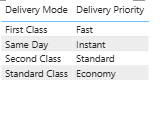
- In PowerBI SWITCH function can do math if you use the SWITCH(TRUE(), ...)
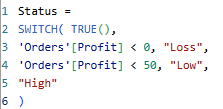
To sum up: Use IF when you need to navigate the areas of ranges and multiple conditions, but take CASE or SWITCH to transform messy nested logic into a clean function.