


While working through Summer of SQL (created by Will Sutton), I ran into a situation where I needed to use the LATERAL SPLIT_TO_TABLE function. It’s one of those SQL features that feels a bit confusing at first, but once it clicks, it’s incredibly useful.
So here’s a quick breakdown of what LATERAL SPLIT_TO_TABLE does and how you might use it.
The Problem
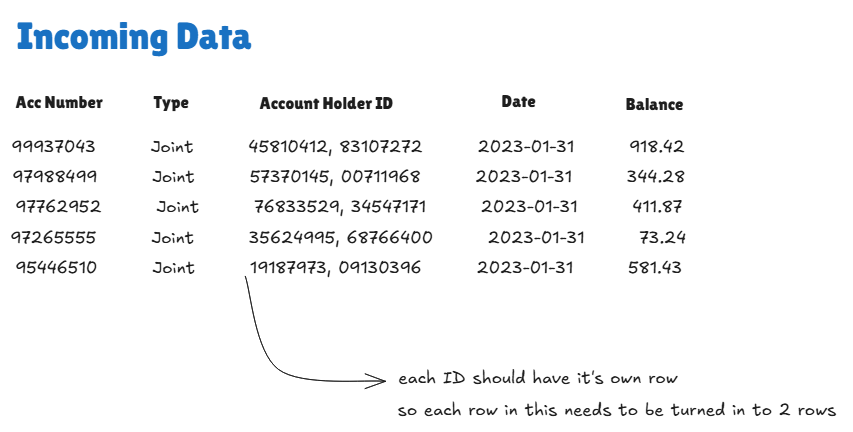
Let’s use an example from Preppin’ Data 2023 – Week 07, specifically the Account Information table.
In this dataset, some rows look like this:
- An
account_holder_idcolumn - Occasionally contains more than one ID in a single cell
- IDs are separated by commas
- These represent joint account holders
For analysis purposes, this isn’t ideal — we want one account holder per row, not multiple IDs packed into a single field.
The Solution: LATERAL SPLIT_TO_TABLE
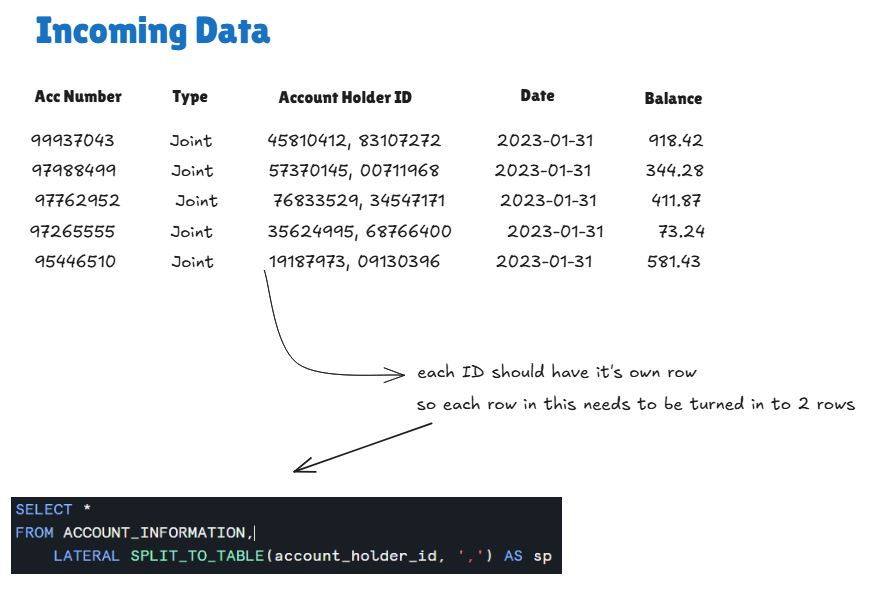
This is where LATERAL SPLIT_TO_TABLE comes in. Here’s the basic query:
SELECT * account_information,
FROMLATERAL SPLIT_TO_TABLE(account_holder_id, ',') AS sp;
What’s happening here?
- After the
FROM table_name, we add a comma - Then we call
LATERAL SPLIT_TO_TABLE - Inside the function:
- First argument → the column we want to split (
account_holder_id) - Second argument → the delimiter (
,in this case)
- First argument → the column we want to split (
The LATERAL keyword allows the split function to reference values from each row of the table as it’s processed.
The Result
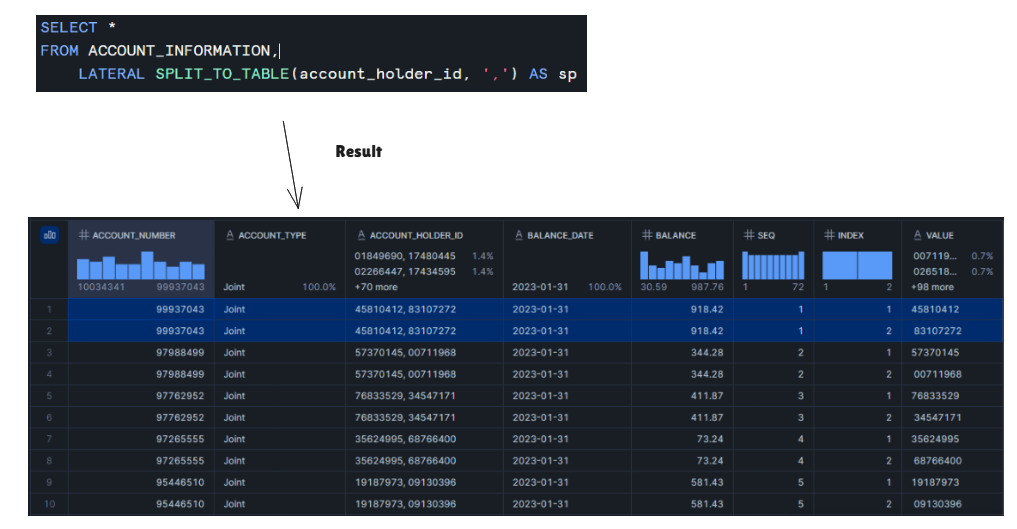
Running this query generates three additional columns:
- SEQ – the sequence number of the split
- INDEX – the position of the value in the original string
- VALUE – the actual split value (this is the account holder ID we care about)