


Imagine there are two dashboards with the exact same data.
On the first, you select options from endless drop down lists. On the second, you simply click on New York a map and every chart on the screen now shows regional performance. Which dashboard would you choose?
We want to impress our stakeholders, so we want this level of interactivity on our dashboard.
In Tableau, the filter action is an interactive feature that lets you use data in one chart to filter what appears in another chart on the same dashboard.
We will do one using the Superstore dataset on Tableau.
- Create a chart you want to use as a filter. This will be your source chart. When you click on this chart, it will affect the other chart, which we will call the target chart. In this example, I aim to make a source line chart showing Sales by Month. When you click on the line, you will see how many sales were made during the month.
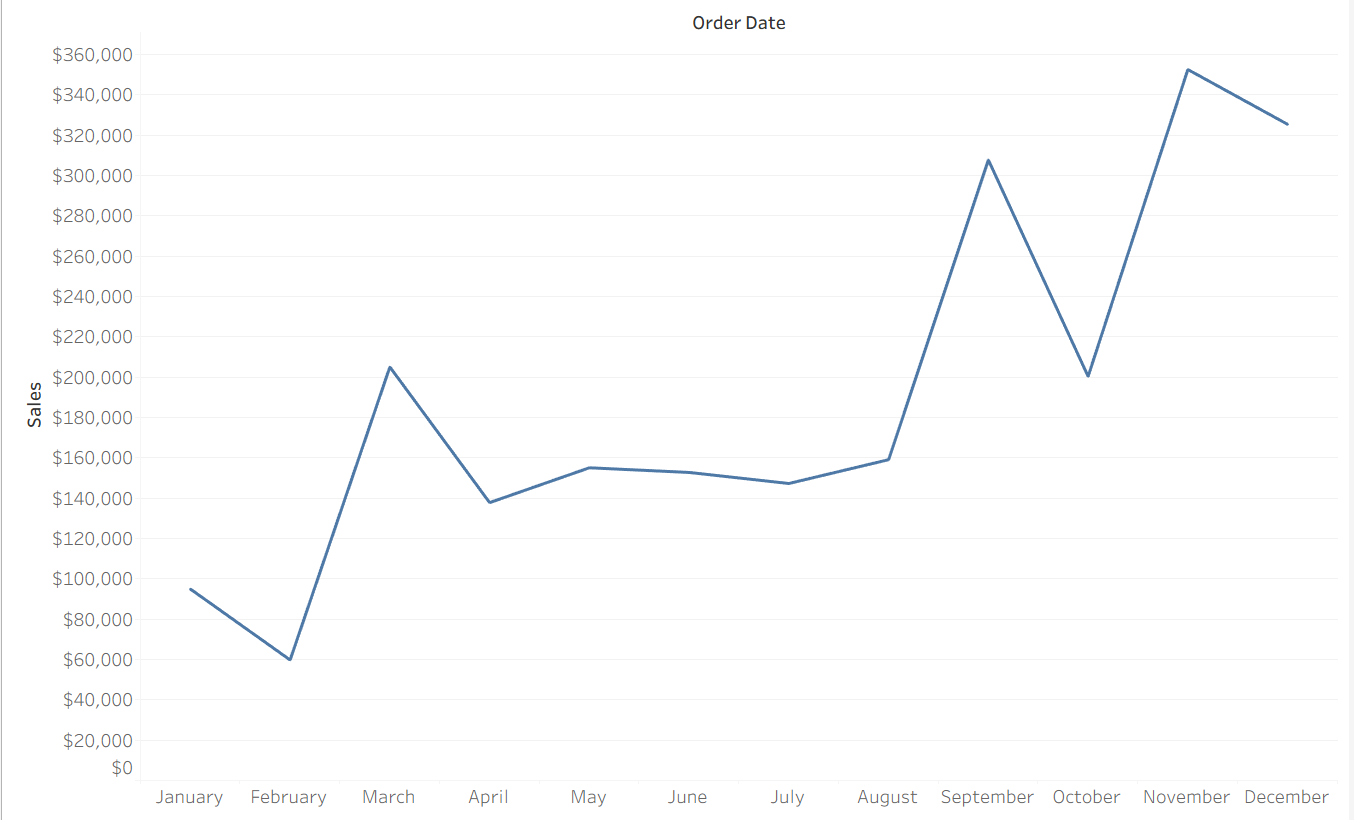
- Next, you need to make your target chart. My target chart will be a bar chart showing sales by subcategory.
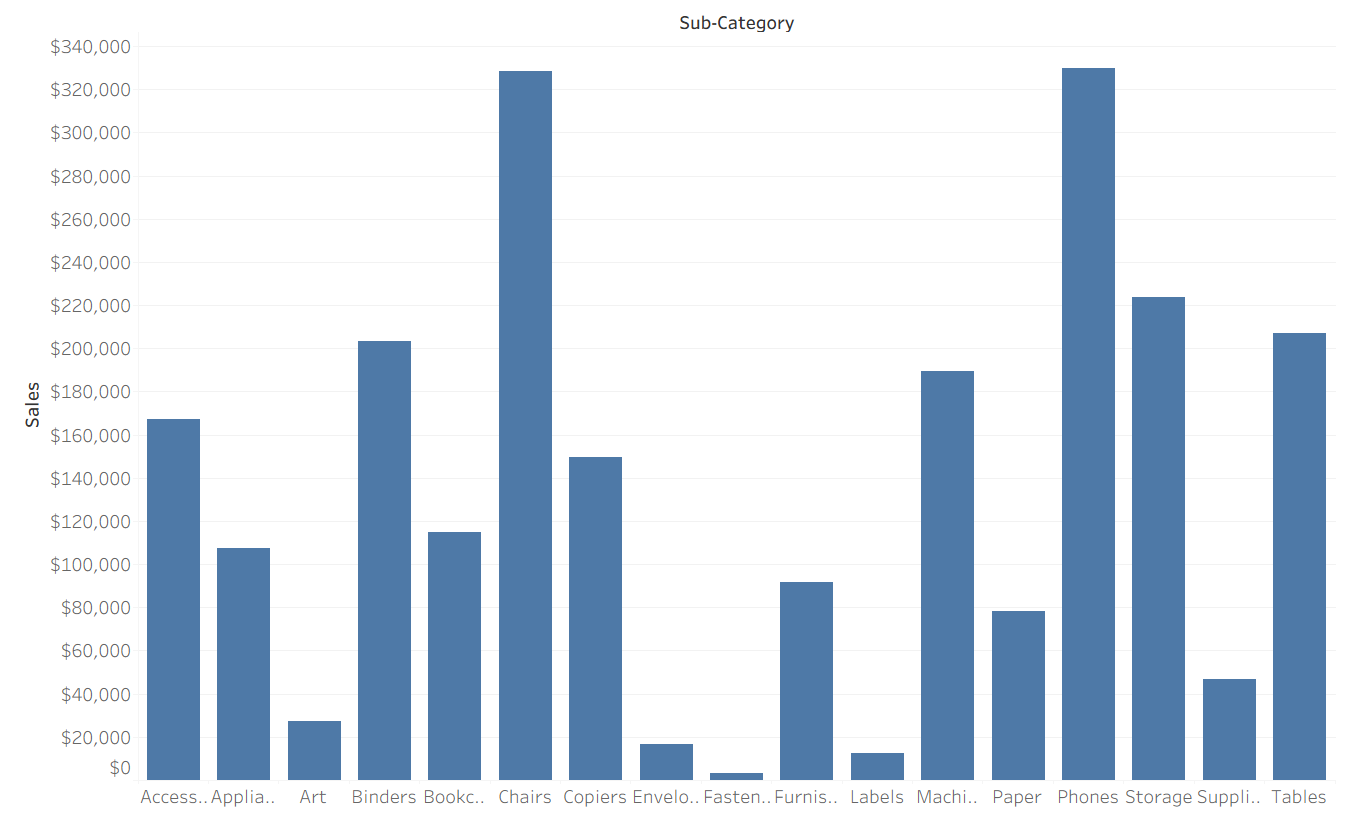
Our goal now is when someone clicks on the Sales per Month chart, our Sales by Subcategory chart changes, now showing us the sales by subcategory of the month selected.
We will need to do this on a dashboard.
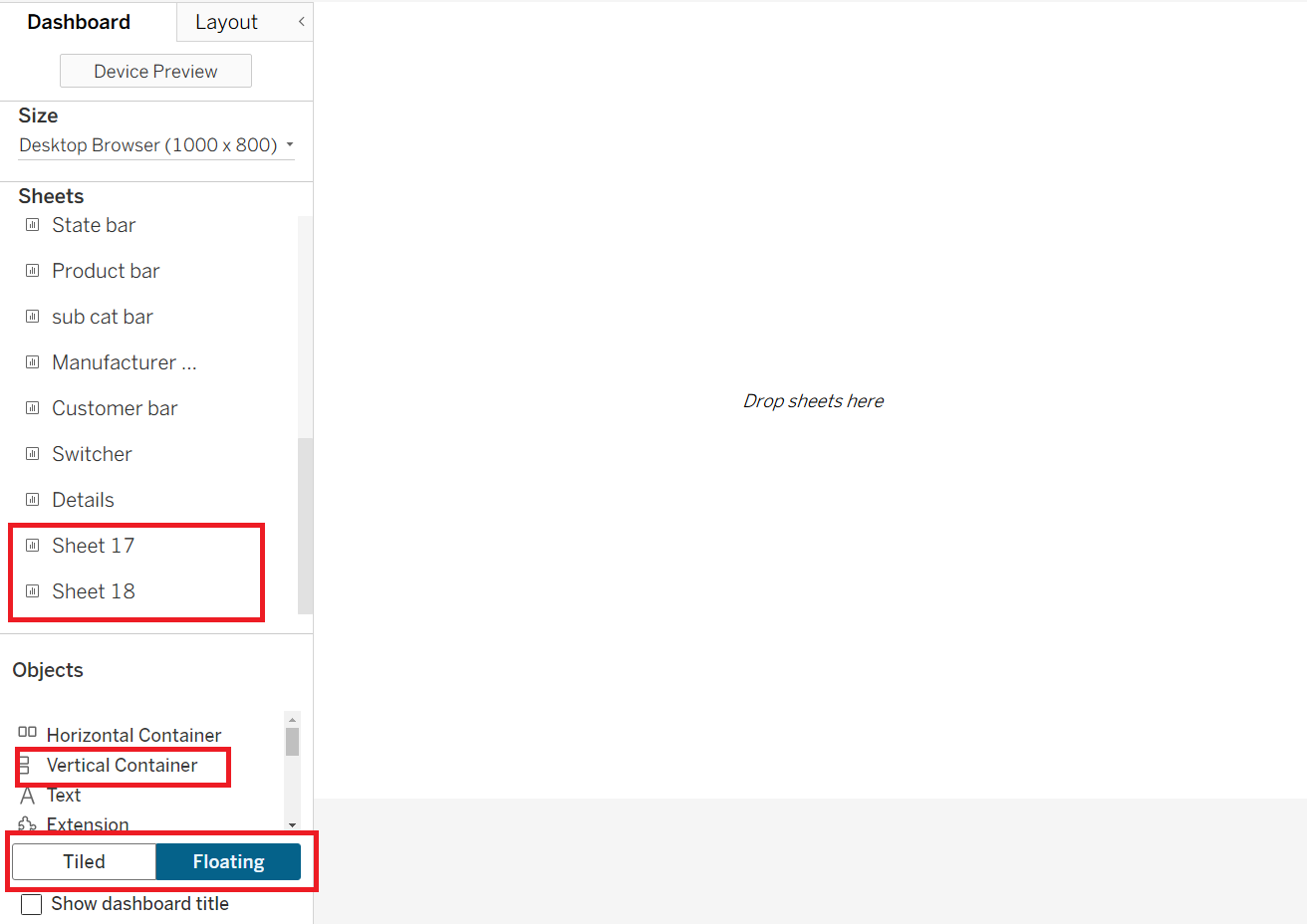
- Go to the dashboard icon to create a new dashboard. Select floating and drag the vertical container into the white space. For this example, both of the charts were named sheet 17 and sheet 18 respectively.
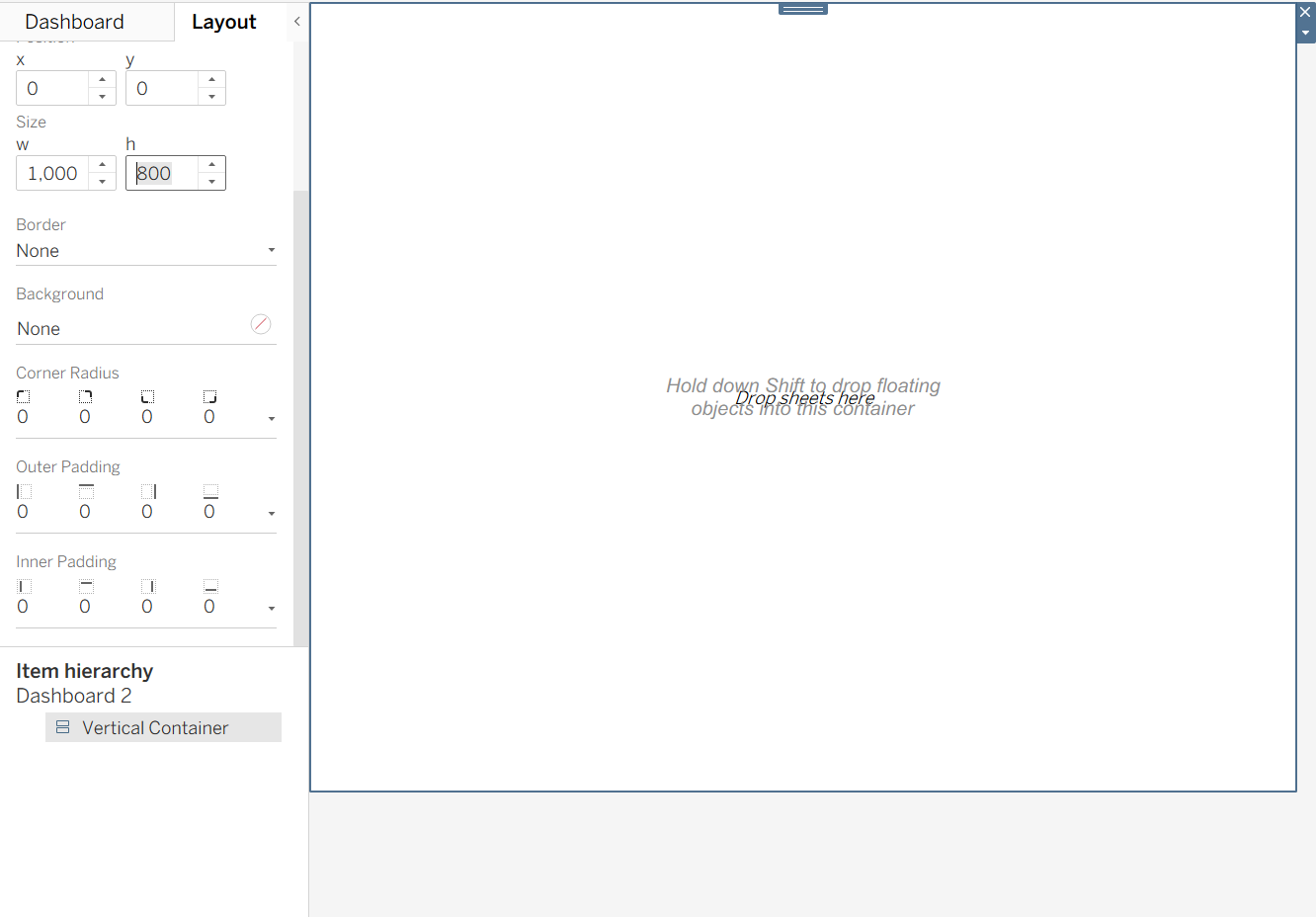
- Now go to layout and have these x and y coordinates at 0 and match the height and width to the size of the dashboard. In this case, we will stick to the default size of 100 by 800.
- Now go back to tiled and drag both sheets into the empty white space; it should look like this:
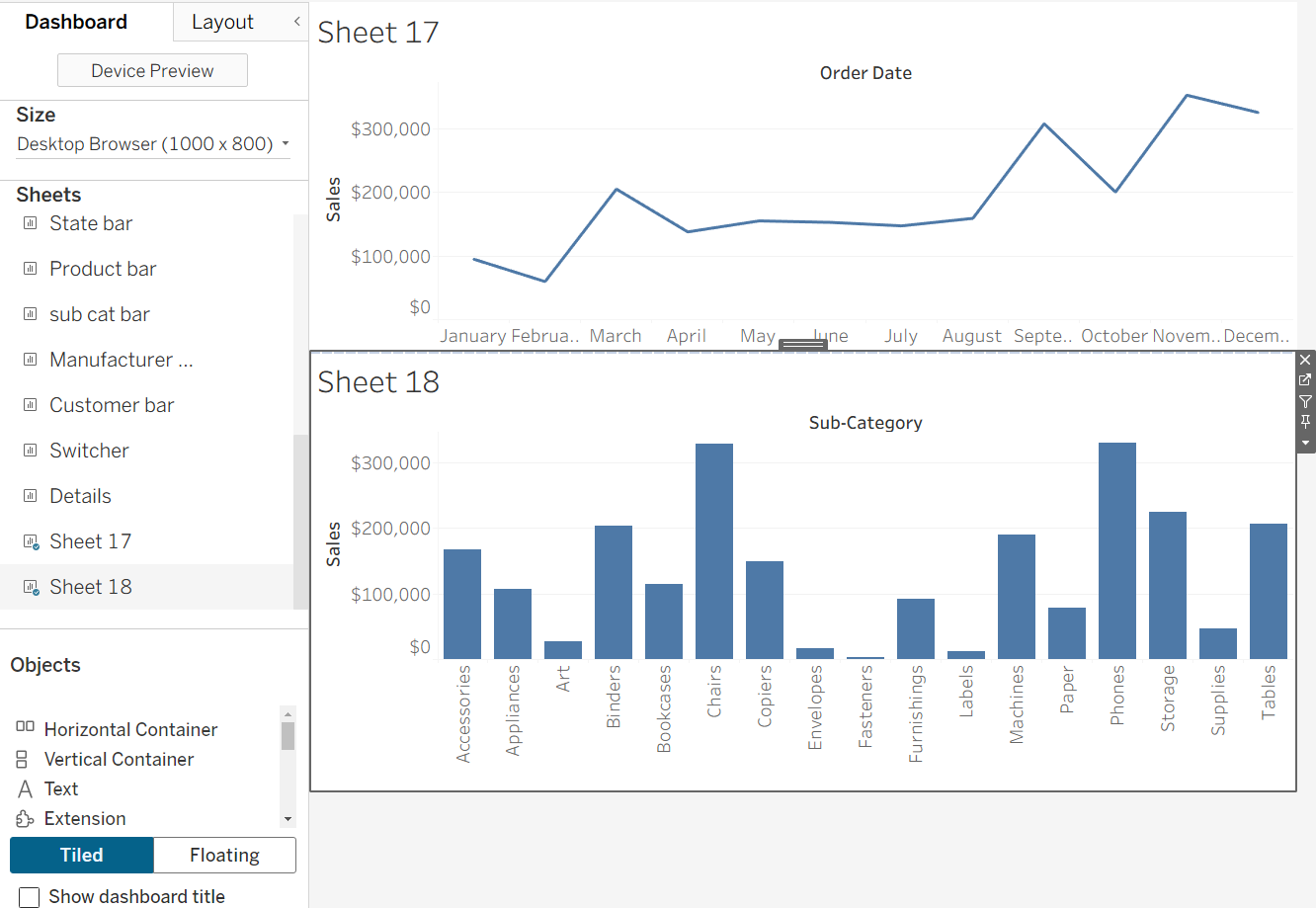
- Go to Dashboard and click actions:
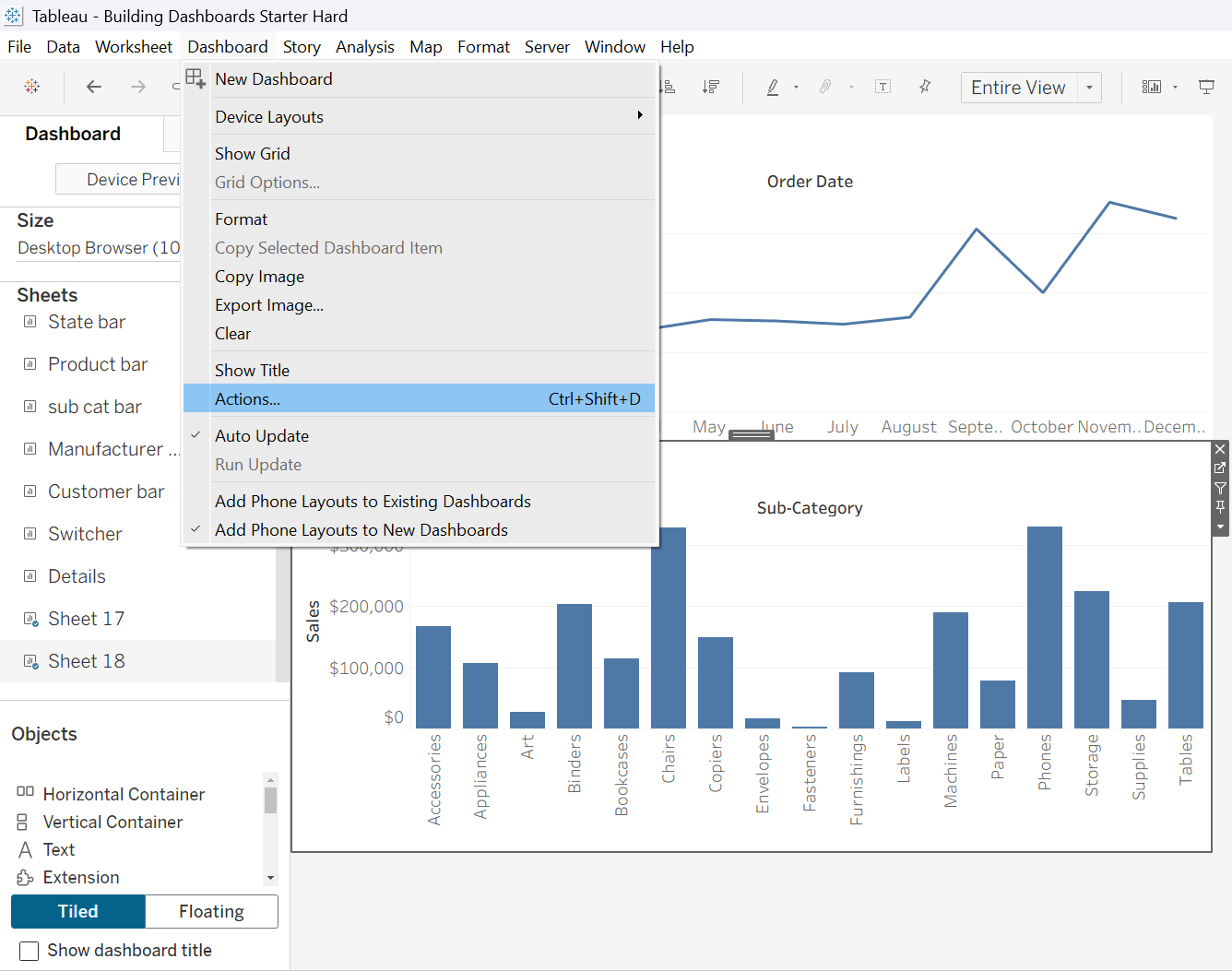
- Select filter to create a Filter Action and select the following options:
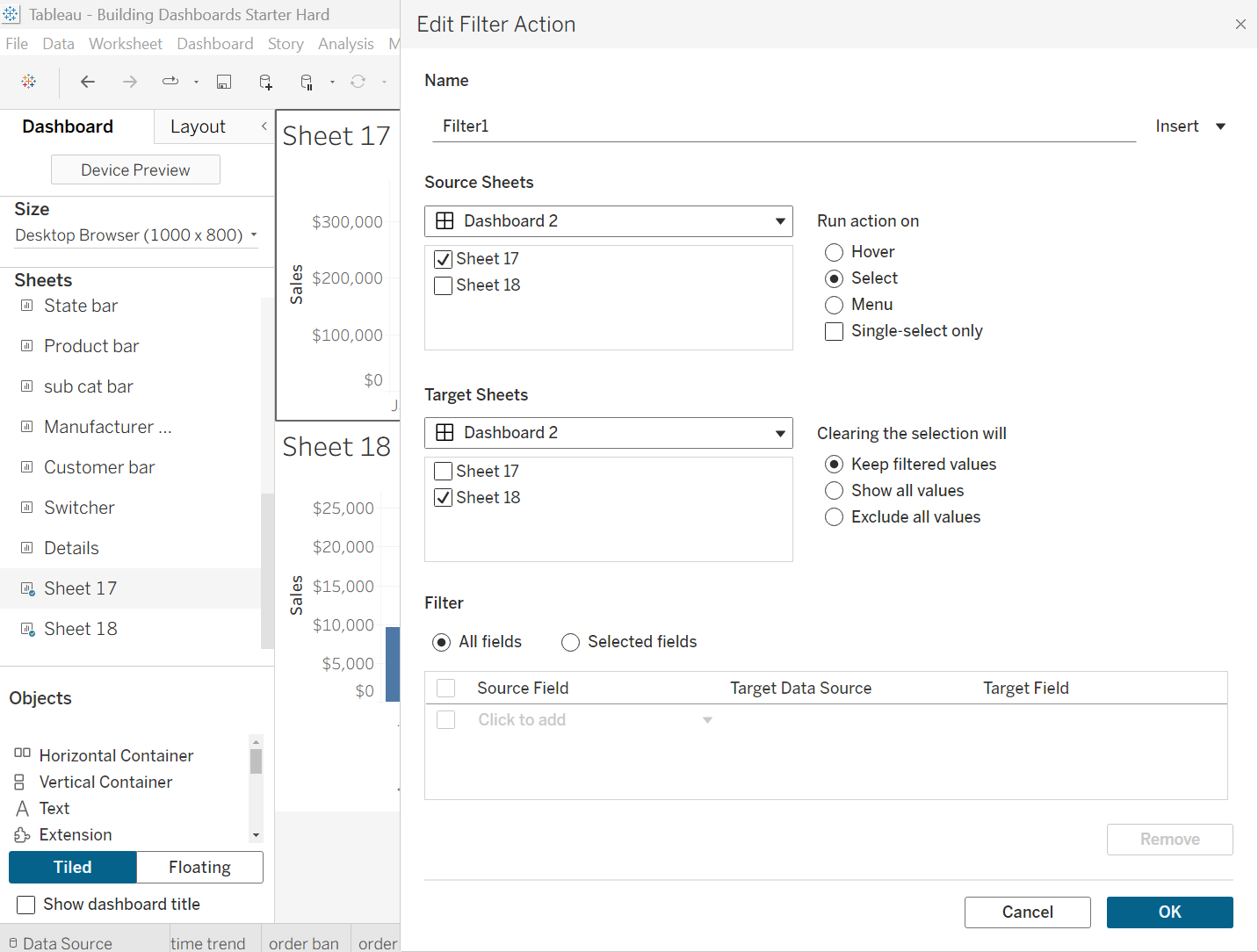
- Press OK and you're done! Now when you click on the sales per month line, it should change the sub-category bar chart. With this new skill, the possibilities are endless! Wishing you the best of luck, future analyst!