


Day 4 of Dashboard Week. Today's task was to use the API and create an Alteryx report generated using an AI prompt.
Brief
Create an HTML AI-generated report on Alteryx with the following user input as a requirement
- Location
- Time range
Plan
Decide to use the Open Meteo Weather API to extract the data.
Break down into 3 points
- Create User input on Alteryx app
- Connect the weather API to the app
- Create a prompt to generate a report using AI prompt tool
Alteryx Workflow
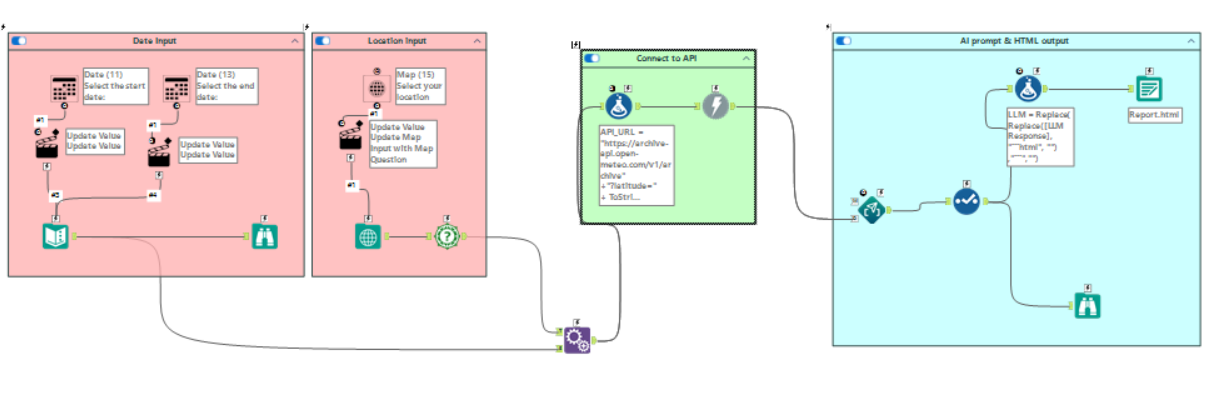
The pink container creates the user input. The date tool allows the user to specify the start and end dates. The map tool allows the user to select a location on the map and convert it to longitude and latitude, which are then passed to the API to retrieve location-specific data.
The green container sends a request to the weather API and extracts the specified data from the API response.
The blue container sends the retrieved weather data to the AI Prompt tool, generates the HTML weather report, cleans the AI response, and saves the final output as an HTML file.
Sketch
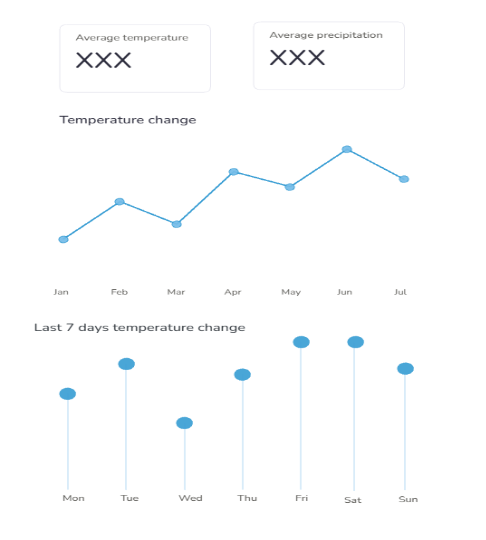
This report is designed to provide users with a simple, clear daily overview of weather information. The aim is to present the most relevant data in an accessible format so users can quickly review recent temperature trends.
Prompt
The prompt was generated using ChatGPT by uploading the sketch and specifying requirements.
The output
This was the initial output, but it was not very intuitive because the charts lacked clear descriptions and context. To improve usability, I added descriptive titles, Y-axis values, and a ‘Lucky colour of the day’ feature to make the report more informative and enjoyable for users to check each day.
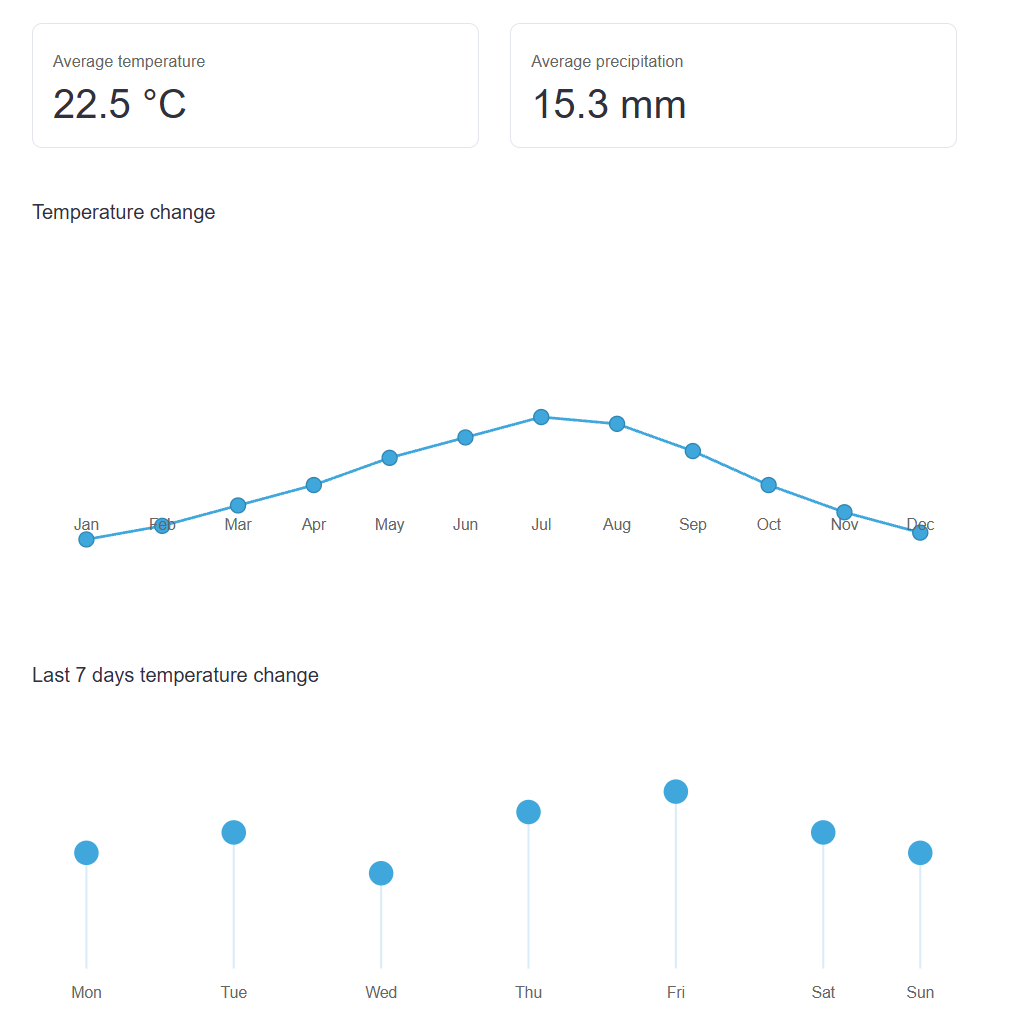
This is the final output
LLM ResponseLLM✨ Today's little weather bonus ✨
This is your lucky colour for today:
✨ Today's little weather bonus ✨
This is your lucky colour for today: