


I always felt that the best dashboards are the ones that don't feel like dashboards at all, but rather like intuitive applications. In the Data School we learned many interactivity hacks in Tableau, so I did a little side project trying to implement some of them in a realistic setting.
Switching metrics with a click
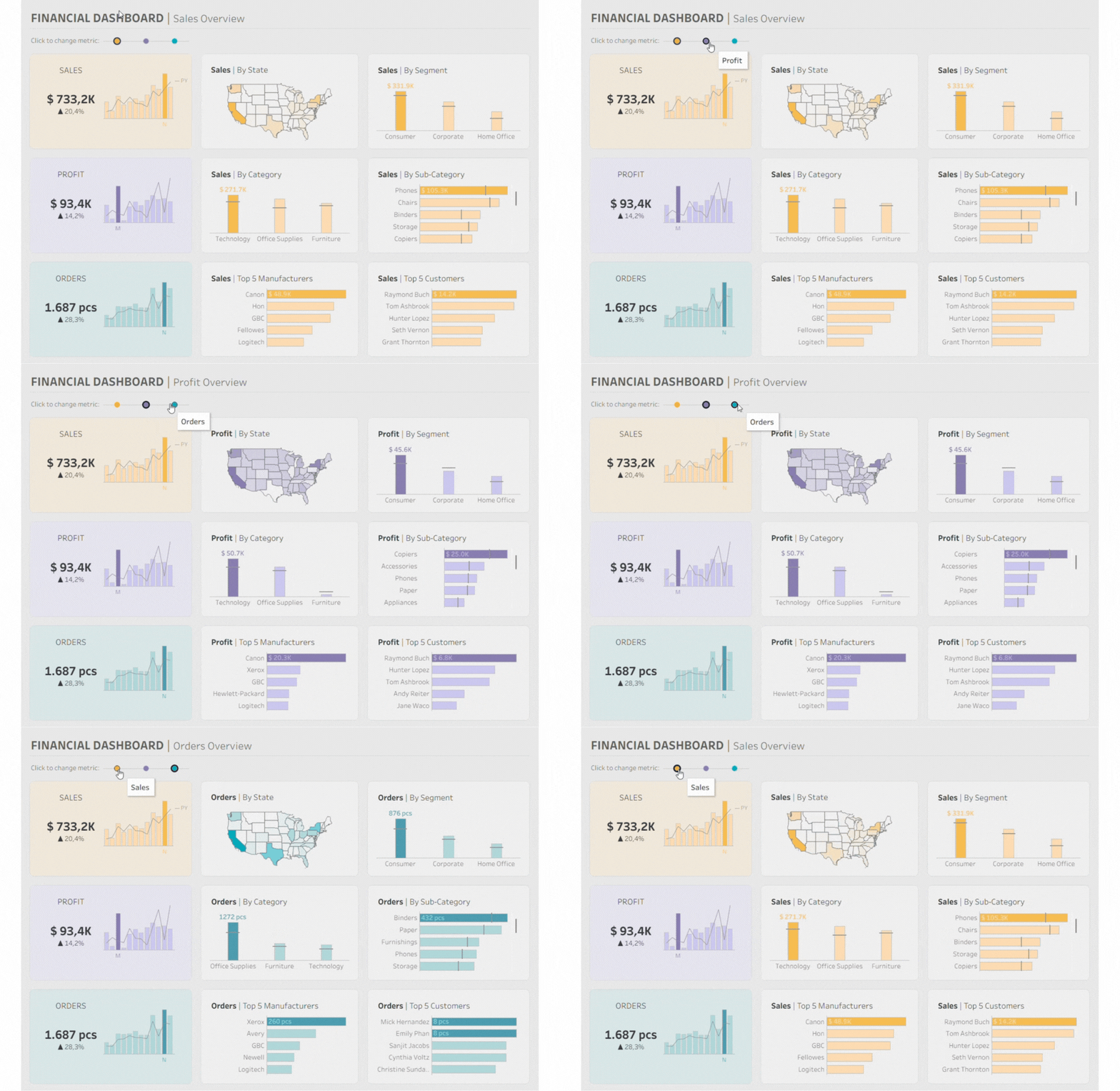
For the navigation, I wanted something more subtle than a standard dropdown. I always admired the specific interaction logic Ellen Blackburn uses in her work: using color-coded dots as a "remote control" for the view as seen in this dashboard.
I decided to recreate that specific interaction here, using Parameter Actions to shift the focus between Sales, Profit, and Orders with a single click. To make it feel just as responsive, I also implemented the highlight trick that keeps the active dot bright. It’s a great way to handle navigation without cluttering the UI, and it fits perfectly into the clean, app-like look I was building for this dashboard.
Adding a color logic
As you can see in the GIF, I gave each metric its own color: orange for Sales, purple for Profit, and teal for Orders, matching the dot legend. This is handled by a simple calculated field that links the parameter selection to these specific colors. Together with the dynamic titles, it makes it easy to see at a glance what’s currently selected.
I also wanted to make the most important insights stand out. I used a bit of math to find the "winner" in every category and highlight it with a bold, saturated color, while the rest of the bars fade into the background. It’s an easy way to show where the interesting data is without creating too much visual noise.
Finding the details
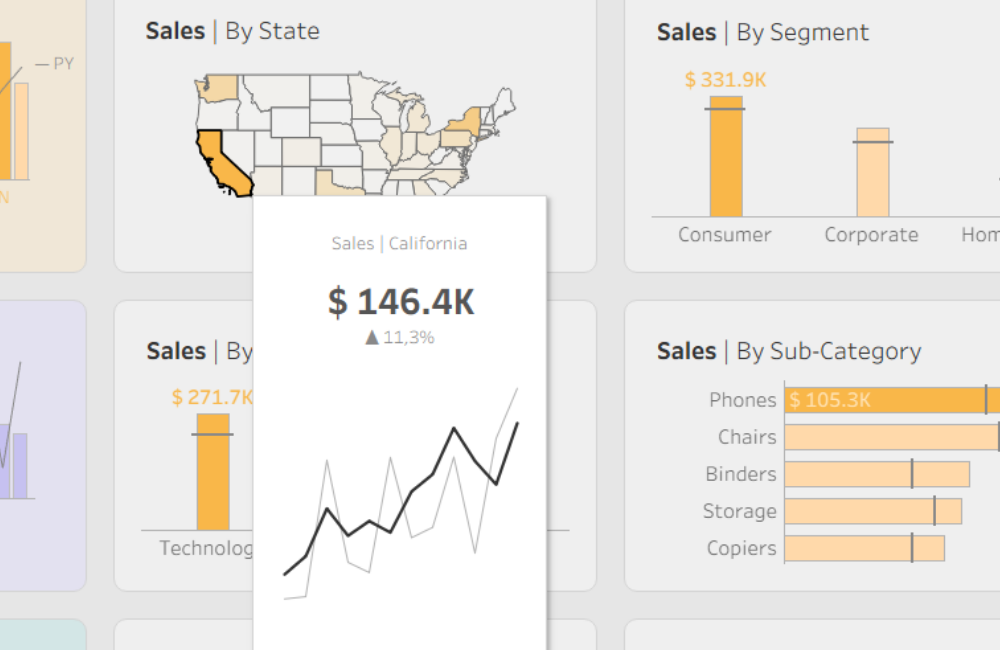
I also wanted to make sure that deeper details were always available but never in the way. I moved secondary data into interactive tooltips: a small detailed chart appears when you hover your cursor over a specific state or bar.
In the end, this project was a great lesson in how to make a user's exploration feel almost effortless. Would you like to try the dashboard in action? You can explore it here, or even download to recreate some of the underlying logic on your own.