


I’ve had the opportunity to work on data projects solo and on a team, but as I delve deeper into the world of data engineering that more I learn about how methodical and organized team-oriented projects are. In my last blog post I explained how DataOps is a data management system that many data engineering teams deploy to streamline workflows and maintain pristine data pipelines. So, in this piece, I’ll get more specific and explain how data engineers collaborate on projects.
Git
Git is a computer program that tracks changes you make to a project. This is a commonly used tool amongst developers because, when multiple people are working on the same project (especially at the same time), it is pertinent that changes can be properly managed to avoid overwriting previous people’s code or breaking the product. The way that we gain visibility to other developer/engineers changes is through a website called Github, this website stores a copy of your code on the cloud and allows others to see your code and collaborate. However, as mentioned in my previous blog, when using the DataOps system, there are specific practices that data engineers adhere to to maintain high quality version control.
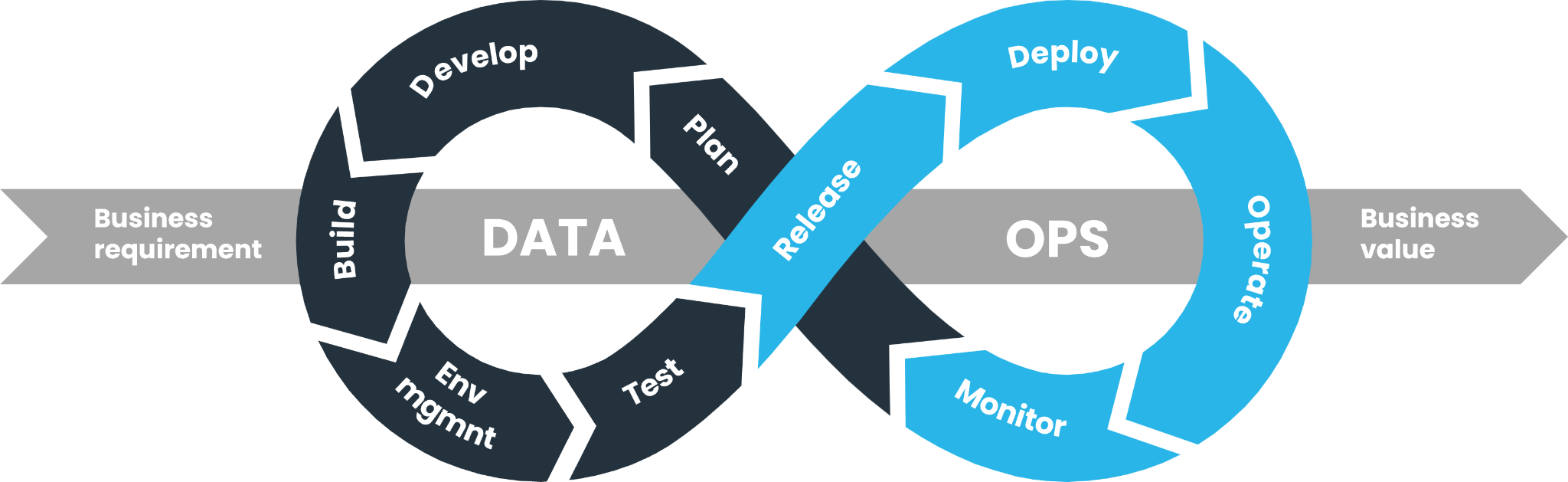
Building Locally: Creating Branches
If we take a moment to focus on the left side of the figure, before a SQL or python script is even implemented on the main data pipeline at a company, an engineer must build and properly test how their code changes the program. To do this without breaking the product or accidentally deleting something important (causing an outage) data engineers use something called branches!
Branches are siloed environments you can create on Git and GitHub that allow you to make changes in isolation from the main program. This is an extremely important practice in data engineering because some businesses will have teams of people working on one project (i.e. revenue) and everyone’s work must align on the main branch to ensure there are no failed data pipelines (or worse an outage!).
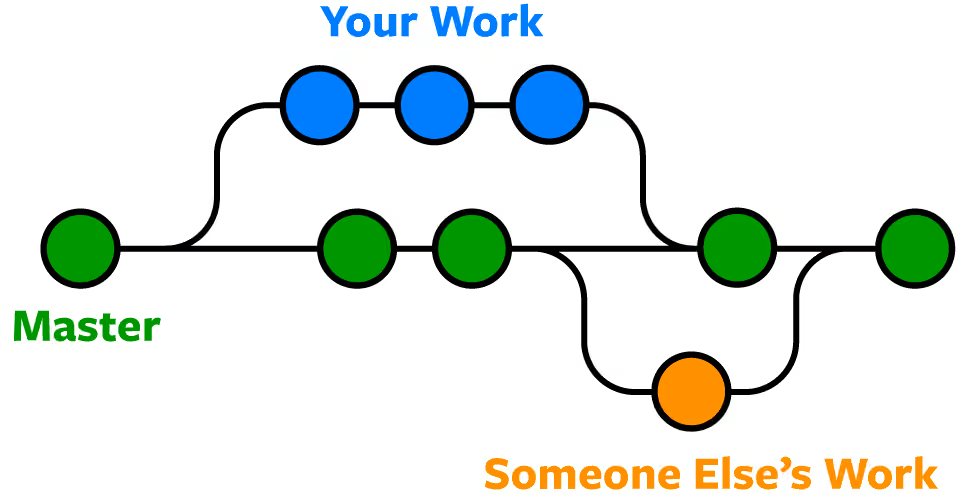
Additionally, to stay within the framework of DataOps, one of the most important steps to be taken before code is merged to the main branch is to validate it! After you’ve finished running your own test on your script in your local environment the last thing you do is push your code in the terminal—the terminal is the environment where you communicate with your computer; give it instructions—so a senior developer can check it and deploy! This part of the cycle perfectly illustrates CI/CD in DataOps.
And that’s it, if you’re a beginner to Git and Github one good tip to never forget is to always pull before you push so that you’re using the most up to date version of the product!