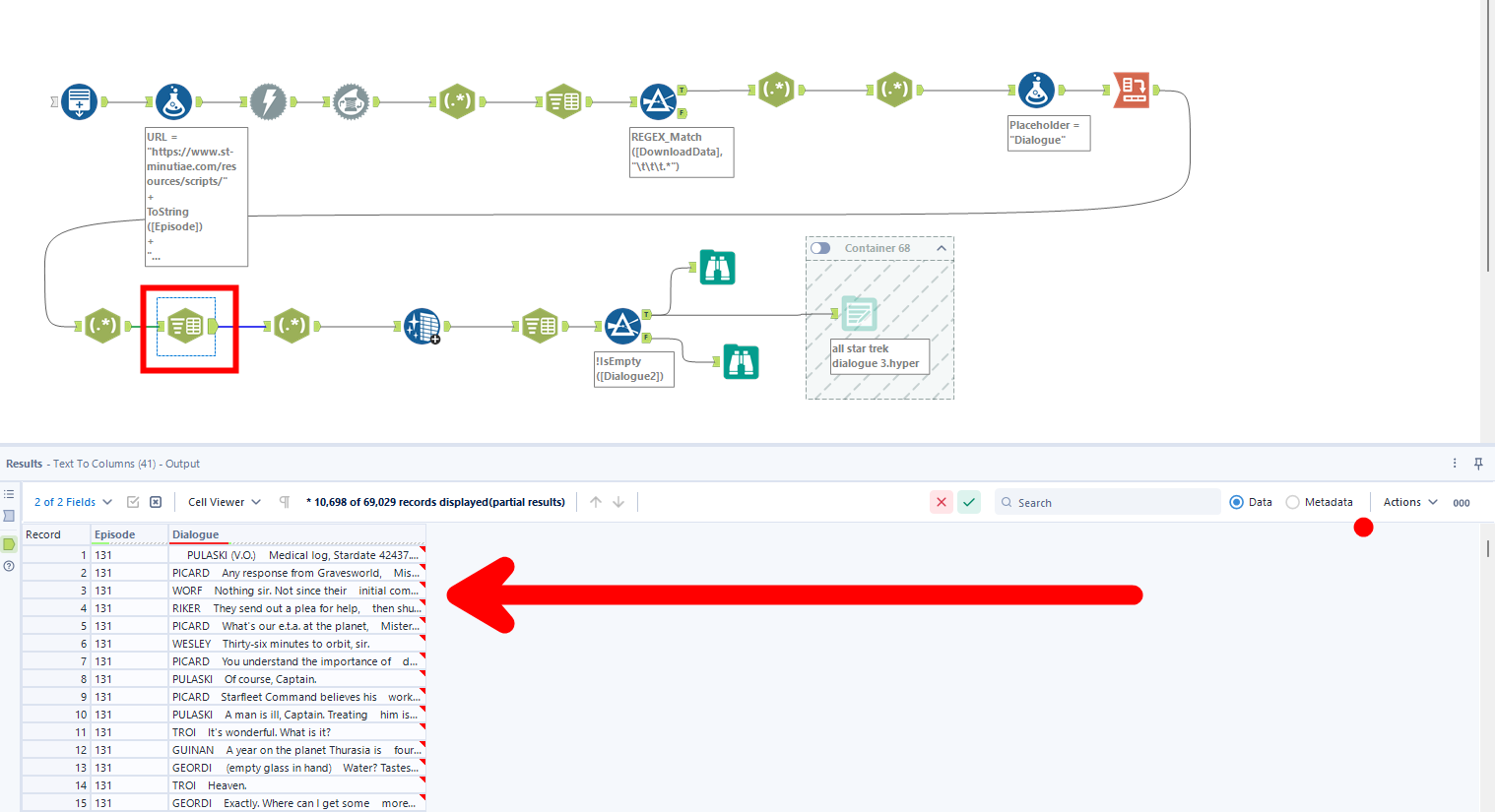
Welcome back to my series on developing an involved Star Trek: The Next Generation dashboard! When we last left off, I had a chopped the combined scripts of all 178 episodes into about 500,000 rows of data where each row (loosely) represented a line of dialogue from the show. What came next was a gauntlet of text parsing that ended up encompassing almost every skill I learned during training!
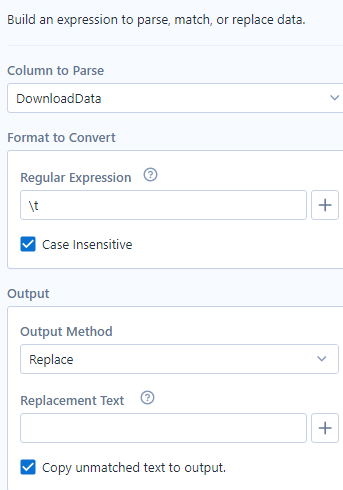
To continue where I left off, my next cleanup operation required aRegEx tool to remove all of the lingering tab characters from the original indentation structure. To remove the tab characters, I used a RegEx replace, finding all of the tab characters "\t" and replacing them with an empty string. The column name "DownloadData" is an artifact from the Download tool, which can be replaced once we are certain in what the column is representing.
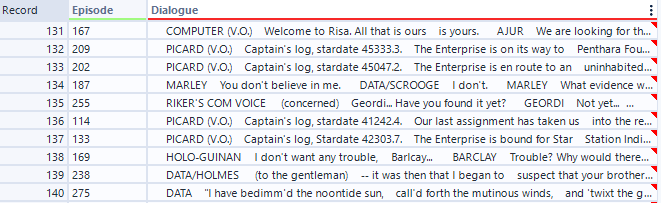
With a bit of reformatting (column selection and renaming) we end up with two columns: one saving the episode number, and one containing dialogue. Unfortunately, this dialogue is not as neatly delineated as we might have hoped. Instead of a new row of data every time somebody speaks, we see many instances of multiple speakers in the same row. It seems like a new speaker is always indicated by an all caps word, likely indicating the name of the character that speaks the following text.
We can isolate this structure with another regular expression tool! In this one, I checked for anything with the form of:
- at least two capital letters FOLLOWED BY
- either an apostrophe or a space FOLLOWED BY
- either a B or a space FOLLOWED BY
- At least zero of any character (not greedy!)
The middle two steps are specifically there to make sure the tool captures the character labelled as O'BRIEN, who is an edge case of name structure. The other part of this calculation that is important to mention is the question mark at the end that makes the .* non-greedy. This way, it stops every time it hits a new match for the regular expression. Otherwise, it would just keep on going to the end of the string. It is definitely worth noting that this operates under the assumption that we see this regular expression only if we are getting a new speaker. I did not look through all 178 episodes to ensure this, so I was lucky that this principle was consistent. If it was not, there might have been more parsing work to do.
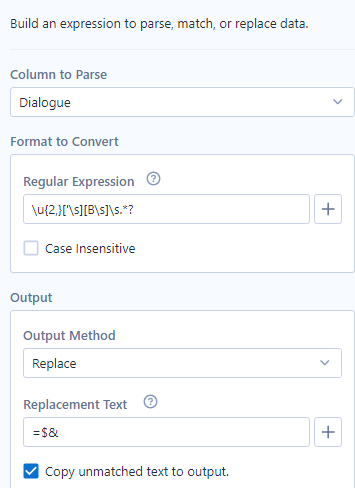
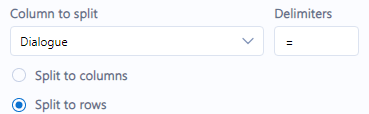
You might have noticed the replacement text looks a bit weird. Instead of an empty string, this time I use =$*. The last two characters are a quick alteryx code to preserve the rest of the regular expression, while the first is a placeholder for myself later. The purpose of this placeholder is to know where to split the columns into new rows in the future! When NAME is turned to =NAME, I can use the = character as a delimiter in a text to columns tool (configured as text to rows):
Now we have one row for an actual line of dialogue! We have reached the marked point of my alteryx workflow and will take a pause until the next part, where we will parse out the speakers and dialogue separately, and get individual rows for each word of dialogue. Stay tuned!