


A quick guide to understanding some of the most important functions in Tableau.
DATEADD
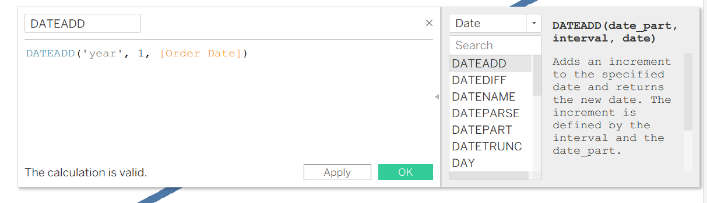
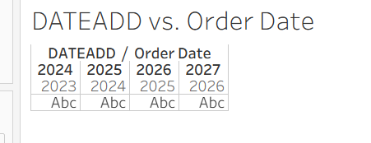
DATEADD(date_part, interval, date)
- Can be used to shift an existing dataset timeframe forward or backwards.
- Date part: year, month, day, hour, etc.
- Interval: how much of this unit of time you want to shift the dataset
- Make this number negative to shift the dataset backwards
DATEDIFF
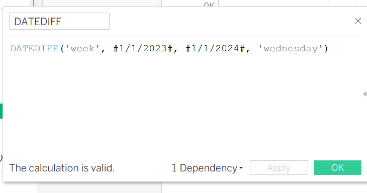
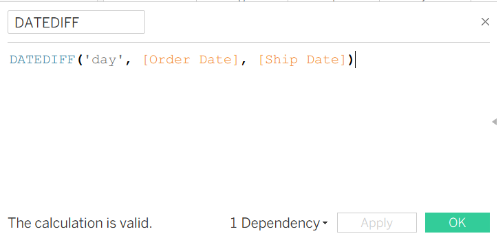
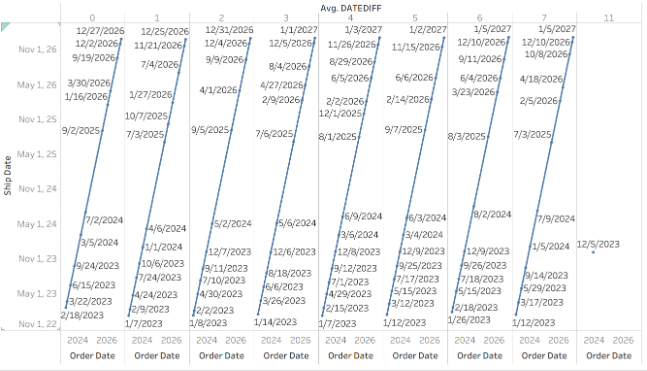
DATEDIFF(date_part, start_date, end_date)
- Can be used to find the difference between two specific starting points or between fields
- Date part: year, month, day, hour, etc. This is the unit that the difference between the dates is given in.
- Start date: this date is subtracted from the end date.
DATENAME
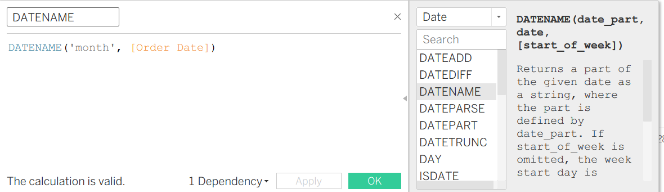
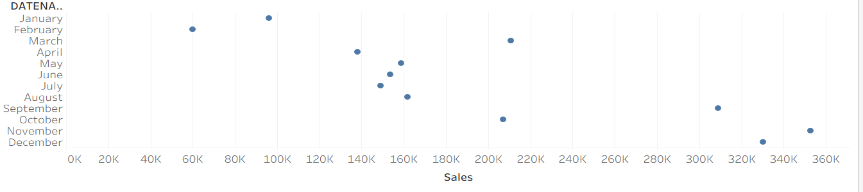
DATENAME(date_part, date)
- Returns the fully written out string version of the dates referenced in the function.
- Date_part: the part of the date you want returned as a string
- Date: Field or specific day
- Useful for smaller scale analyses or when looking at how different instances of a unit of date can be correlated with a measure without looking at a specific day.
DATEPARSE
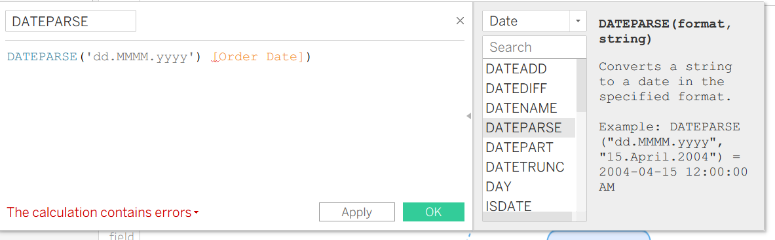
DATEPARSE (format, string)
- Used to change the format of your data from a string to a date in a date format.
- Format: the format you would like to use
- String: the field that you want to use this calculated field on or a specific number
- Can be used when your data doesn’t export correctly or was not recorded in a typical format.
DATEPART
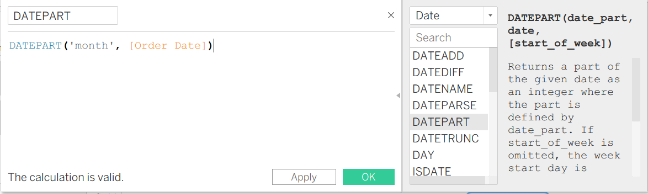
DATEPART(date_part, date)
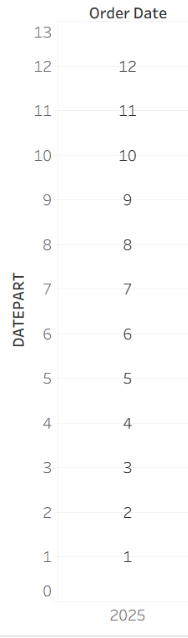
- Will return only the integer for the part of the date that you specified in the function.
- Useful for splitting dates within Tableau Public if you don’t want to use Tableau prep.
- Removes date format and makes discrete.
- EX of output below!
DATETRUNC
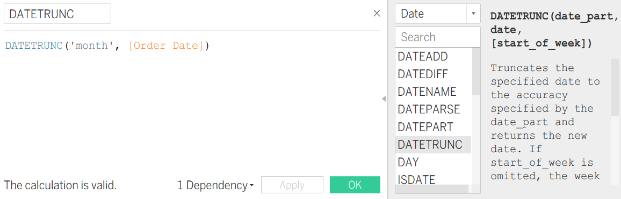
DATETRUNC(date_part, date)
- Truncates the data based on the date part you use in the function.
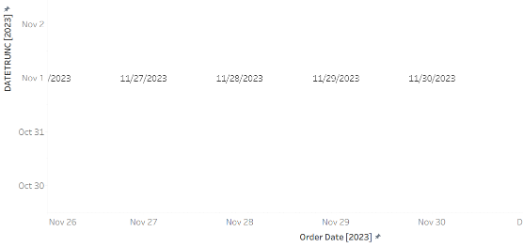
- Dates with a “month” date part switch to the first of the month, year: first day of the year, Hour: first hour of the day ,etc.
- Could be used if you aren’t interested in knowing the specific day within a month that a purchase was made for your analysis.
- Keeps a date as a date format and continuous.
MISCELLANEOUS
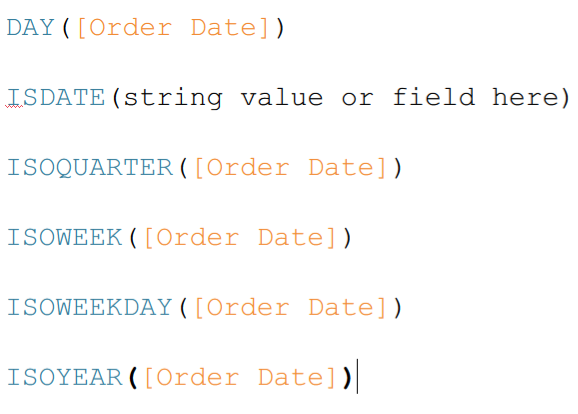
DAY: returns the day in the date(s) given as an integer. (EX: 6/2/2026=2)
ISDATE: Answers true or false as to where the string value given is a valid date.
ISOQUARTER: returns the ISO8601 week-based quarter of the input date as an integer.
All functions beginning with ISO function in the same way, but are based off different units of measuring date.
*****ISO8601: An international standardized format of writing dates.
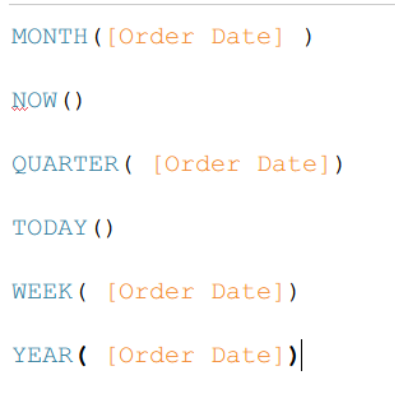
MONTH: returns the month in the date(s) given as an integer. (EX: 6/2/2026=6)
NOW: Returns the current date and time in full.
QUARTER: returns the quarter in the date(s) given as an integer.
TODAY: Returns the current date in full. EX: Today()= 6-2-2026
WEEK: Returns the current week as an integer.
YEAR: Returns the current year as an integer.