


Playing speed chess online is a fun hobby, but it does not necessarily lend itself to chess improvement. It is very easy to lose a game, and instead of doing the responsible thing and reviewing the mistakes, start another game. In order to combat this, I have committed to analyzing my chess gameplay data in order to understand where I can improve. In this blog I will walk through the steps taken to obtain my data and transform it into a format ready for Tableau visualizations.
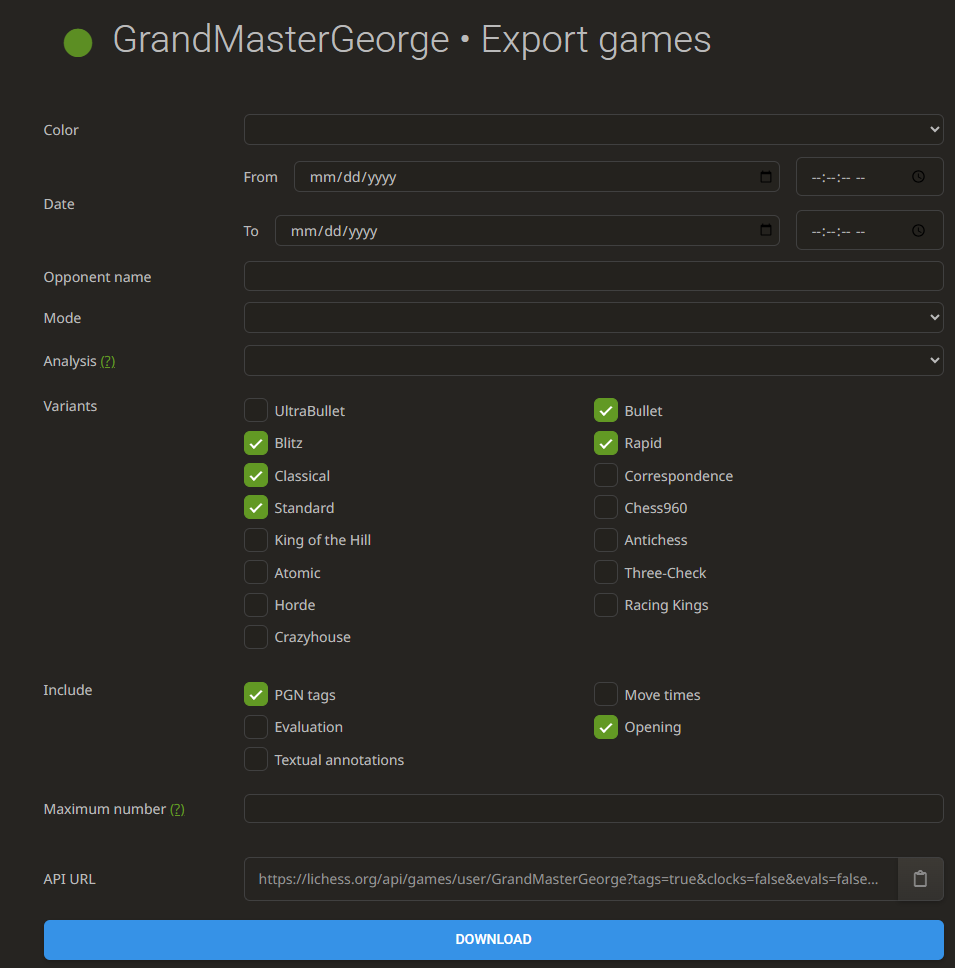
Step 1, Download Data: Luckily for me, I play chess on the website lichess, which makes data downloading very easy. Navigating to my account, there is an export game button that allows you to choose which data to extract. I selected all the normal chess variants and clicked download.
Step 2, Transform Data in Python: While downloading the data might have been easy, it certainly was not in any shape to start analyzing. Chess data is saved in the file type PGN (Portable Game Notation), which is not able to be recognized by Tableau or Tableau Prep.
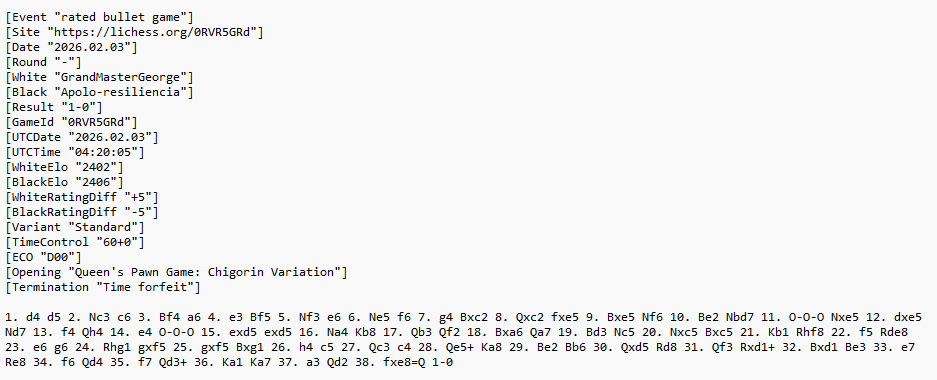
In order to bring it into Tableau Prep, I had to convert it to a CSV file. I did this by creating a python script.
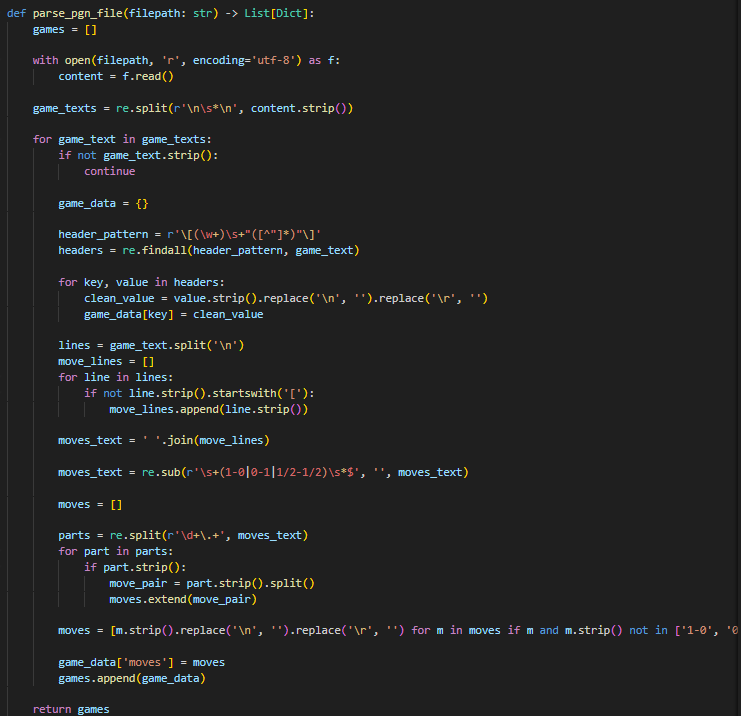
Firstly, I had to parse the PGN file and extract the game information and moves. This parse_pgn_file function splits the individual games, extracts the headers and moves, and filters out any extra spaces or lines.
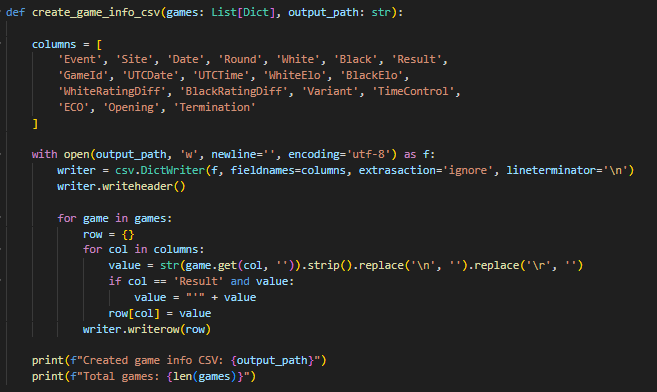
I then decided to break up my game data into 2 different datasets: game details, and game moves. This allows me to have one dataset that focuses on higher level information like game results, ratings, and opening played, and one that focuses just on the specific moves.
For the game details dataset, I created a function create_game_info_csv to add all the data to the correct columns and make sure every input was cleaned in CSV form.
For the game moves dataset, I created a function called create_games_moves_csv to make sure there are as many columns as max number of moves in my games, then name the columns and add the cleaned data in CSV form.
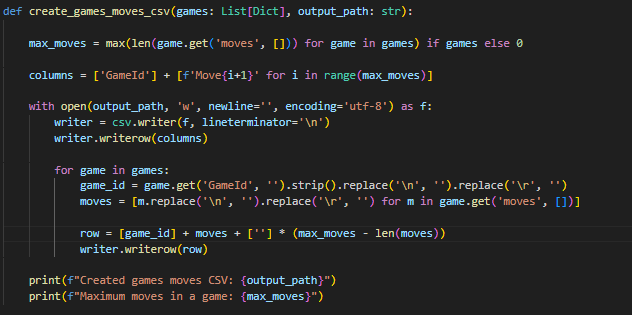
I was then able to output the data as 2 different CSV files.
Step 3, Clean Data in Tableau Prep: Now that the data was formatted as semi clean CSVs, the last step before being able to build in Tableau was to finish up the data cleaning in Tableau Prep.
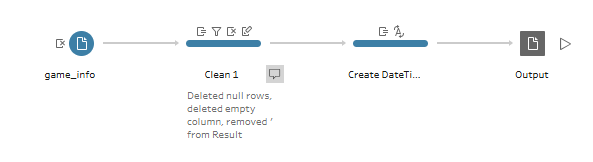
For my game details dataset, I deleted empty rows, removed some unneeded characters in my result column, and fixed the date.
For my game moves dataset, all I had to do was ensure the GameID and game moves were on the same rows, then delete all my extra null rows.
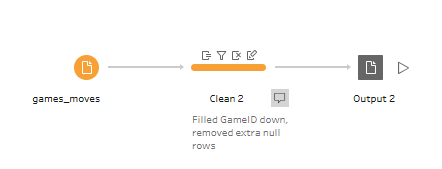
With these 3 steps completed, I was finally able to output my data as 2 clean CSV files ready to be analyzed. This process has allowed my data to get to the point where I can easily aggregate my games in Tableau and start to understand where I am playing well and where I can improve. I'll be sure to share the final result on my Tableau Public and create more blogs in the future talking about the visualization process and my findings!