


When working with a new data table, it is very tempting to dive straight in and start building visualizations. While this can be very fun, it is important to stop yourself and ask the question: Is my data in the right form? This is where data modeling and restructuring come in as very important steps in the data analytics process. In this blog, I am going to use a poker game data table to walk through the process of modeling and optimally restructuring.
I started by downloading a free online dataset from kaggle called "Online Poker Games" (https://www.kaggle.com/datasets/murilogmamaral/online-poker-games/data). This is a very interesting data source that records poker tournaments and what each player did in each hand. It came in the format of one 35 column wide table with a little over 100k rows. While it did not currently cause me any problems to view the original data, if data was continued to be collected this way there might start to be a few problems with loading and query times. In order to improve performance, make the data more scalable, and reduce data redundancy, I decided to restructure this data into 1 fact table and 4 dimension tables.
Fact tables hold row level measures, while dimension tables hold some of the more repeated, descriptive content that give context to the row level measures. I decided to create a data model showing how this could be broken down with this poker dataset.
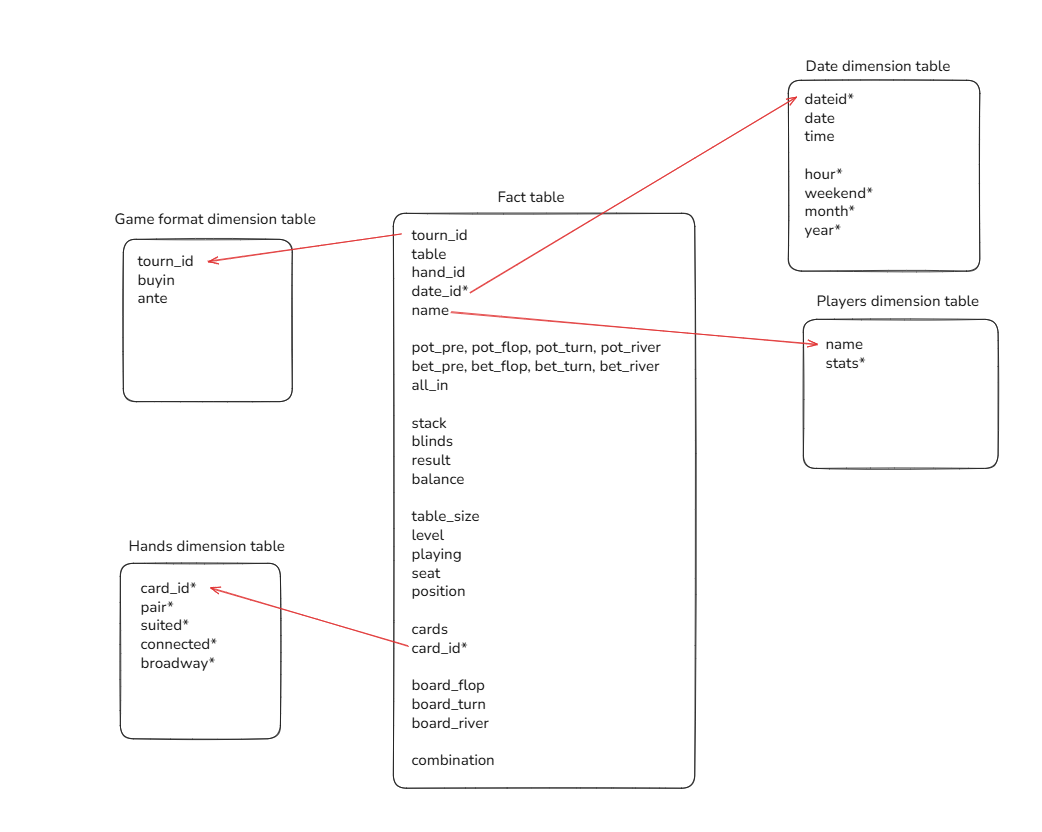
The fact table holds the information about how each player played each hand, the game format table holds information about the tournament, the date table holds information about the date/time the hands were played, the players table holds information about each player, and the hands table holds information about the starting 2 cards each player receive. Holding the data in this way ensures that the fact table isn't holding too much unnecessary information and can be queried quickly and efficiently, while that extra information is still available to be used in the dimension tables.
To restructure the data this way in SQL, I started by importing the raw, wide data. I then created a few new columns that I would use to efficiently connect the fact table to the dimension tables. I created a date_id column to be stored efficiently as an integer, and a card_id column to turn the raw card info (stored as "Qd 7h") as a more efficient Q7o (queen 7 offsuit). This ensures I can group all the possible combos of queen 7 offsuit into the same card_id, which can connect efficiently to the hands dimension table.
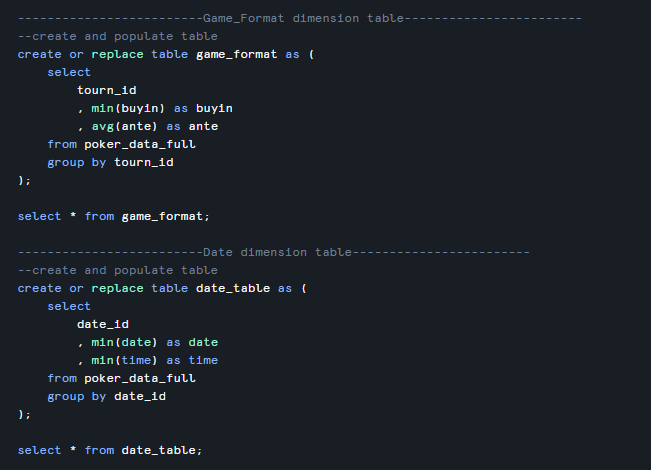
I then created a new table called "fact_table" from the raw data table that has all the fields needed in the fact table, then created the 4 dimension tables. Here is an example of the SQL code used to create the dimension tables:
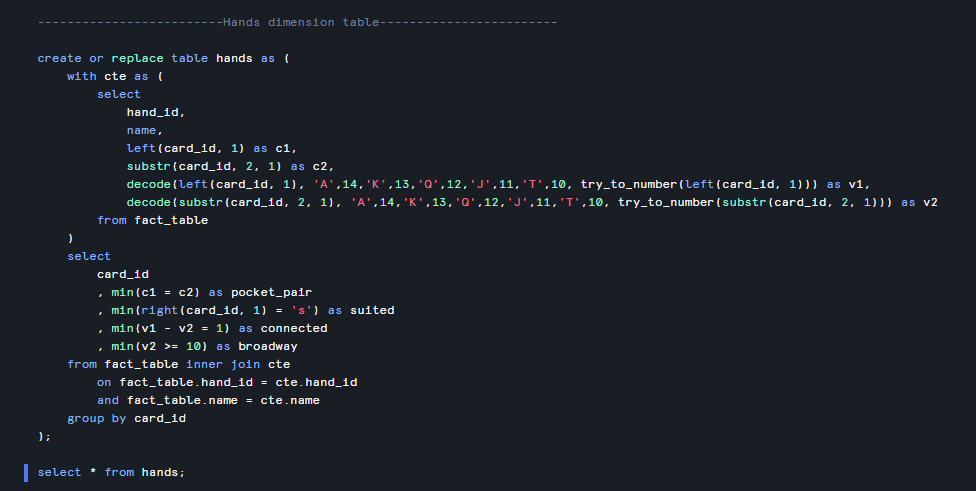
I wrote some slightly more complicated SQL for the Hands dimension table to take the two cards and calculate a few helpful columns such as whether the hand is a pocket pair, suited, connected, or broadway:
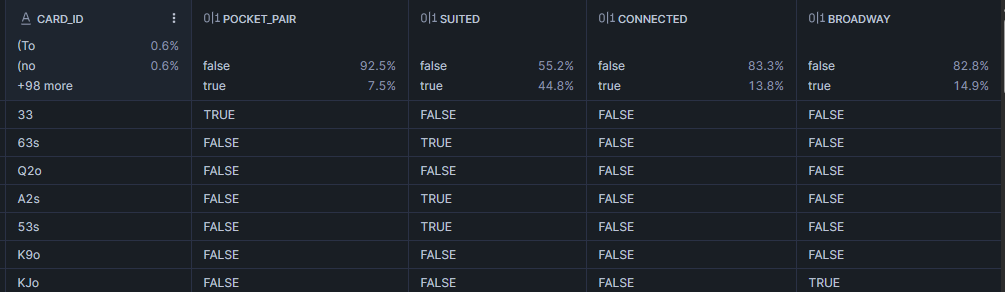
This code resulted in the Hands table:
Now that the data is fully stored in the desired model, all that was left to do was bring all the tables into Tableau Desktop and relate them to the correct fields in the fact table, and I can now visualize knowing my data is stored efficiently!