


This week, I've decided that I needed to refresh some skills that I've learned a few weeks ago and what better way to do that other than Data Preppin Challenges!
The link to this challenge is https://preppindata.blogspot.com/2020/08/2020-week-32.html.
I found this challenge fun and simple but useful for comparing Fill Down between the three different data preparation platforms. It's often done in excel but it could be easier and more auditable using Alteryx or any of the others.
Fill Down in Alteryx
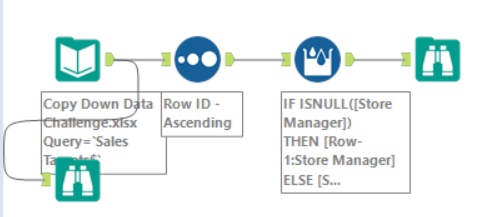
In Alteryx, you can fill down empty or null rows using the Multi-Row formula.
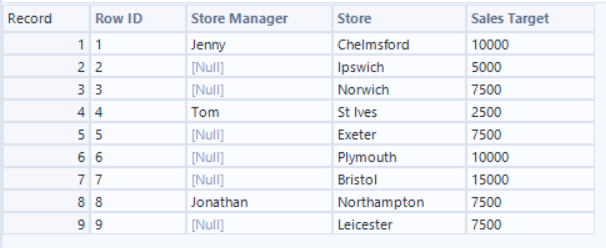
Step 1: Make sure your record ID is correctly sorted!
I've sorted the Row ID by ascending order so that the records are in a cohesive order. This is important for our multi-row formula tool to work.
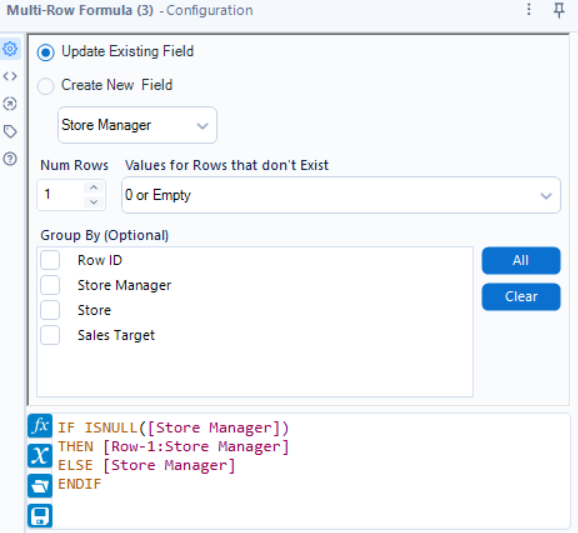
Step 2: Multi-Row Formula
In the configuration window, I've set it to fill nulls using the value from the row above. Because it processes the list in order, each gap is filled by the time the calculation reaches the next one.
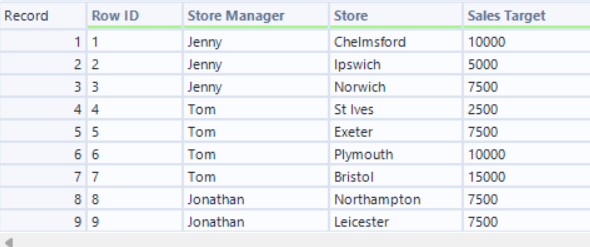
The table will look like below. Every manager will be repopulated based on the previous value in the Store Manager Column.
Fill Down in Tableau Prep
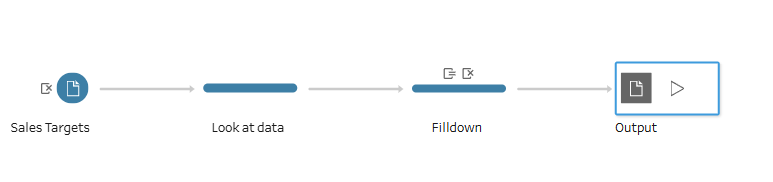
In Tableau Prep you can fill down empty or null rows in a similar way to Alteryx, however, the step itself is inside a clean step so not always easy to spot during an audit check. This might not be the best option if you are expected to create a long workflow as it will make troubleshooting more challenging (unless you are very organized and include labels/comments to each step)
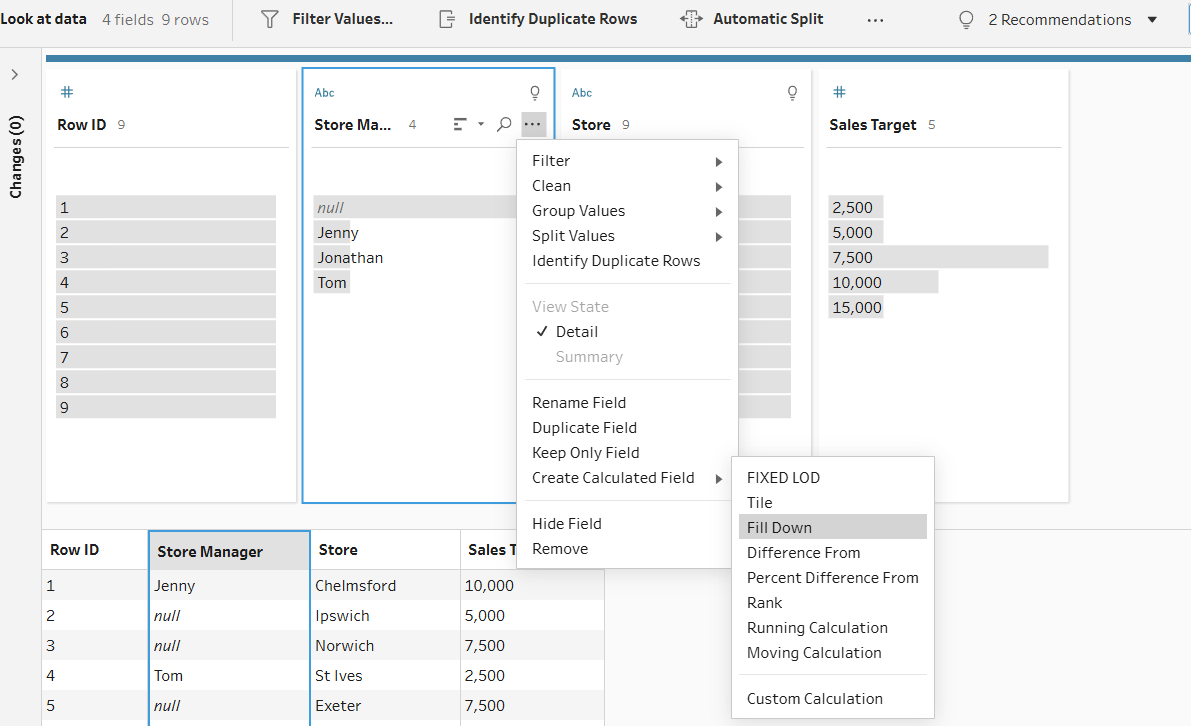
Step 1: Inside the Clean Step create a Calculated Field
Click the drop-down option on the "Store Manager" field and select Create Calculated Field > Fill Down.
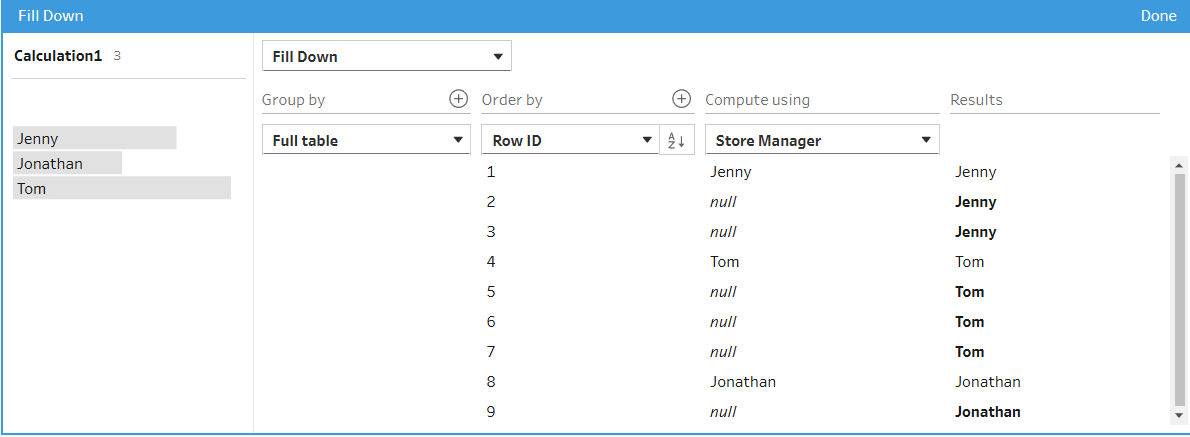
Step 2: Set Up the Fill Down Pop Up Window
Give the Calculation a name, then select a field to order the rows by. I've selected "Row ID" here, and compute using values from the "Store Manager". As you can see, the results are instantly shown in the same window.
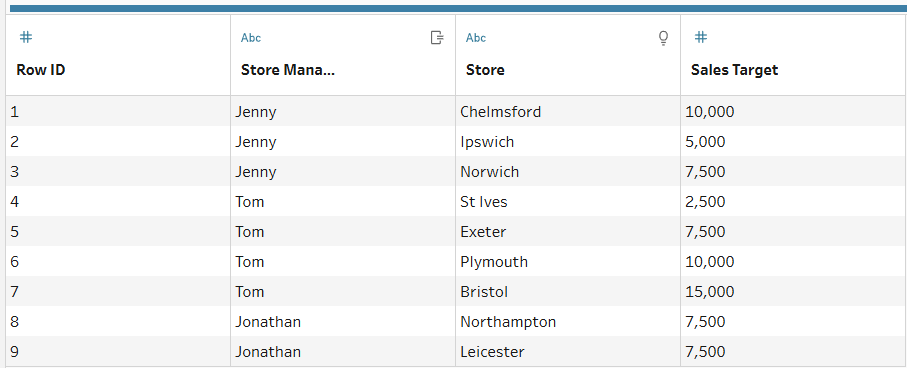
The result is the following table which is identical to the result we got using the Multi-Row Formula in Alteryx!
Fill Down in Power Query
You also have the option to fill down null or empty rows in Power Query, however, unlike Alteryx and Tableau Prep every step is initiated/recorded without the use of tools or other visualization aids. Therefore, the only downside using PowerQuery although the process is simpler than the former two, is the difficulty in finding the step where you performed the fill down for troubleshooting reasons.
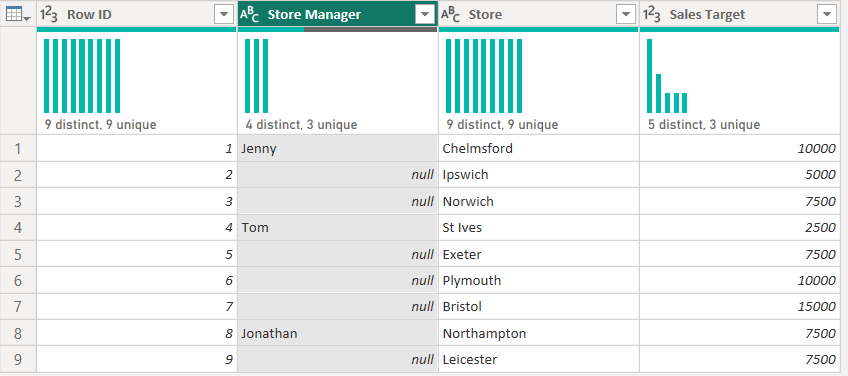
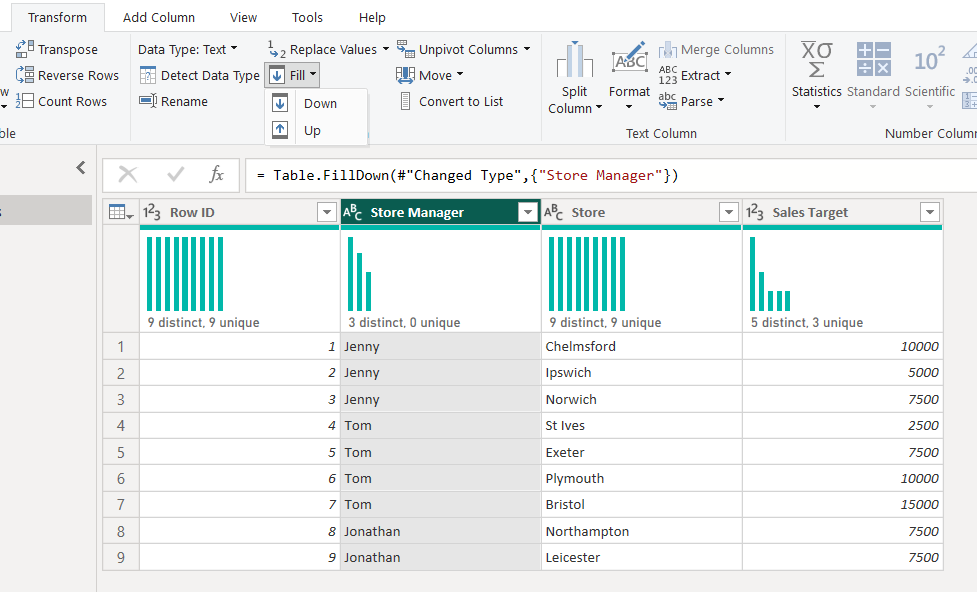
Step 1: From the Transform tab select Fill > Down
As simple as that! By selecting Fill Down, Power Query automatically fills down the null rows using the previous non-null value resulting in the below table.
In Conclusion, all three data preparation platforms offer the user with data fill down capabilities, Power Query is the simplest to set up for straight forward cases like the above however it is the most difficult to audit. Alteryx Multi-Row Formula offers the user more advanced and detailed options on the fill down settings and naturally the tool icon is step specific so it is easier to spot in a big workflow. Tableau Prep is also customizable in terms of offering the user more options in customizing the way that the fill down will be performed by, and compared to Alteryx the user does not need knowledge of formulas to set the configuration up.