


What is Pivoting?
Pivoting is a data transformation technique used to reshape data by turning columns into rows or rows into columns.
However when pivoting on Tableau Desktop it only allows you to pivot columns to rows.
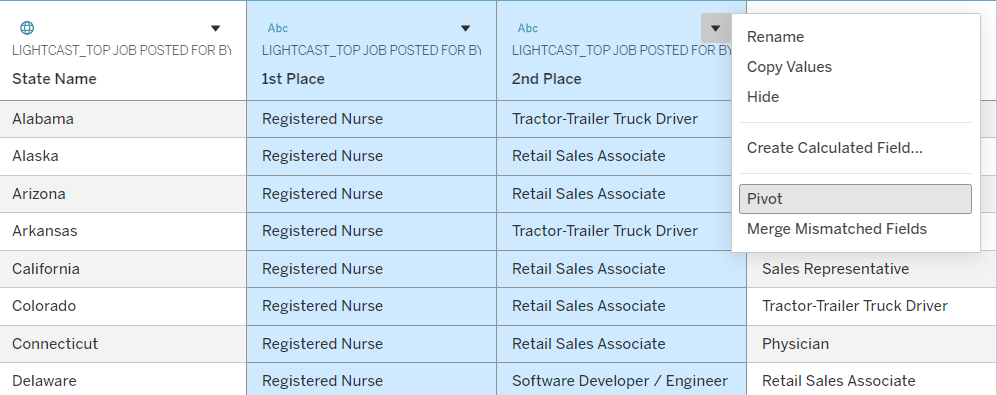
To do this you go to the Data source tab, highlight the columns you would like to pivot and right click and click pivot.
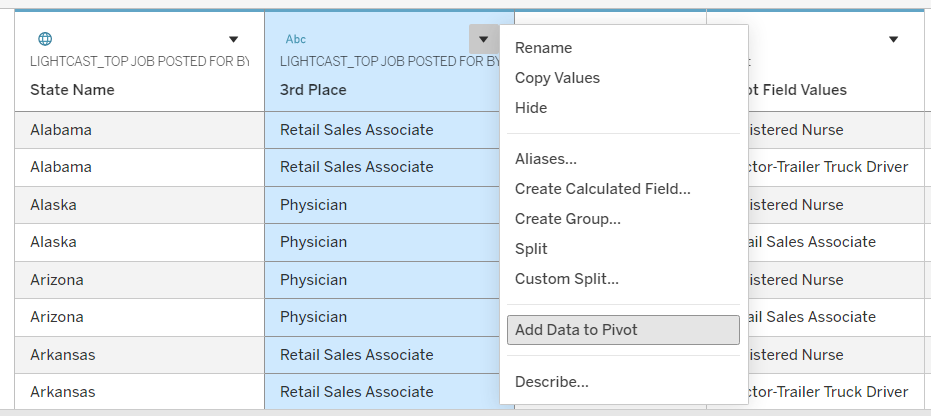
If you have forgotten to add a column to the pivot you can also highlight the column and right click to add to pivot.
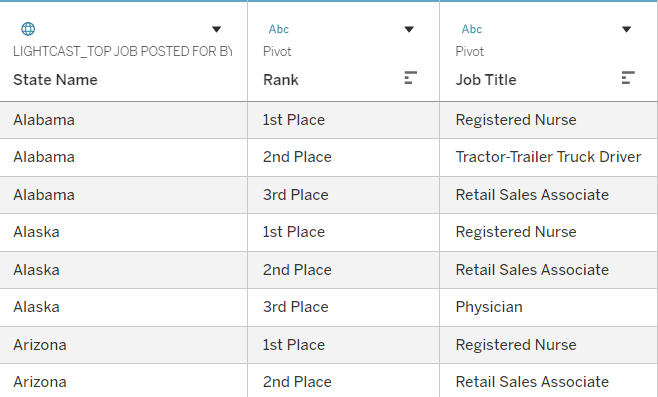
You will see two new fields - Pivot Field Names and Pivot Field Values. Make sure you rename appropriately.
Note: It isn't dynamic- doesn't add it to the pivot automatically. If new data is added you have to change it manually.
Now your data is in the long format (many rows, few columns) and is ready to be used!