


Duplicate records are one of the most common issues found in messy datasets, and depending on the nature of the duplication, failing to address them can lead to unreliable insights.
In this challenge, we work with data covering client attendance at our training sessions, as well as which account managers are responsible for each client. However, historical account-ownership records introduce duplication into the dataset, and we will explore how to identify and resolve this issue.
Exploring the dataset, we can find instances where a single client is associated with multiple account managers, start dates, and occasionally even multiple client IDs.
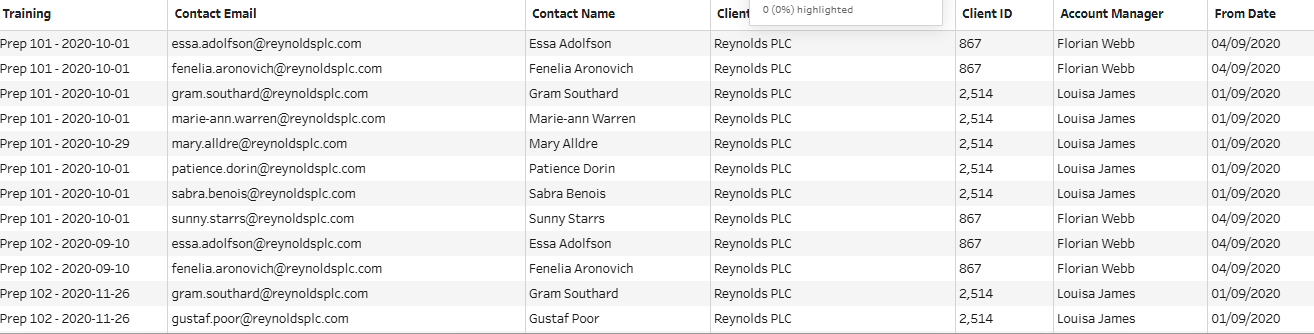
These are the issues that we are trying to remove from the account manager section of the dataset, without removing any information about who is attending the training sessions. This hints that we should split up the dataset into two components:
1. account manager ownership (and the clients they are responsible for), and
2. training session participation (and which clients they belong to).
This can be done using the aggregate step in Tableau Prep.
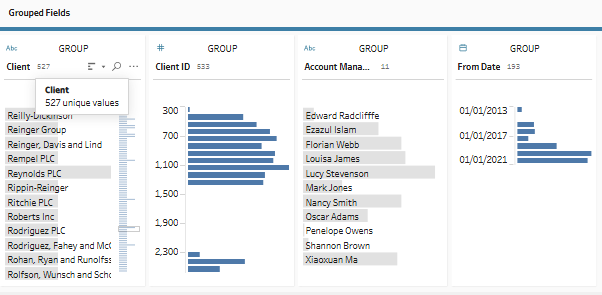
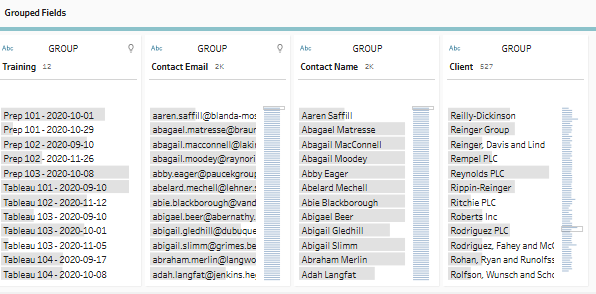
The aggregate step retains only the fields used for grouping or aggregation, meaning any remaining fields will need to be rejoined later – something worth keeping in mind for now.
1. Find the most recent Account Manager for each Client
First, we identify the most recent account manager for each client using an additional aggregate step on the account manager data. More specifically, we calculate the maximum From Date for each client, which represents when the most recent account manager took over responsibility for that account.
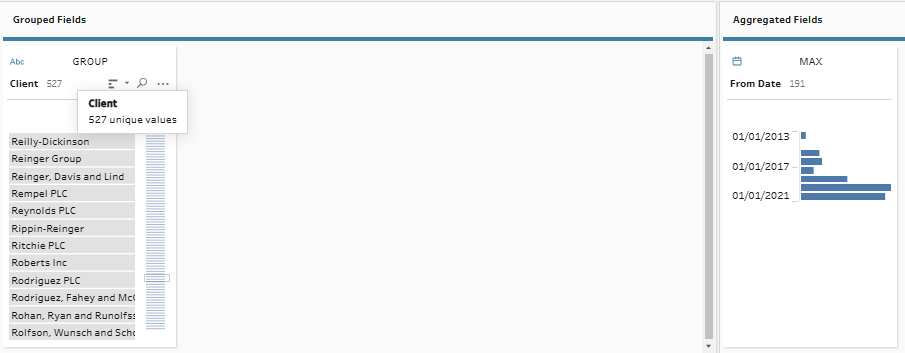
2. Filter the data, so we only keep the most recent Account Manager
To filter the data, we join this aggregate containing the most recent From Date back to the previous aggregate containing account manager data using an inner join. The joining clauses will be: Client = Client (client name to client name) and From Date = From Date (most recent From Date matched to all the From Dates we have in our dataset). This ensures that only the latest account manager for each client is kept.
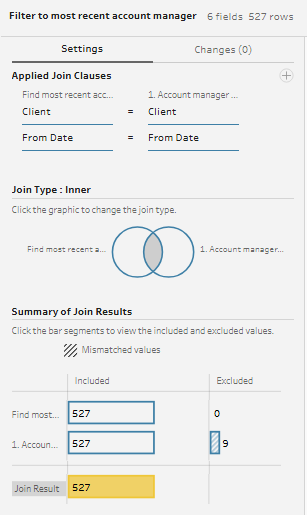
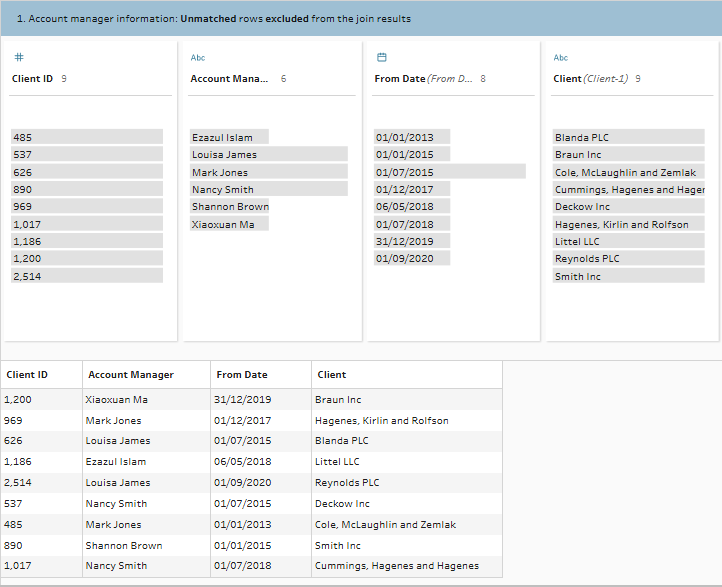
Investigating the join results, we can see that the nine excluded rows come from clients with duplicated records.
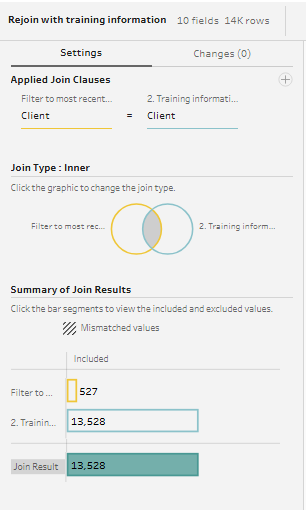
The last step is to bring back the training information with another inner join on Client = Client. This gives us the desired output with all the required fields, while preserving the number of rows.
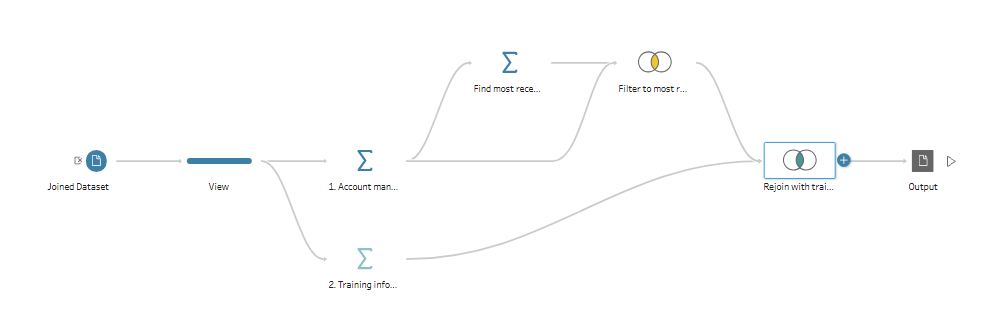
Now that the account managers have been updated to reflect the most recent account manager for each client, our initial duplication issues have been resolved. Your final flow should look like this:
Taking this into Tableau Desktop for further analysis, we can be confident that duplication will no longer affect the reliability of our results.