


Hi everyone! My name’s Durkka, part of DS55 – the latest cohort to join The Data School! It’s only been two weeks, but I’m amazed at how much I’ve already learnt! During one of the days in training, we were setsome independent research on a few of the key aspects of Tableau, and my chosen topic was the data interpreter, making it the perfect topic for my first blog post (of hopefully many more!).
What is the Data Interpreter?
The data interpreter is a feature available in both Tableau Desktop and Tableau Prep that examines the loaded data and restructures it to ensure that Tableau interprets it accurately. A key benefit is that it saves time in the data cleaning process by automating steps we would otherwise have to do manually.
Why do we need it?
Two of the most common use-cases for the data interpreter include:
1. Formatting excel tables for correct use in Tableau.
Especially in excel, the data is often arranged to be visually pleasing and easier for humans to read. Some examples include: formatted titles, merged cells, empty rows or columns to separate sections, and headers or footers with additional information. Although this layout improves readability for the user, it is not ideal for Tableau and prevents Tableau from analysing the data effectively to make reliable visualisations.
Using the data interpreter helps resolve these issues by automatically identifying and removing the unnecessary formatting.
2. Using sub-tables.
What if we only wanted to work with a sub-table, a subsection of our datasource? For example, an excel file may contain multiple sub-tables within a single worksheet, but we may only want to analyse one of them without importing the entire worksheet.
After connecting to the datasource, using the data interpreter allows Tableau to detect all the sub-tables within the worksheet, so you can work with the relevant table directly in Tableau. This means you don’t need to go back to the original data to manually alter it. Instead, the data interpreter will help you directly extract the data you need, enabling faster and more efficient analysis in Tableau.
How do we use it?
As soon as you connect to the data, you will see the following just below your connections:
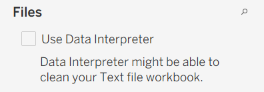
All you need to do to use the data interpreter is select the checkbox – it's as simple as that!
Always!
After selecting ‘Use Data Interpreter’, you will have the below view:
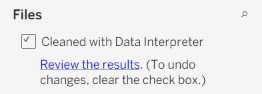
You should (always!) review the results. This is because Tableau can make mistakes too, so it is always important to double-check how the data has been formatted. Clicking on ‘Review the results’ opens an excel file with a key explaining what data has been kept or removed and how each element of the data has been interpreted.
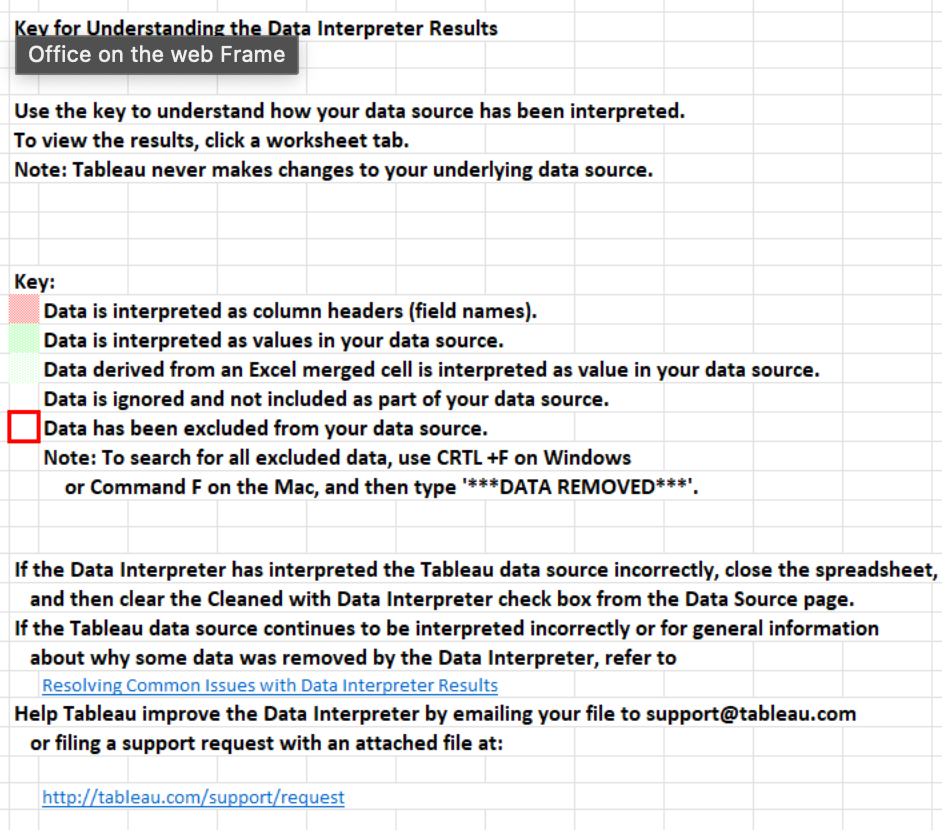
The file will also contain a sheet with the cleaned version of the data, so you can see exactly how it has been restructured. You can then make any further corrections if needed.