


Logging is a way to document the way your Python code is running (even when it's automated and you're not actually seeing the statements it's printing to the terminal). It generates a log file that provides updates of varying levels of severity on the way your code is running.
As an example, we'll be using logging on a script that downloads data on rental bikes from the Transport for London API. The documentation for the endpoint can be found here.
We'll start with the import statements:
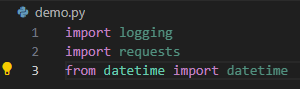
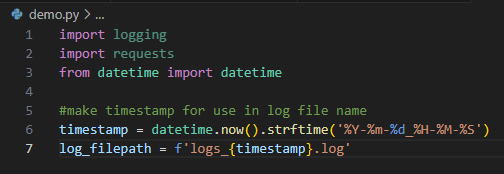
Logging is the library with which we're most interested here but requests is used to download from the API. Datetime is used to get the current date and time, which is used in the name of the resulting log file to make sure the name is unique (so if the script runs each day, it won't overwrite the same file every time). We'll define the logic for the name of the log file as follows, formatting the timestamp into a string in the format YYYY-mm-dd_HH-MM-SS:
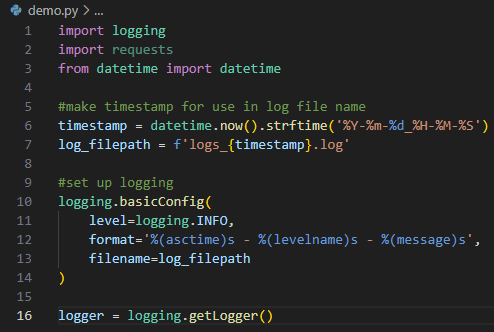
Now for the most important part, where we set up the logging. The configuration of the logging includes three important pieces:
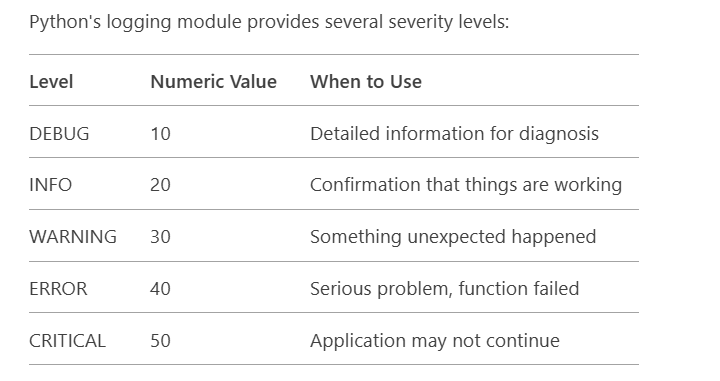
- The level - It's set to INFO here. This determines the minimum severity of logs that will be reported on in the output log file. Below you can see all the levels of severity, ranging from debugging information to issues of critical severity. By setting this to INFO, we'll see everything except DEBUG in the output logs
- Format - The layout of the text of the log file. Here we're setting ours to show the time at which the message was generated, the severity level, and finally the log message (which we'll create further down in the script)
- Filename - The location where the log should be output
Here's how all that will look in the script. Notice that after the configuration, we activate the logging with logger = logging.getLogger()
Once that's done, we just have to make the API call:

We'll be using the response code from the API to determine the severity of logging we're doing. If you're unfamiliar with HTTP status codes, you can read more about them here. To put it briefly, the API will respond with a three digit code to indicate the outcome of the call. The first digit of the code can be used to sort the response into a category:
.webp)
We'll use those status code categories to determine how to log the outcome. A response in the 200 range was successful so we'll log that as INFO to indicate the success. If it's in the 400 range, it's a client side error (meaning that we messed up and need to correct our code). That will be logged as an ERROR. If the response is in the 500 range, it's a server issue, meaning that the API has failed to respond correctly. We'll log that as a WARNING. A response of any other kind will also be logged as a WARNING.
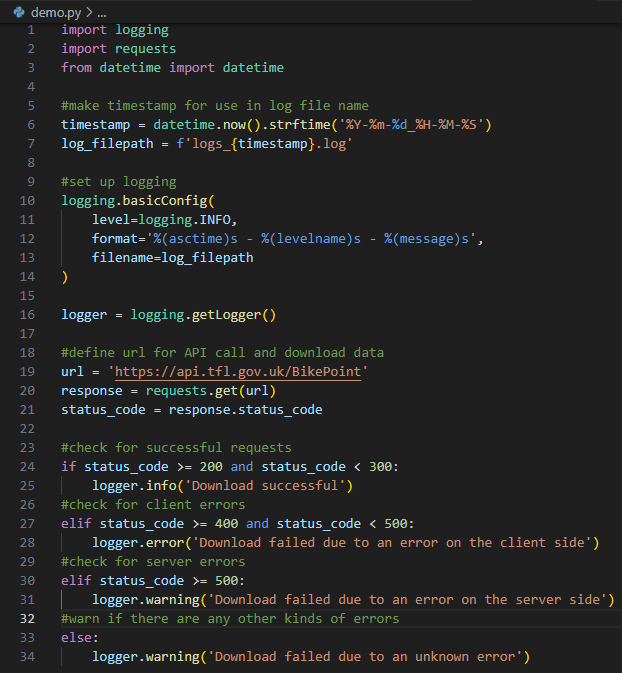
This is where the message that will be included in the logs is written. Take a look at two examples of output logs. It's a lot more helpful having nicely written messages like these than inscrutable error messages generated by Python!

