


For this Blog I will outline my solution to Preppin' Data Week 40 2022 which involves taking a single numbers field with two rows and turning it into a 9x9 times table.
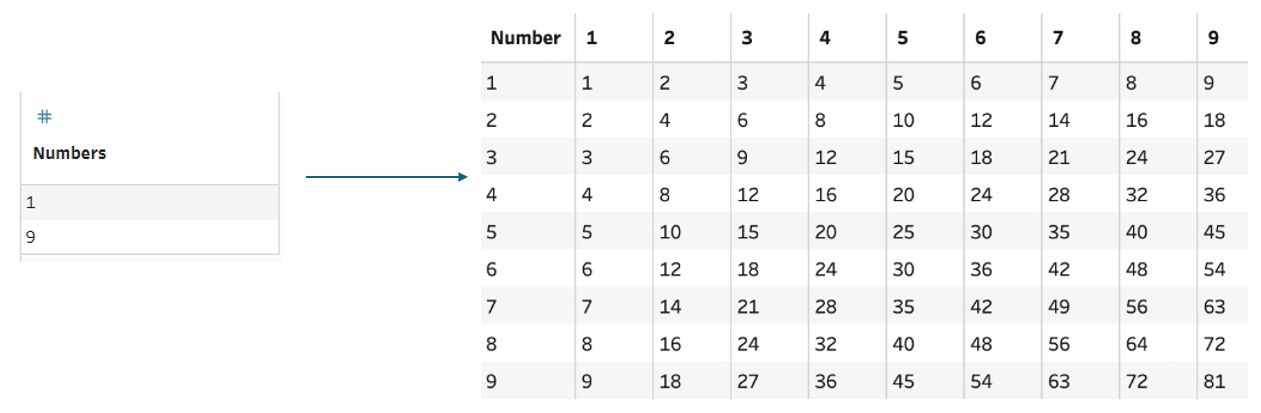
To start off its best to plan out what we are going to need. So we somehow have to go from just 2 cells to the full 81 plus our header field of Number.
There's only a limited number of tools when it comes to adding rows in tableau prep. We have:
New Rows- allows us to fill in the gaps in sequential data.Pivot- we can flip a field to rows or a row to fields.Union- gives us the option to append one table to another.Join- by performing a cross join on scaffold columns we multiply our rows.
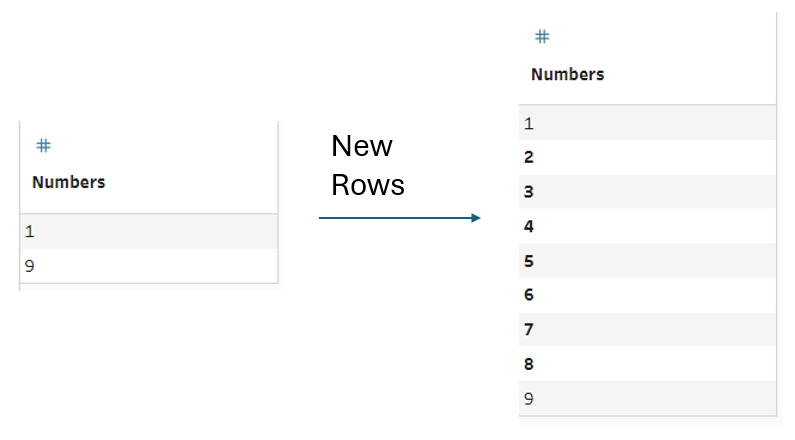
My first step was using the New Rows tool to fill in the numbers from 2-8:
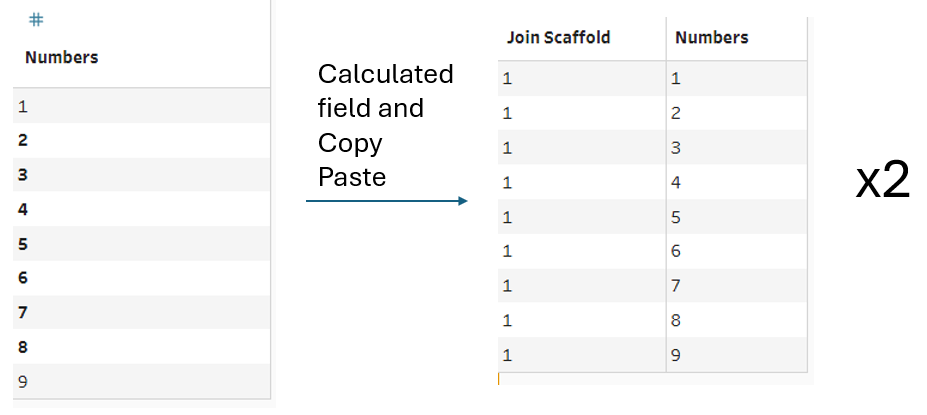
Next we have to decide which of our 4 tools will allow us to explode the table into the high number of rows we need. For this use case I went with a cross join which to perform I first had to create my scaffold fields and duplicate my clean step:
Joining these two tables on Join Scaffold then explodes our rows:
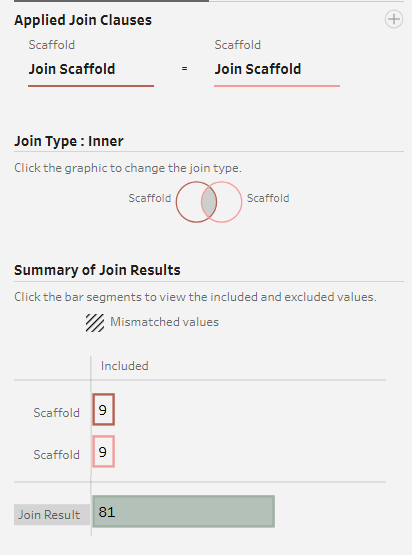
After trimming out the scaffold fields post join we now have every number 1-9 paired with itself and every other number e.g 1-1, 1-2, 1-3...,1-9.
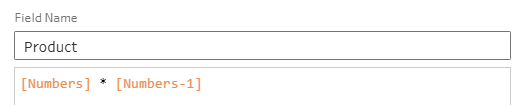
With our two Numbers columns I then created a calculated field named Product to multiply the columns together:
With our three fields of Product, Numbers and Numbers-1 the next step is to flip our Numbers-1 onto field headers with the values of Product. This is done through a Rows to Columns pivot with are 'Pivoted Fields' as Numbers-1 and our 'Field to aggregate for new columns' as Product.
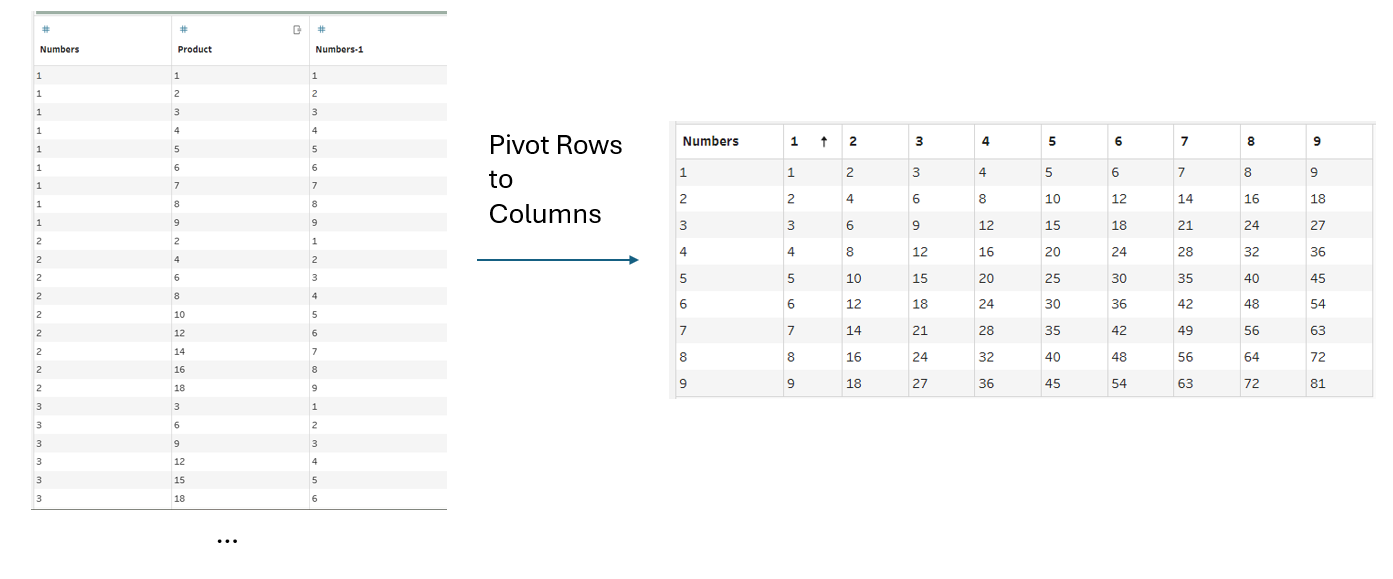
And that gives us our final output!
