


Round 2!
This Week's Challenge was around Valentine's Day gift suggestions, depending on how many Valentine's Days they have spent together!
Here is a Link to the Challenge: https://preppindata.blogspot.com/2024/02/2024-week-7-valentines-day.html
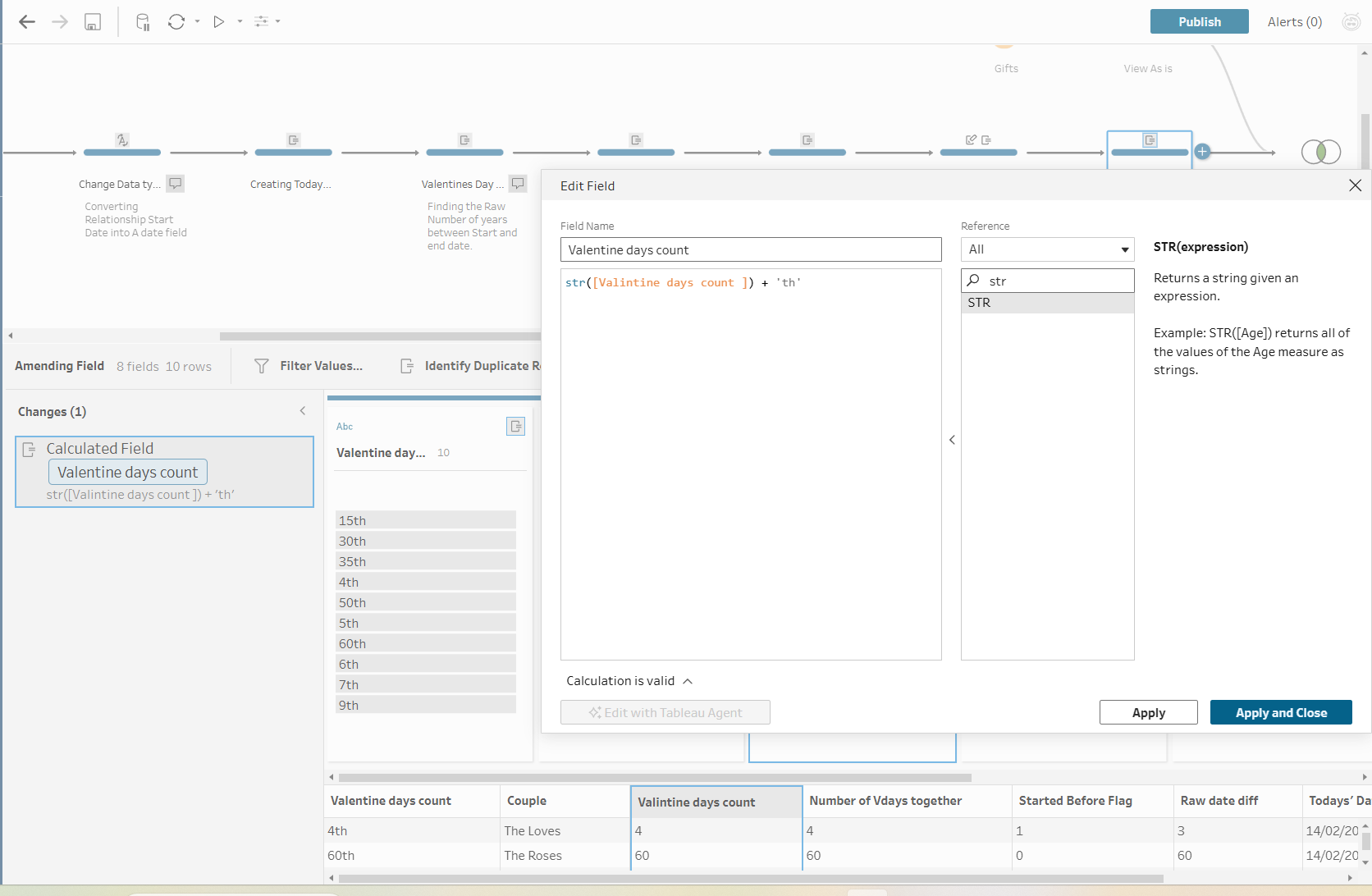
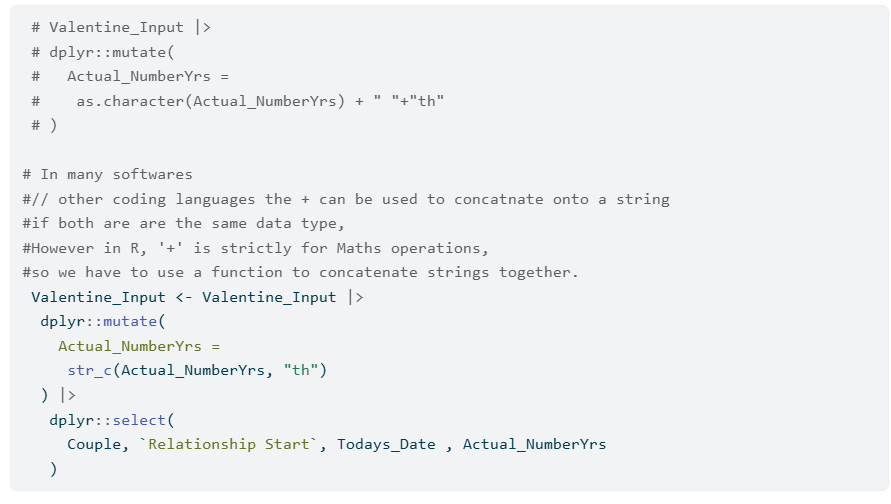
Just like before, I will take you through each data prep step from both Tableau Prep and R! For this challenge, I experienced some interesting differences between them. For example, in R, you can't use '+' to concatenate two strings; a function is reserved for this purpose, but I found it interesting because most other languages and tools do.
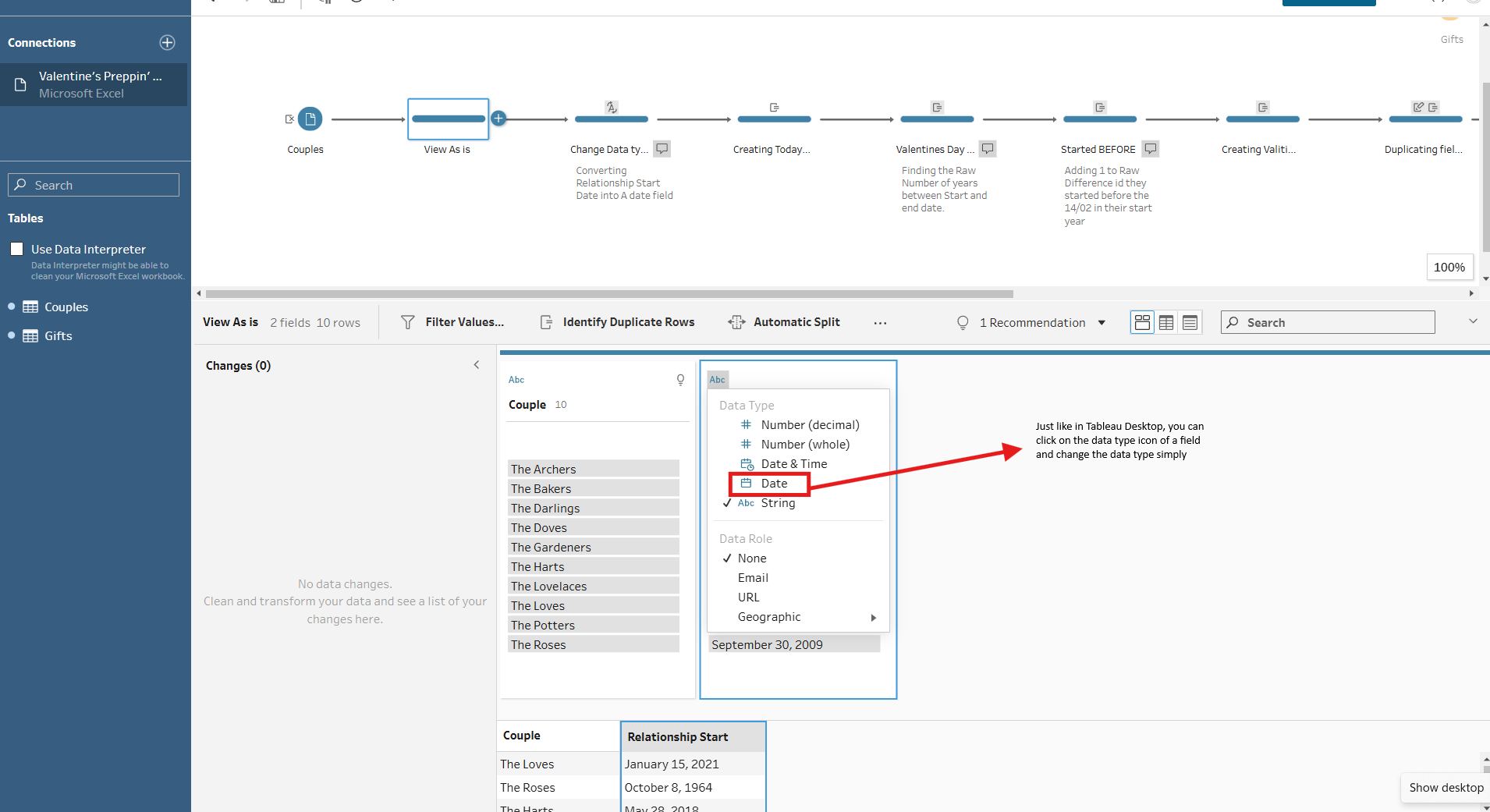
Step 1 - Converting the Relationship Start Date into a Date Field
In Tableau Prep
In R
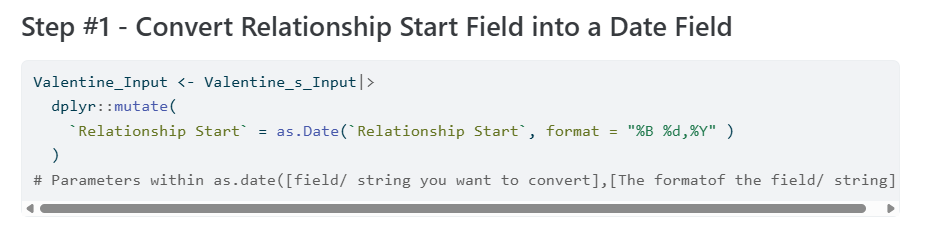
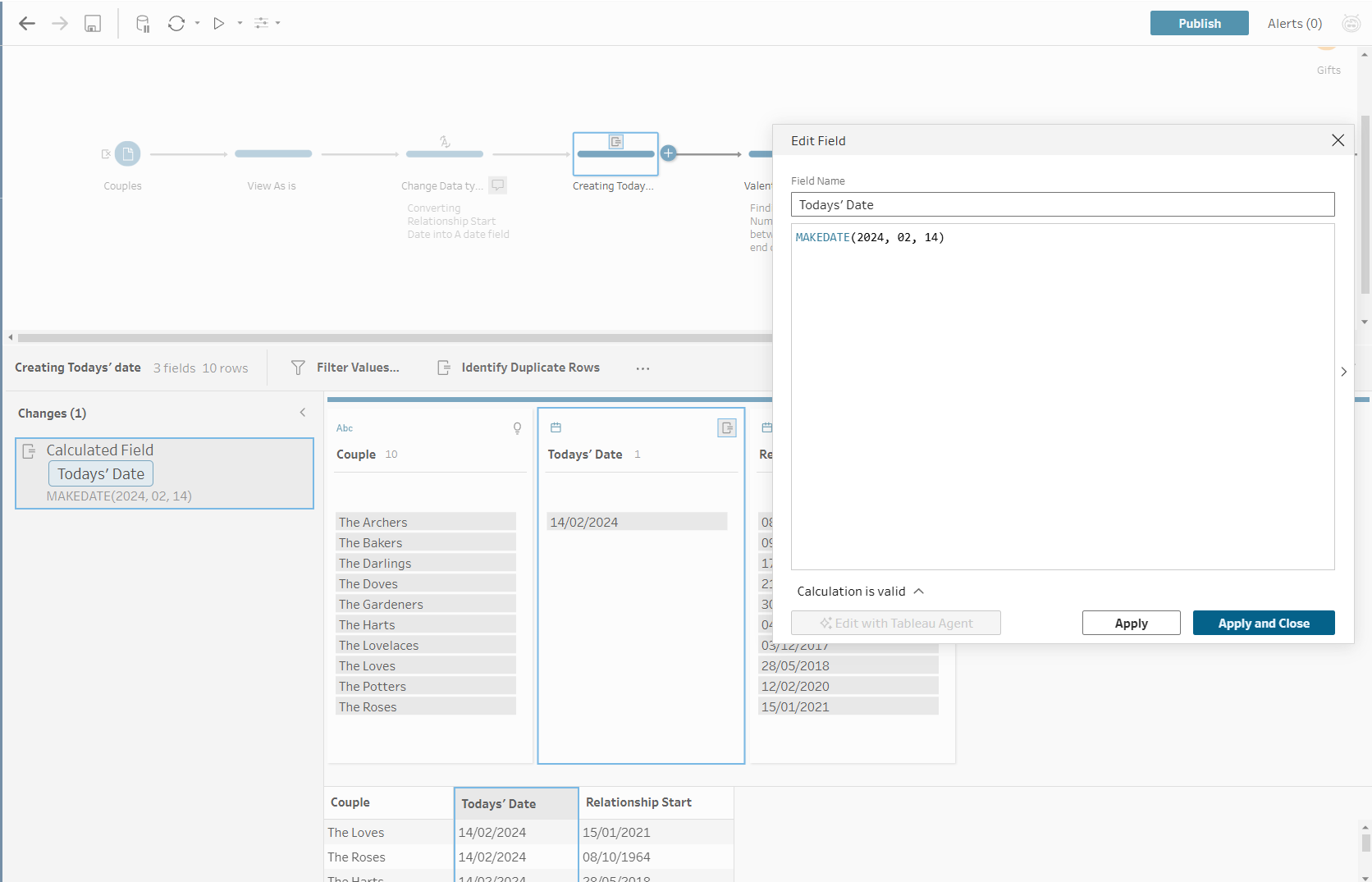
Step 2 - Creating a Today’s Date Field
In Tableau Prep
In R

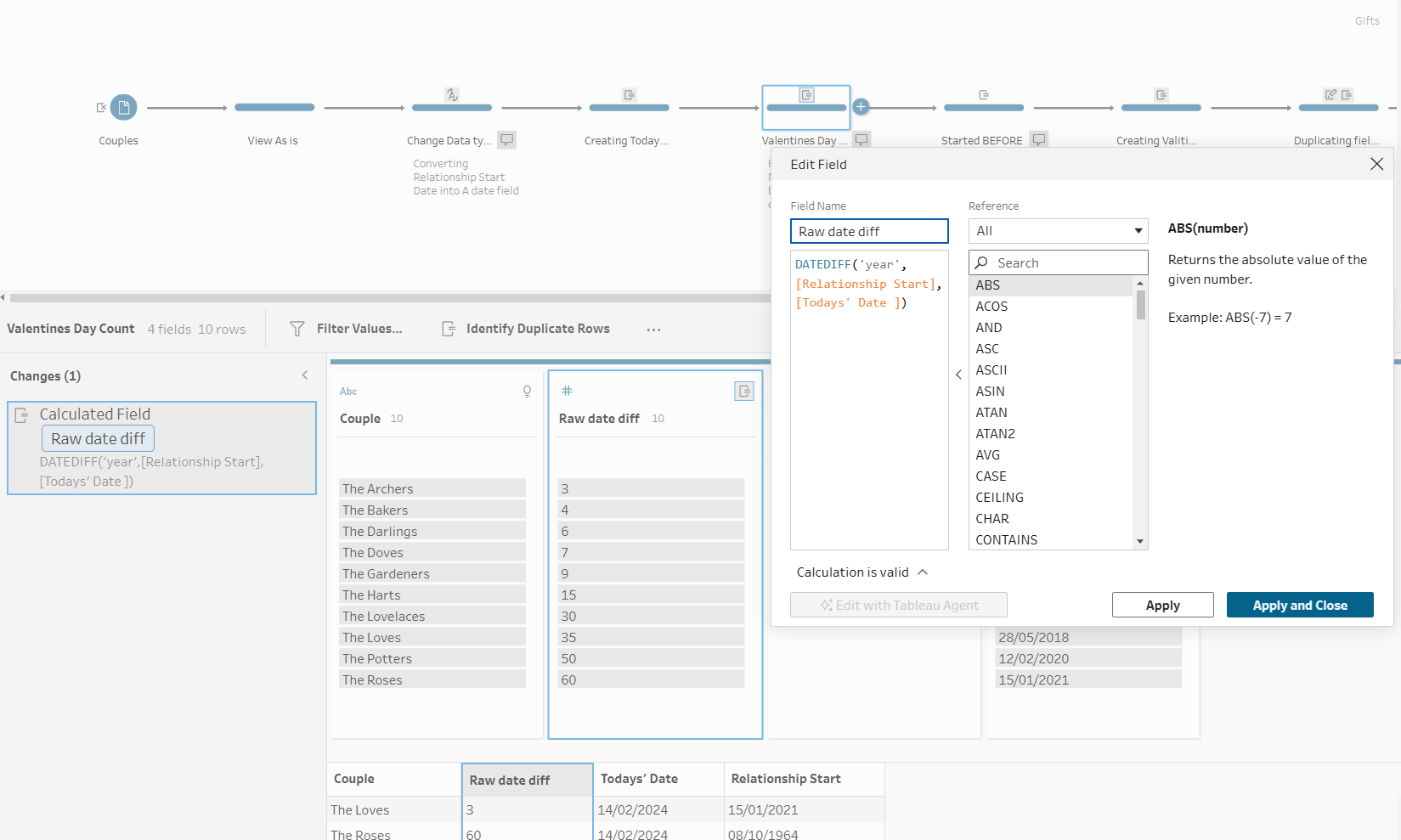
Step 3 - Raw Years together Count
In Tableau Prep
In R

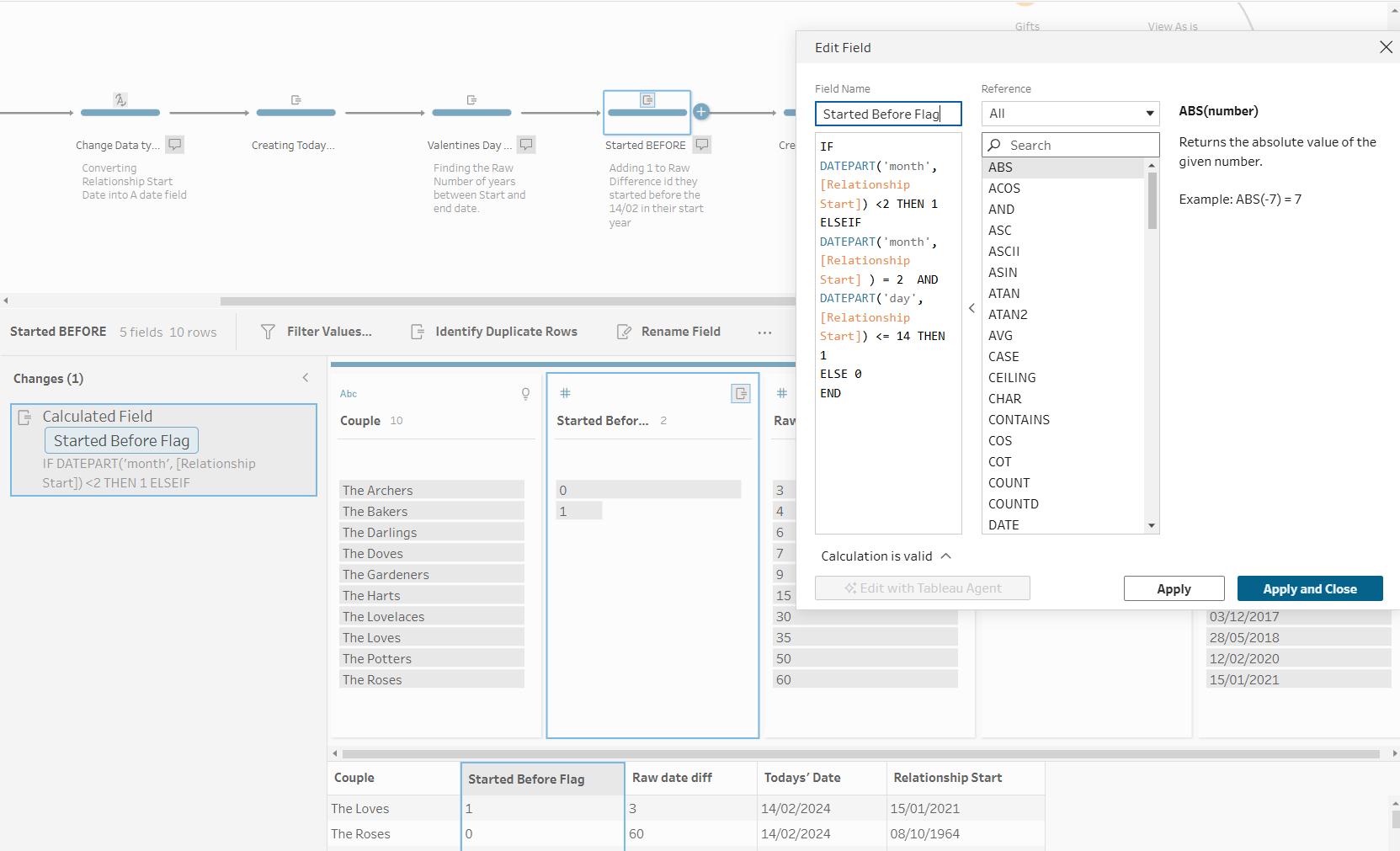
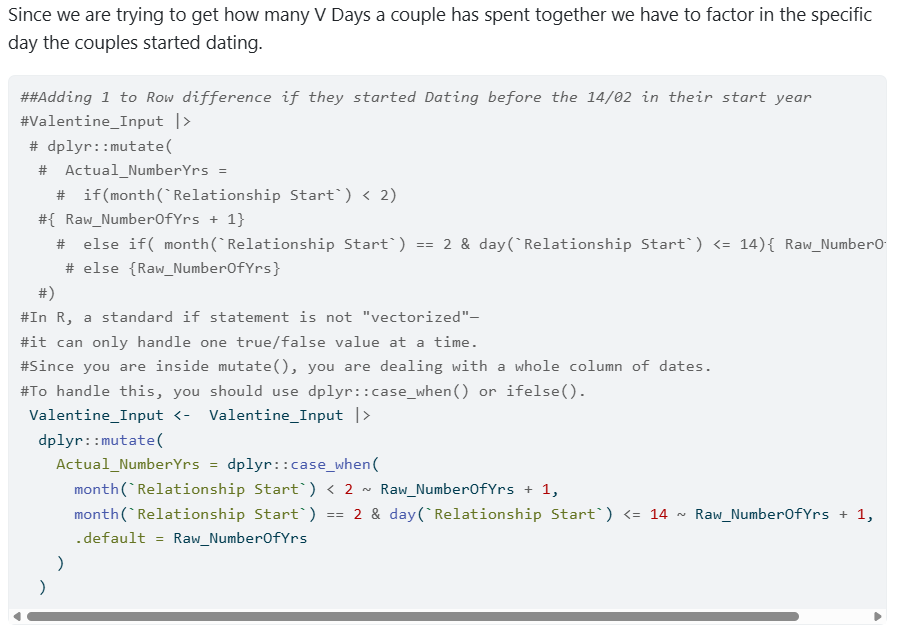
Step 4 - Started Before V day
In Tableau Prep
In R
Step 5 - Appending Text onto Field
Adding 'th' to the created field so that we can join to the Gifts Table
In Tableau Prep
In R
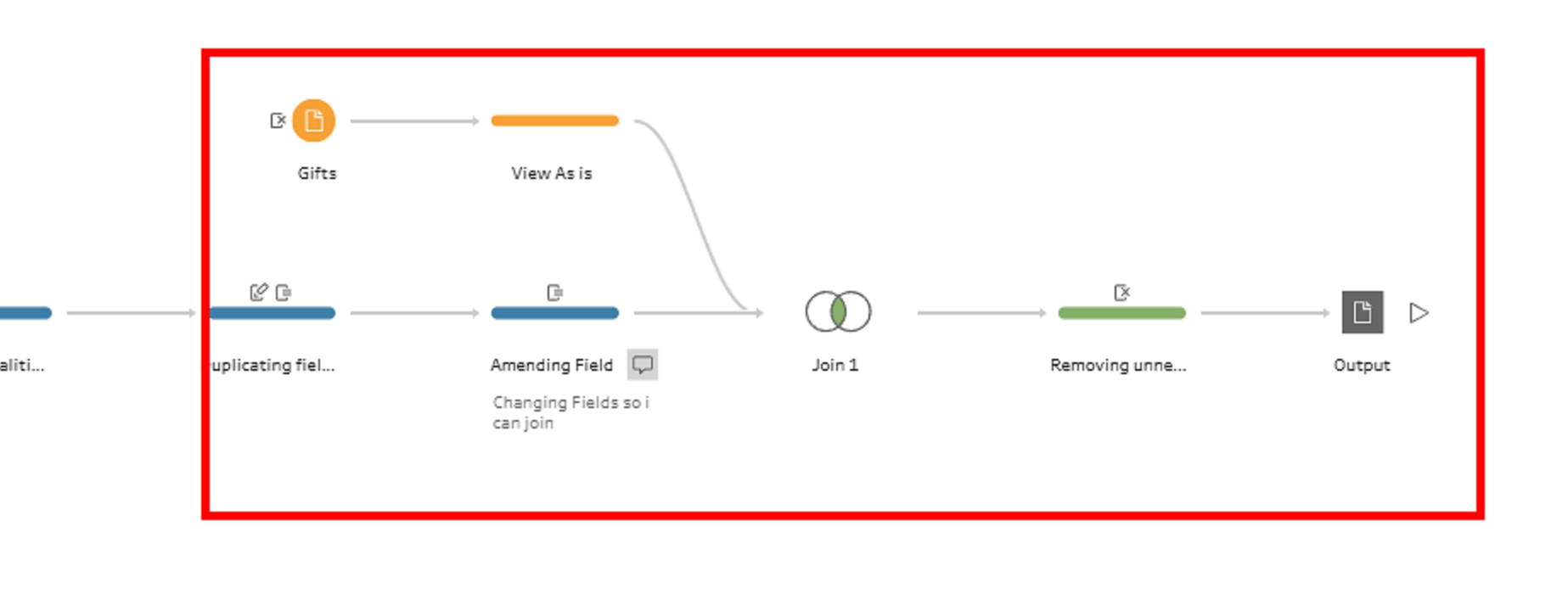
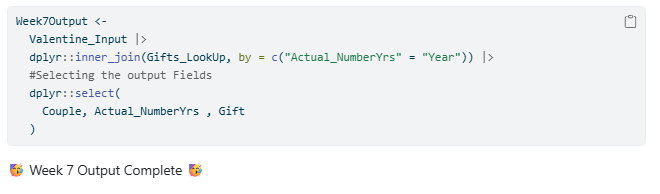
Step 6 - Joining the 2 tables together and Selecting Fields for the output
in Tableau Prep
In R
Outputs Created
Tableau Prep Workflow
R Output html Link
RPubs - Week7 Tableau Prep Challenges In R!